



Complete Wallet Tutorials
Choose the transaction guide you need
The page is divided by transaction method so each flow can be followed without mixing steps from another deposit or withdrawal option.
Top Up Tutorials
Deposit through the available WINBOX methods
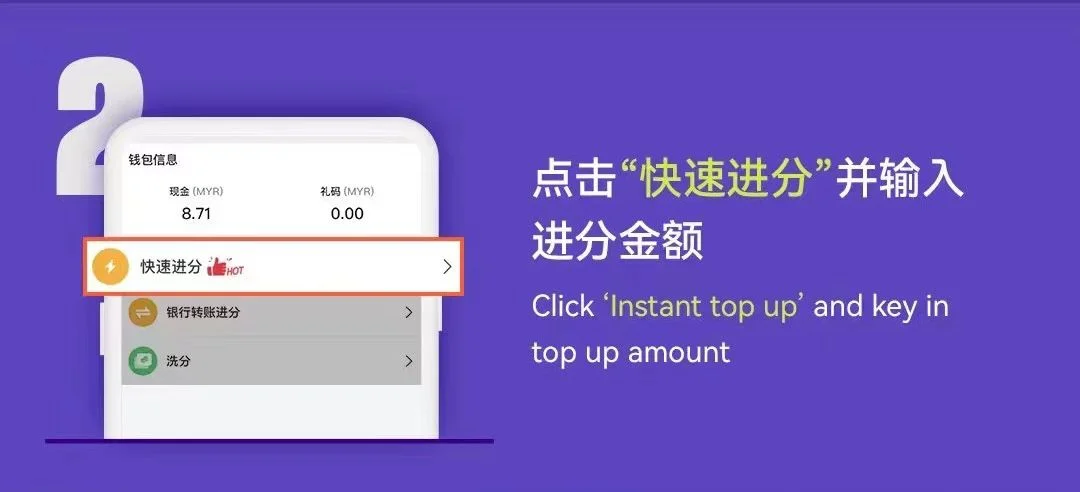
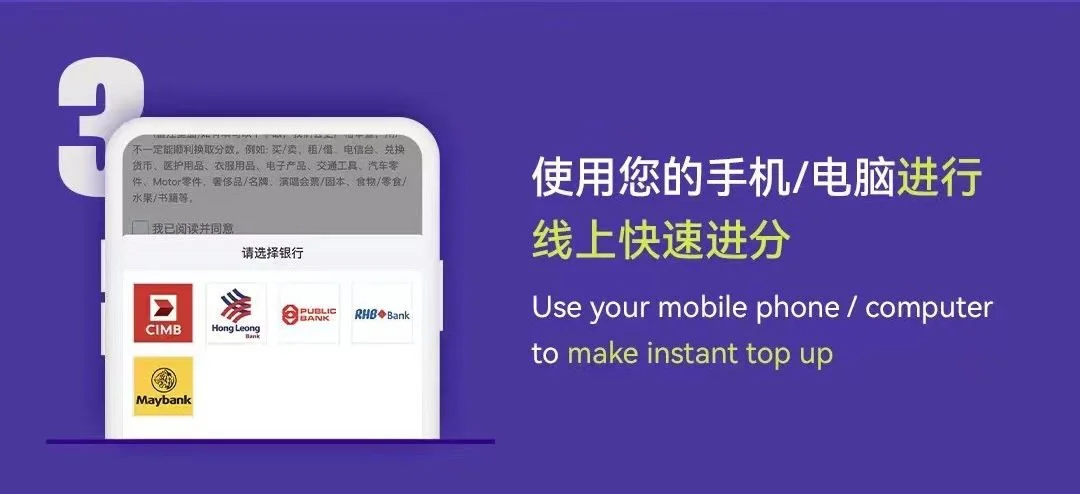
Use Instant Top Up for supported online banking access or Bank Transfer when submitting a transfer receipt for review.
Detailed Walkthrough · 9 Images
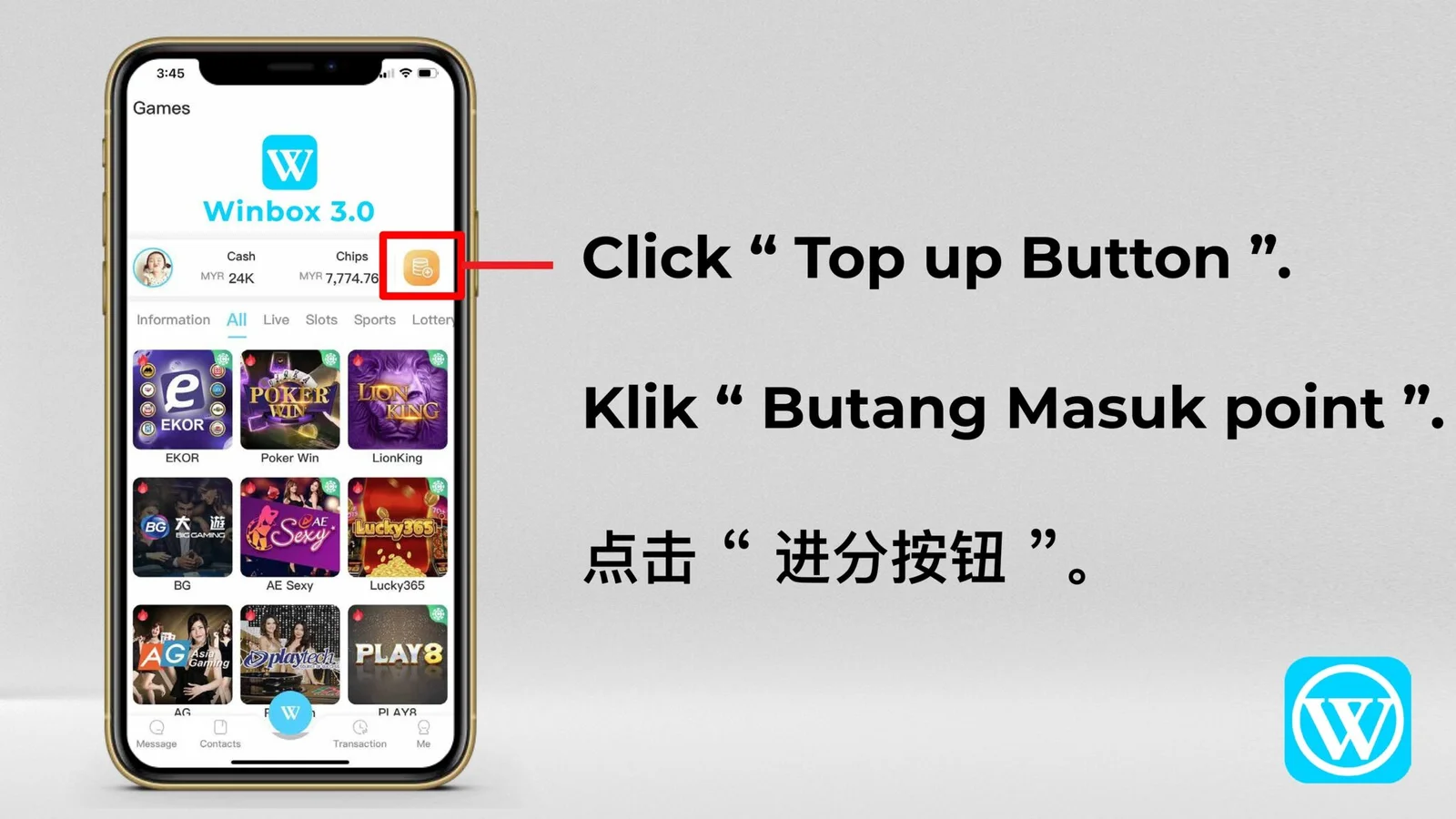
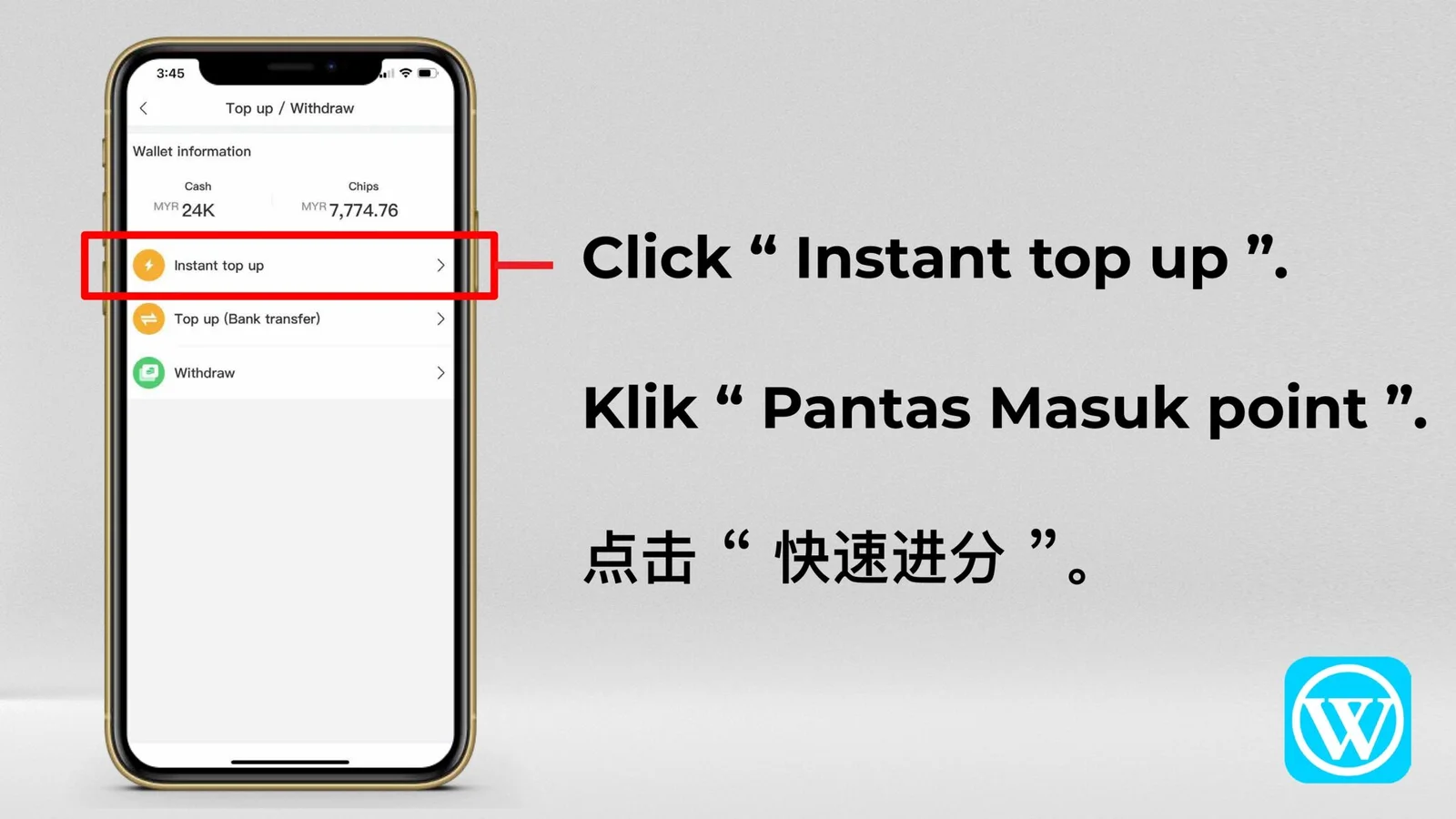
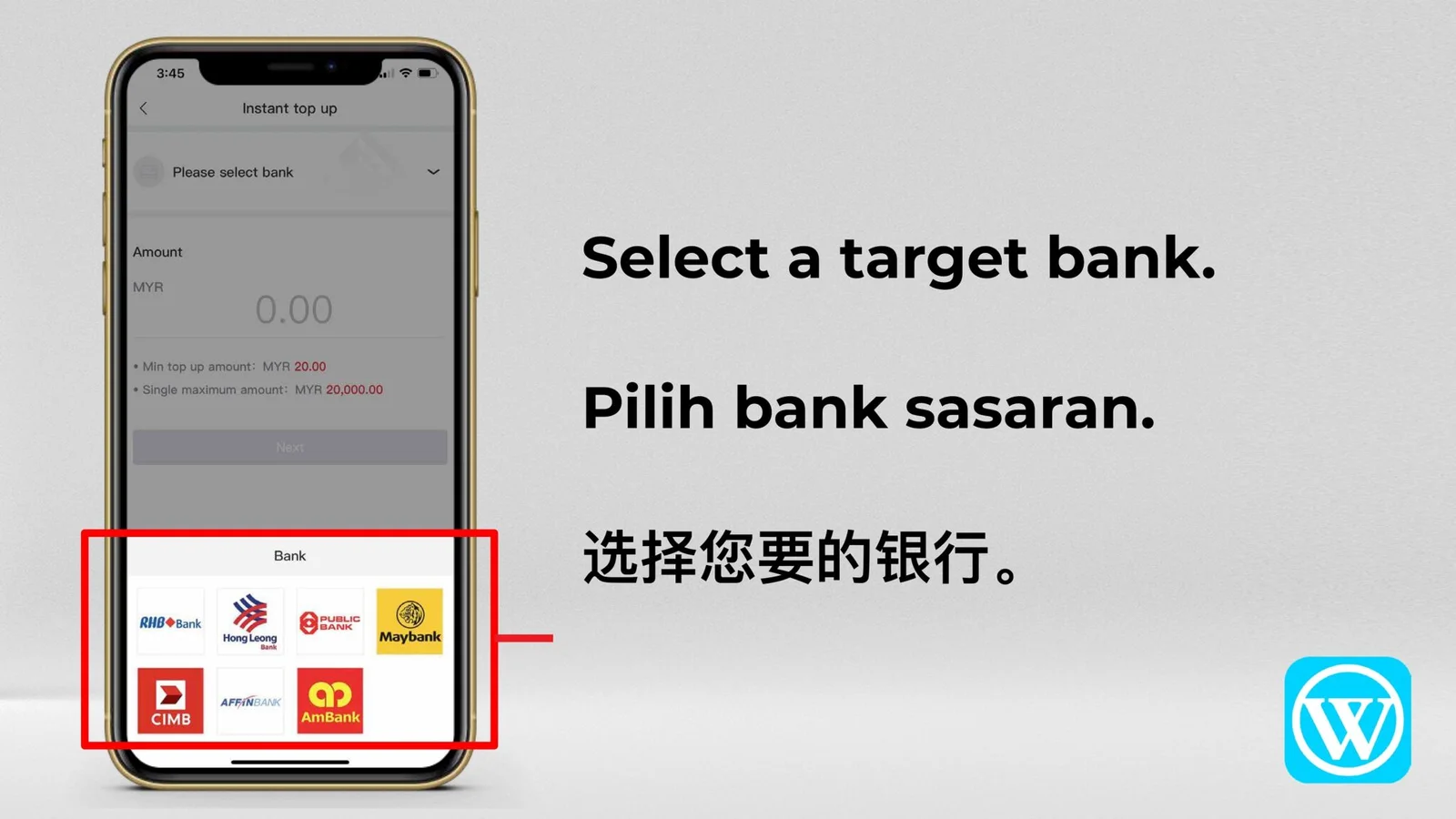
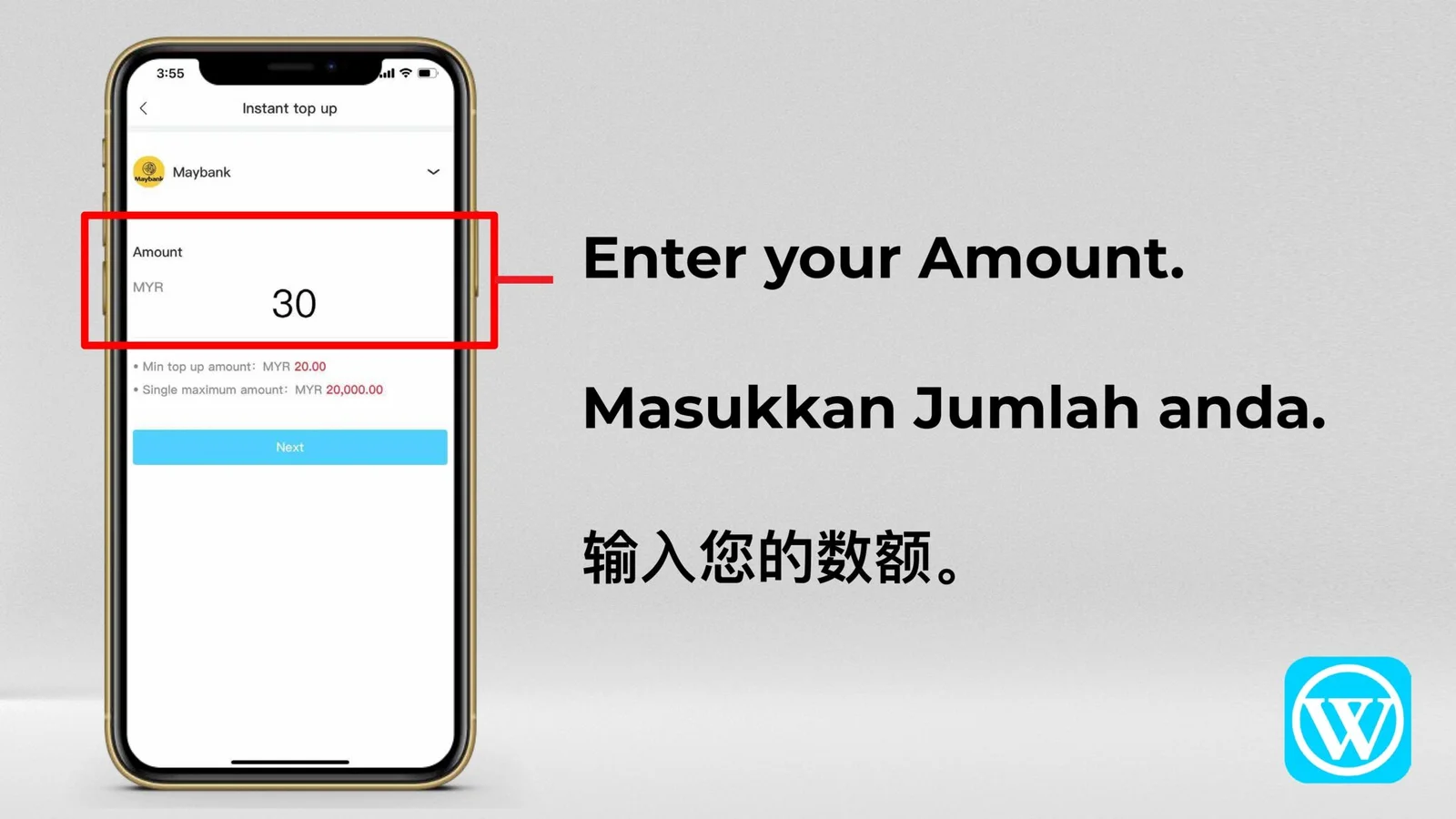
Instant Top Up
A complete multilingual walkthrough from opening Instant Top Up to the successful transaction screen.

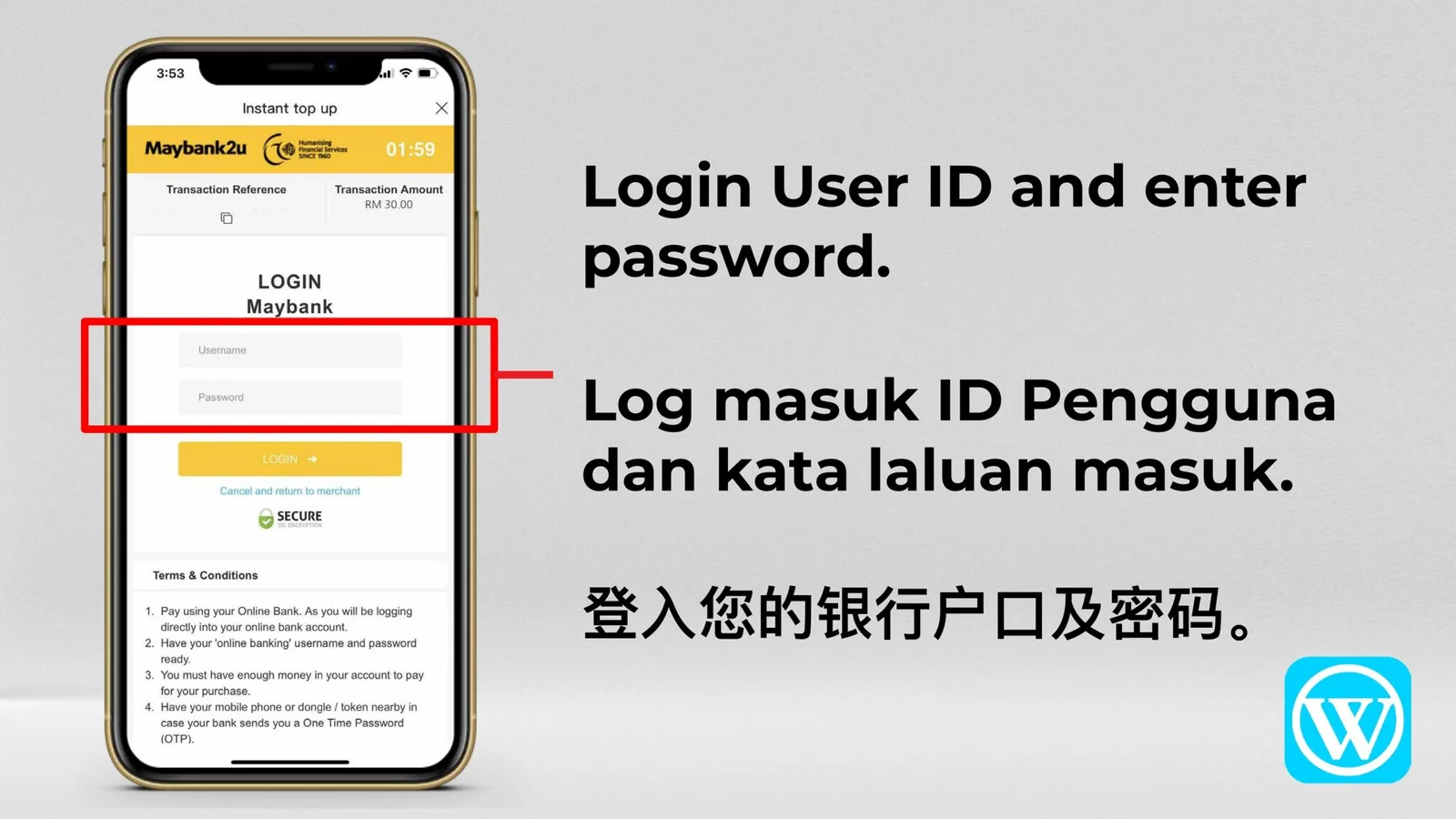
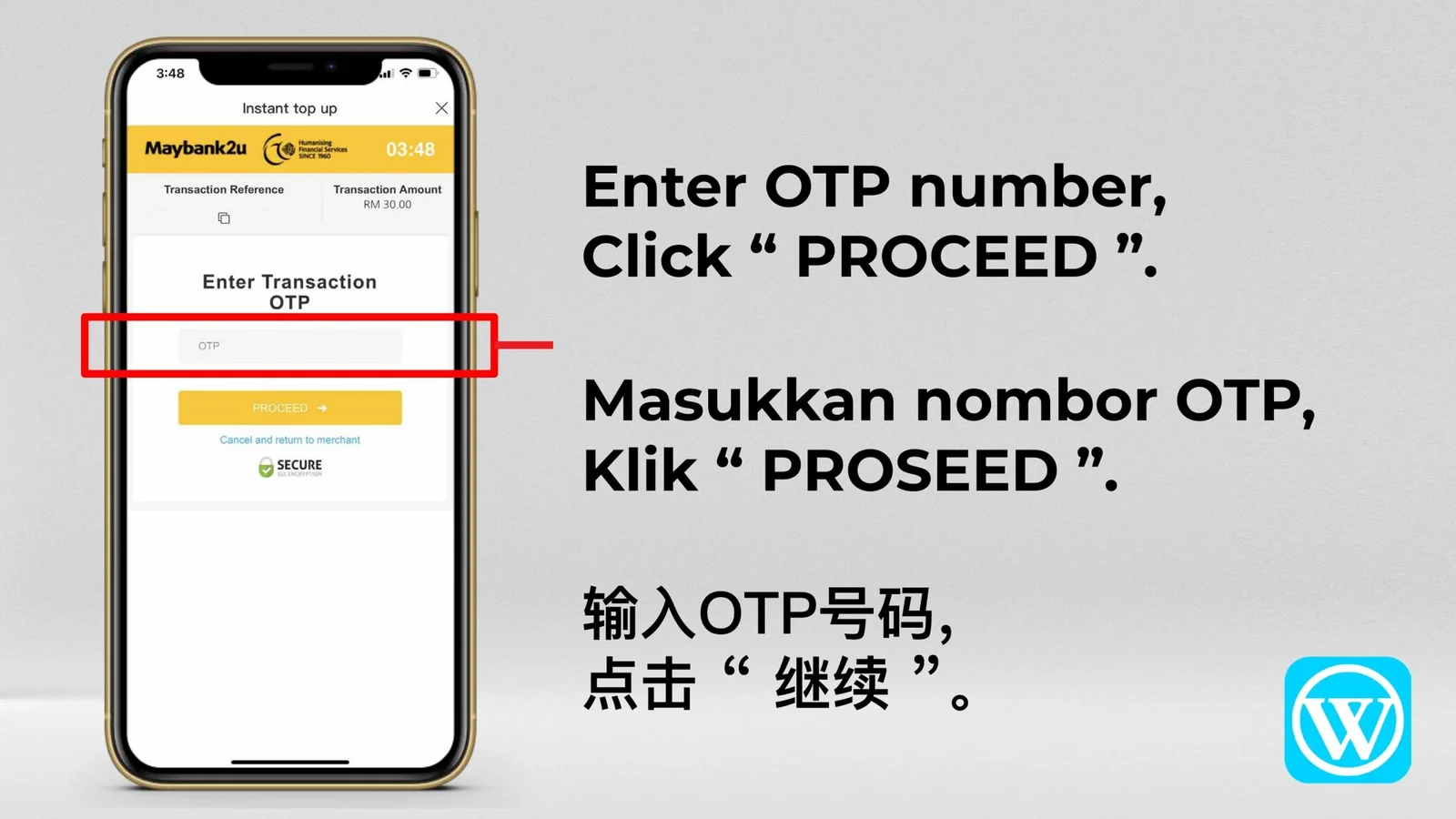
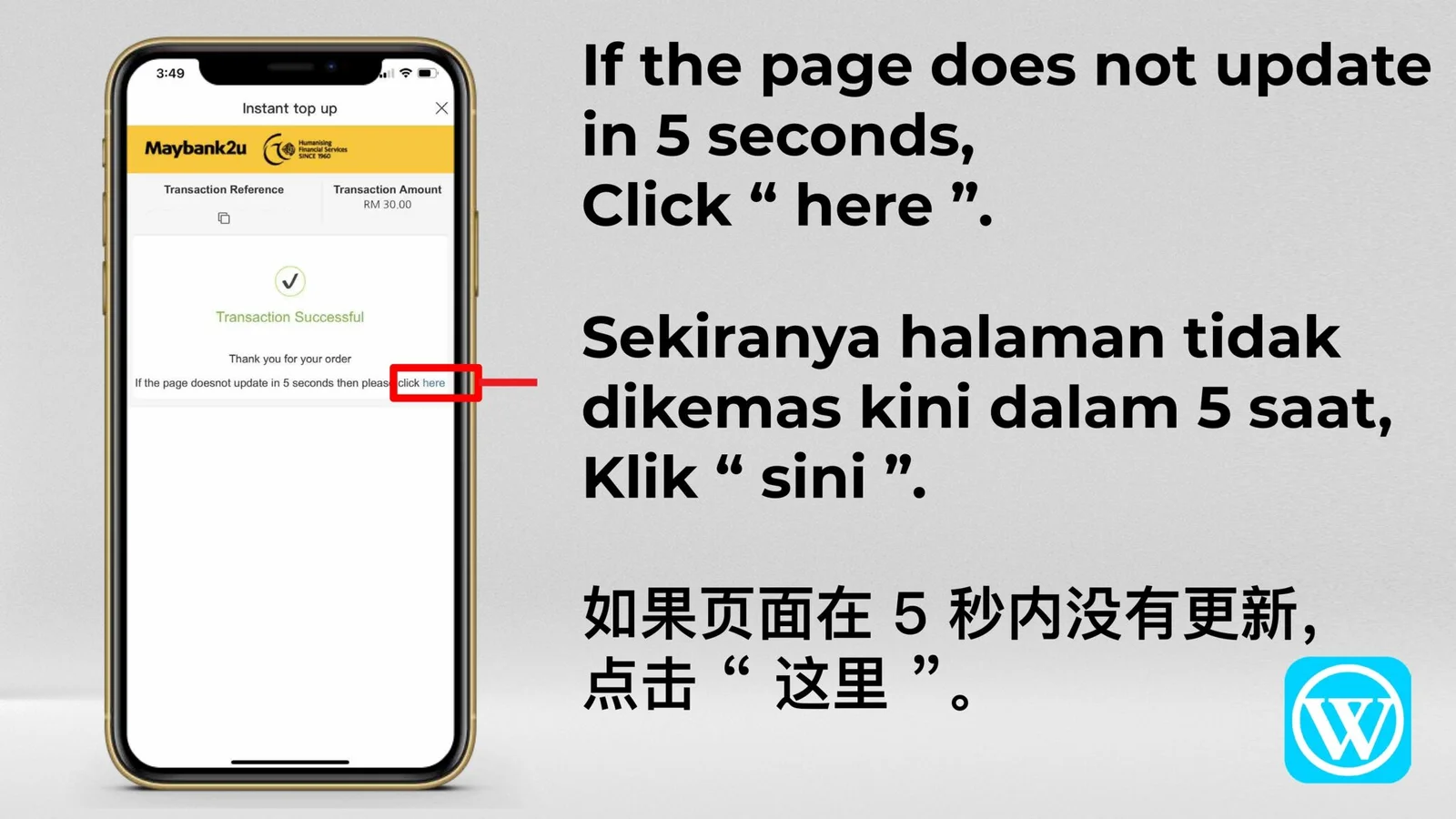

Quick Reference · 5 Images
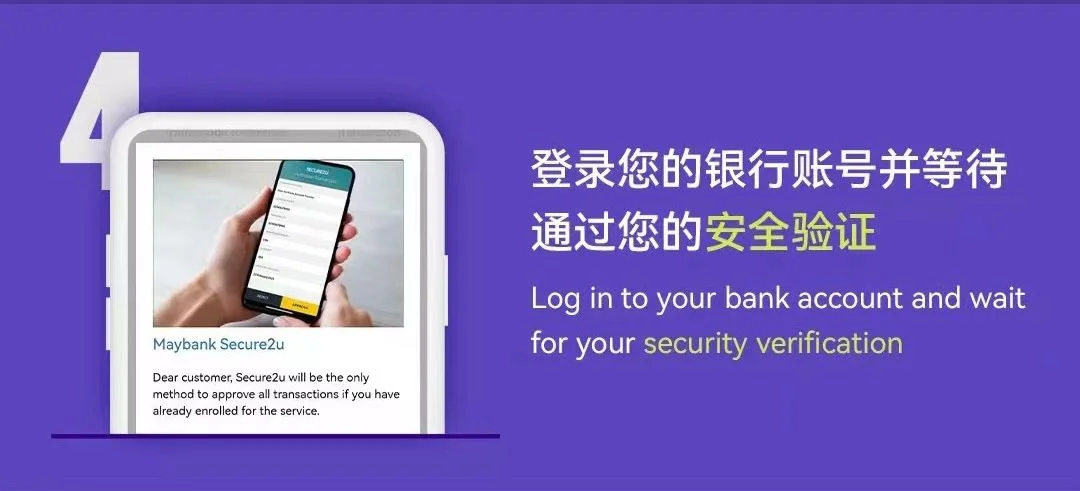
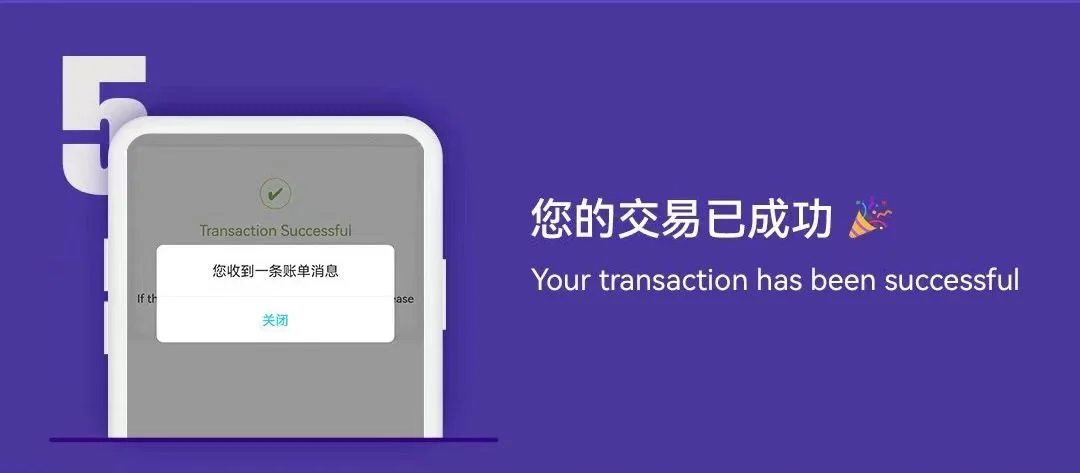
Instant Top Up Quick Guide
A shorter illustrated sequence covering bank selection, security verification and successful completion.
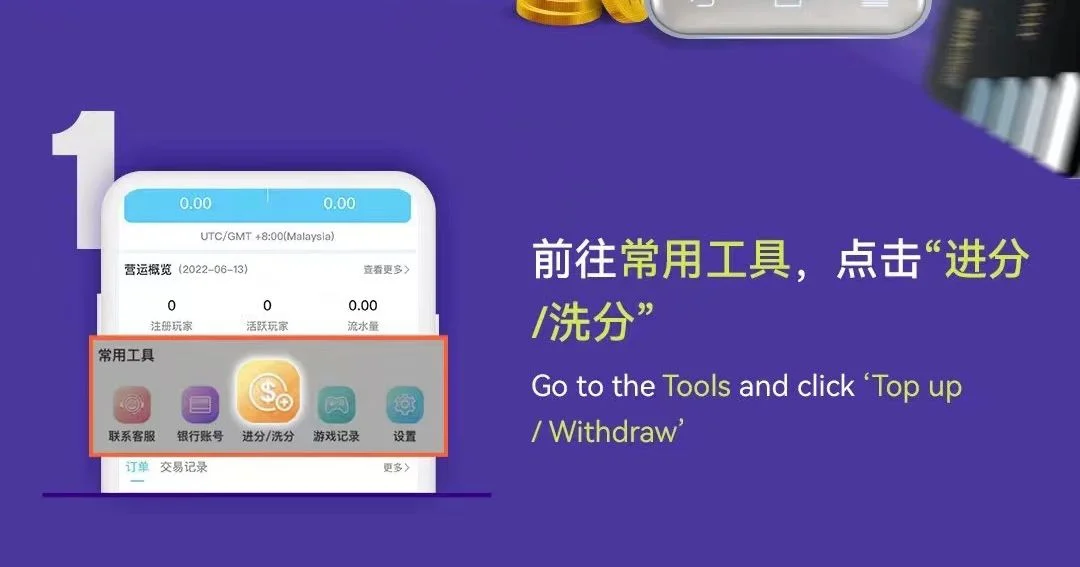
Bank Transfer · 5 Images
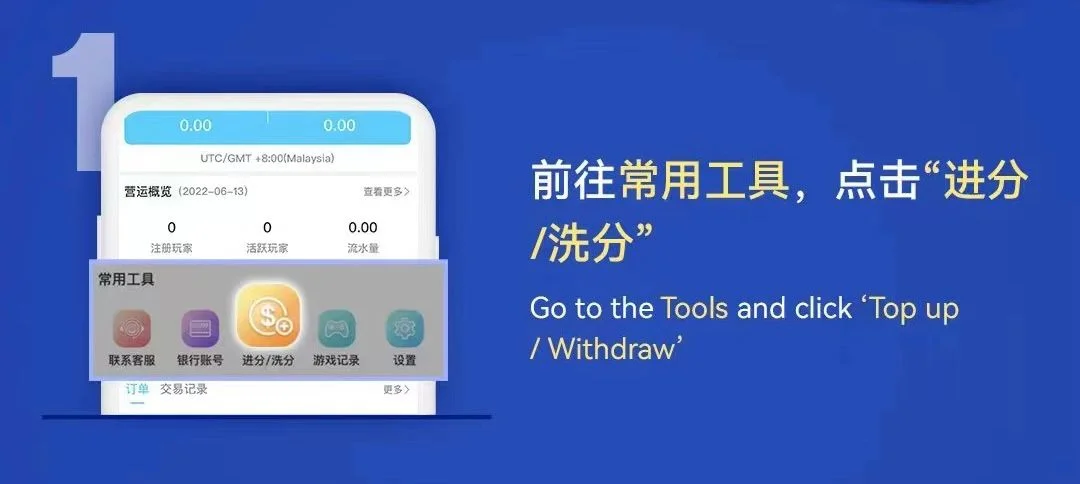
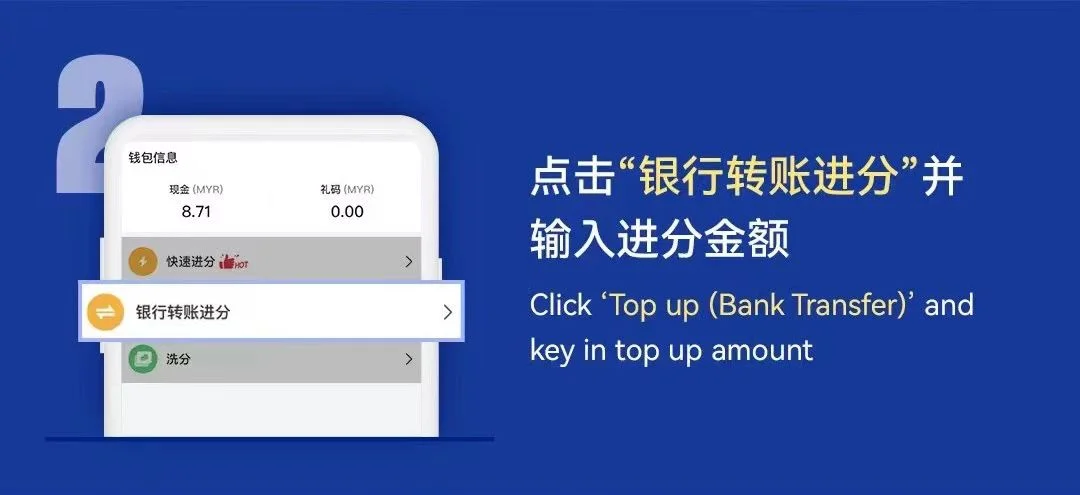
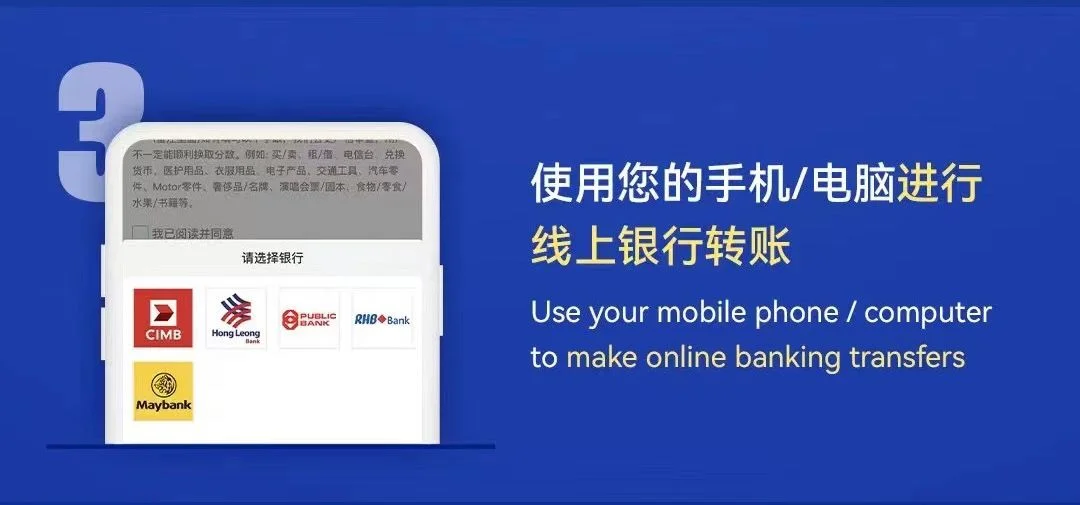
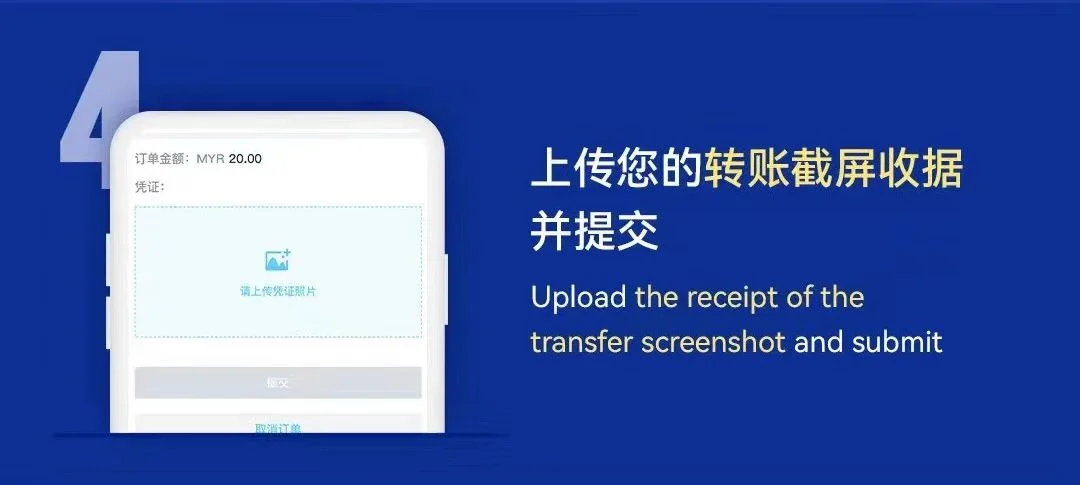
Top Up Via Bank Transfer
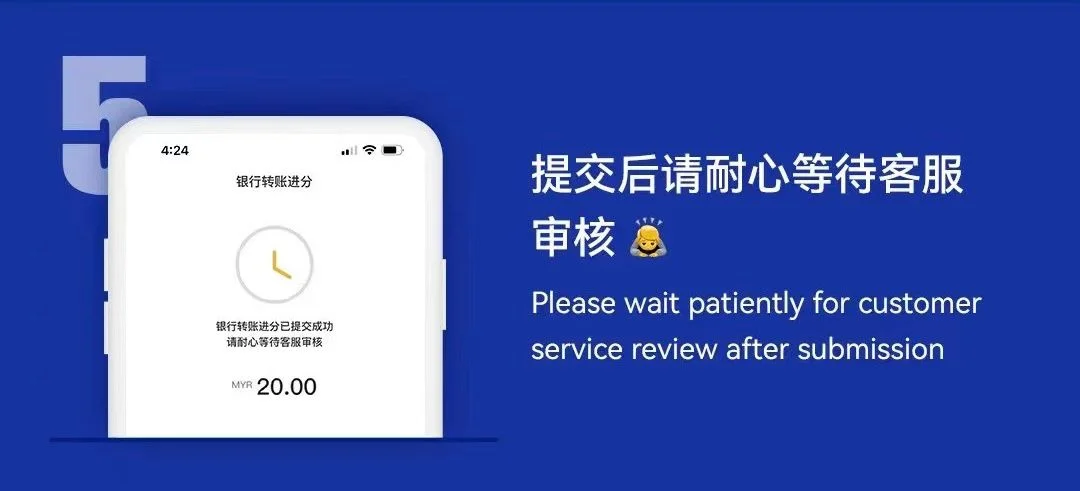
Follow the bank transfer flow, choose the bank, upload the transfer receipt and wait for the submitted request to be reviewed.
Withdrawal Tutorial
Submit a WINBOX withdrawal request
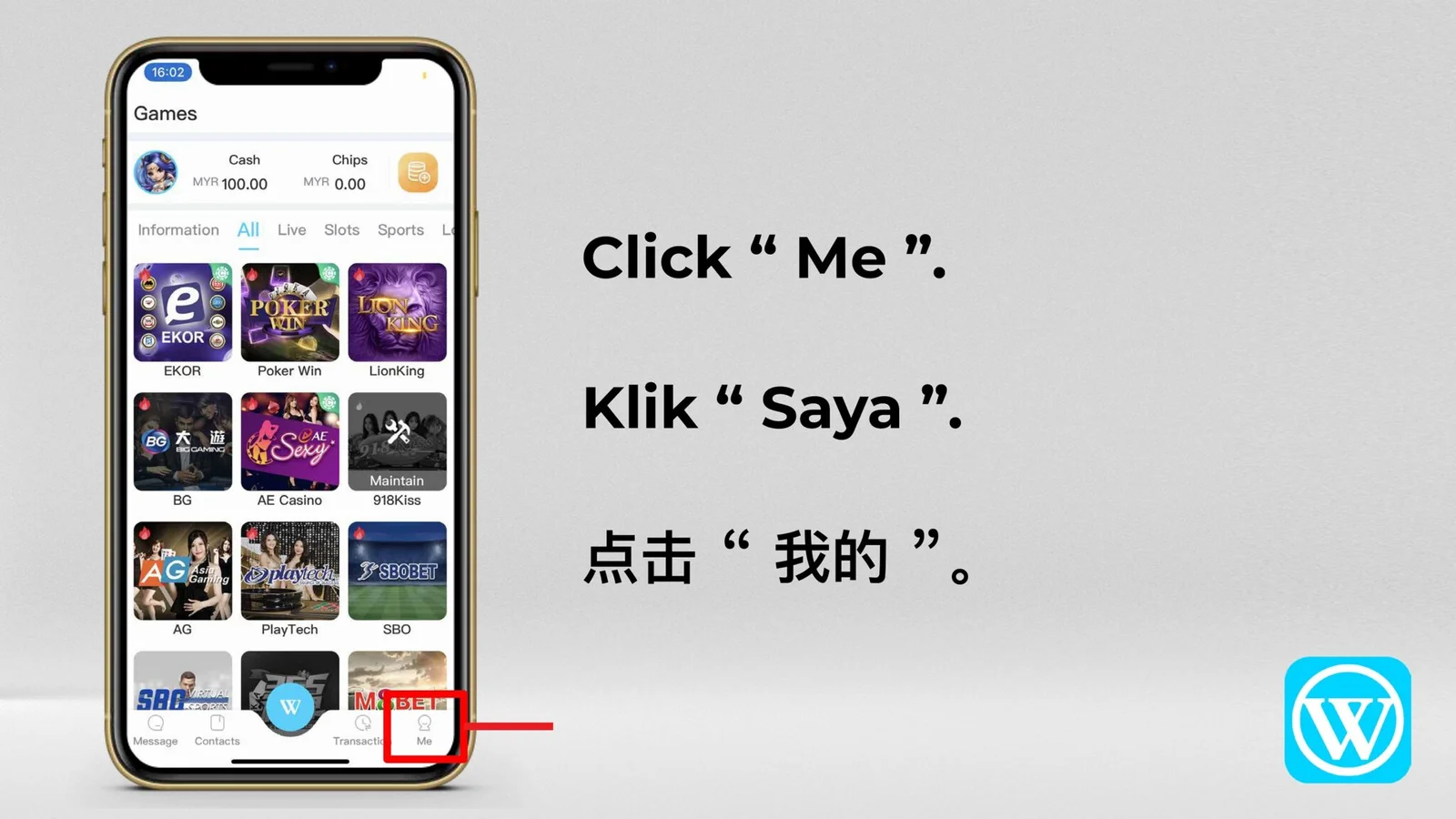
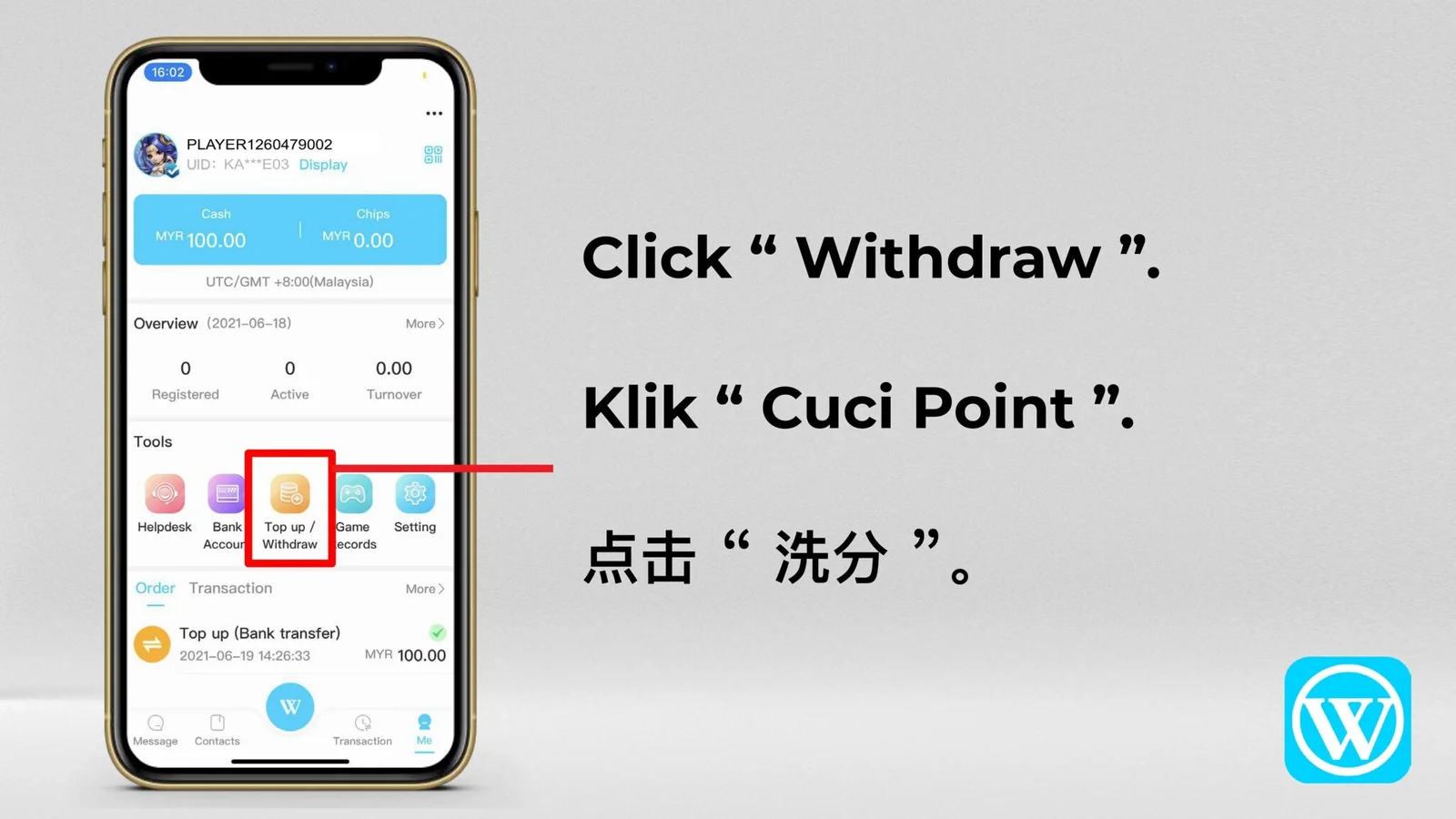
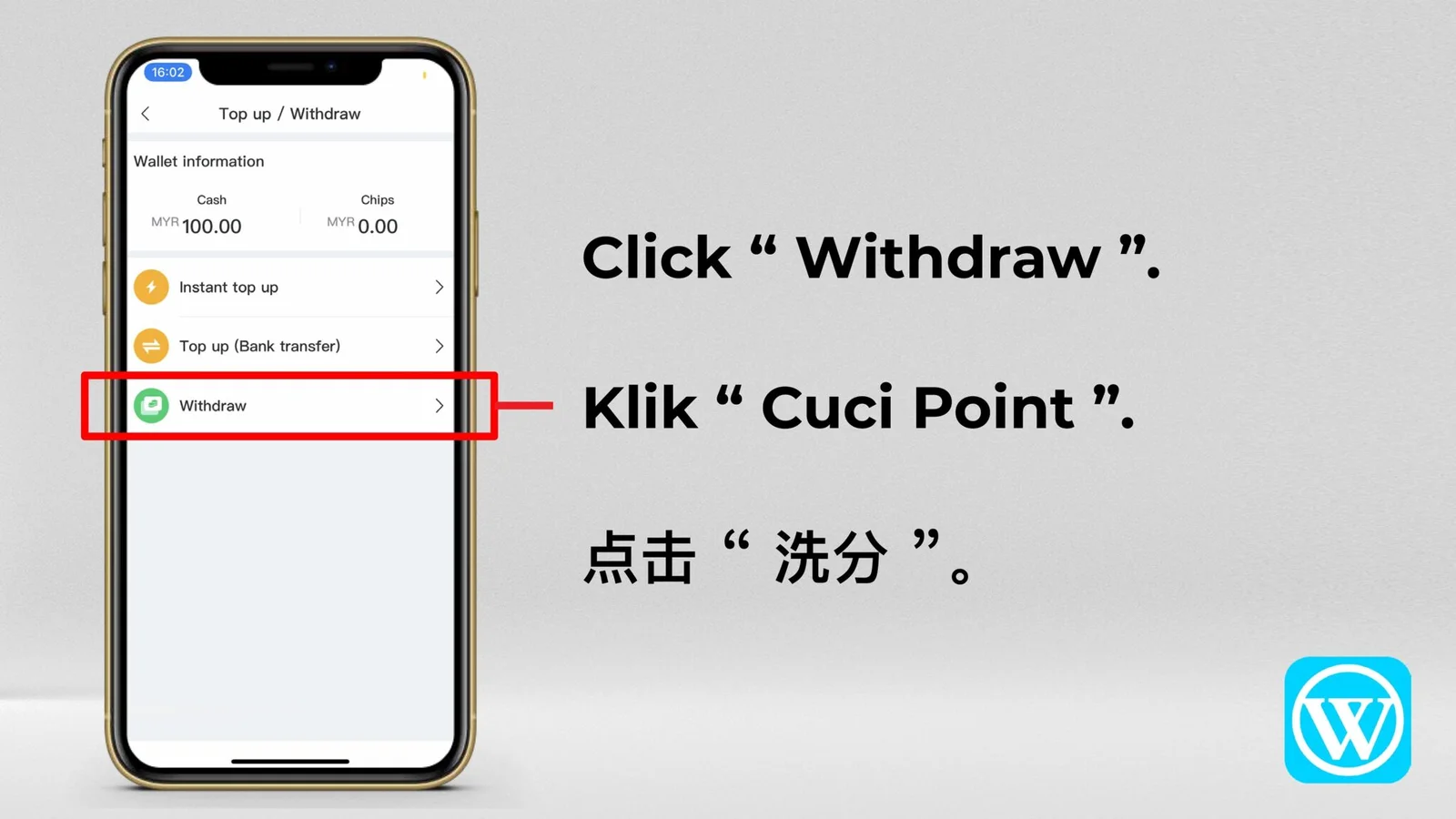
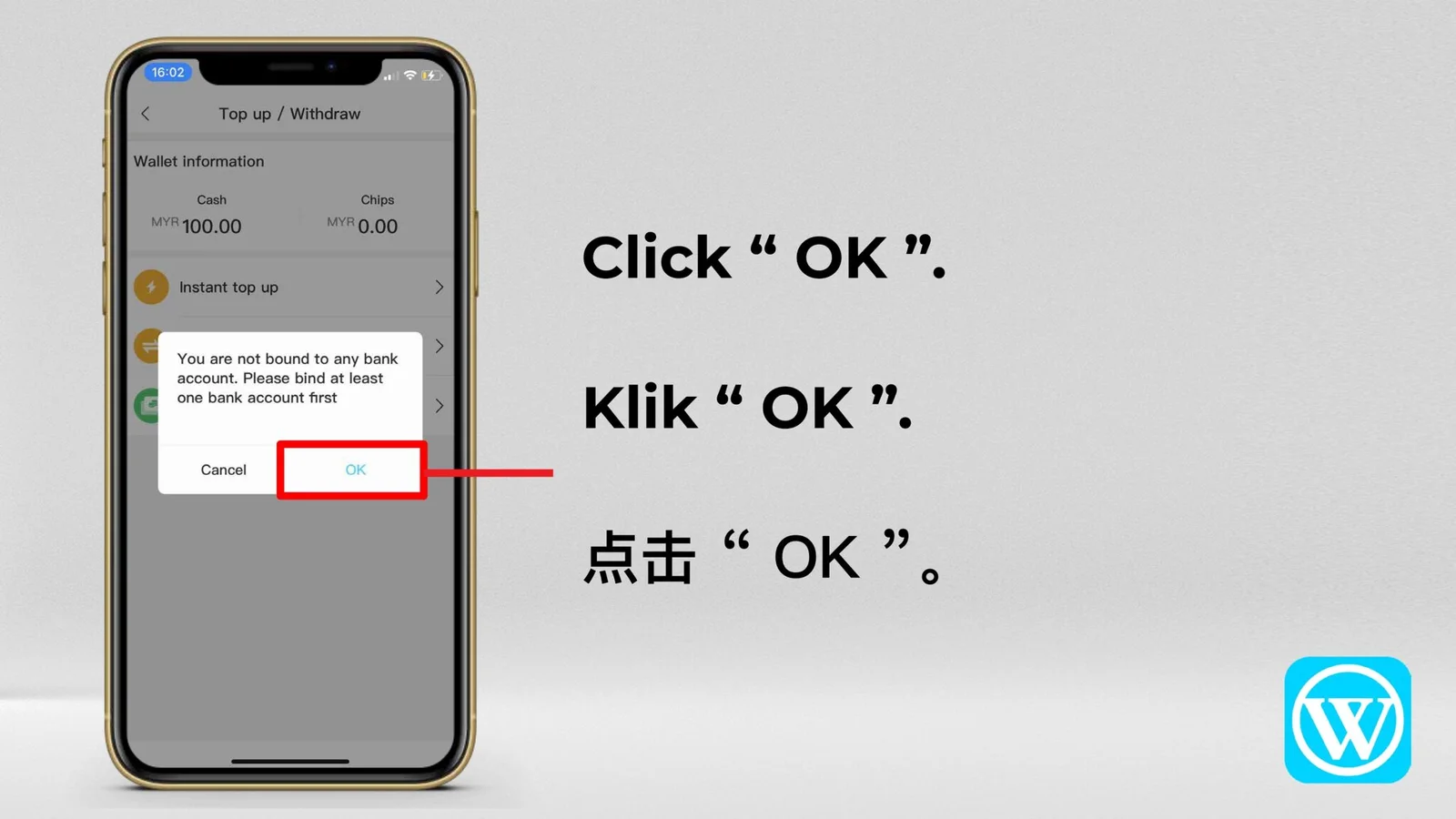
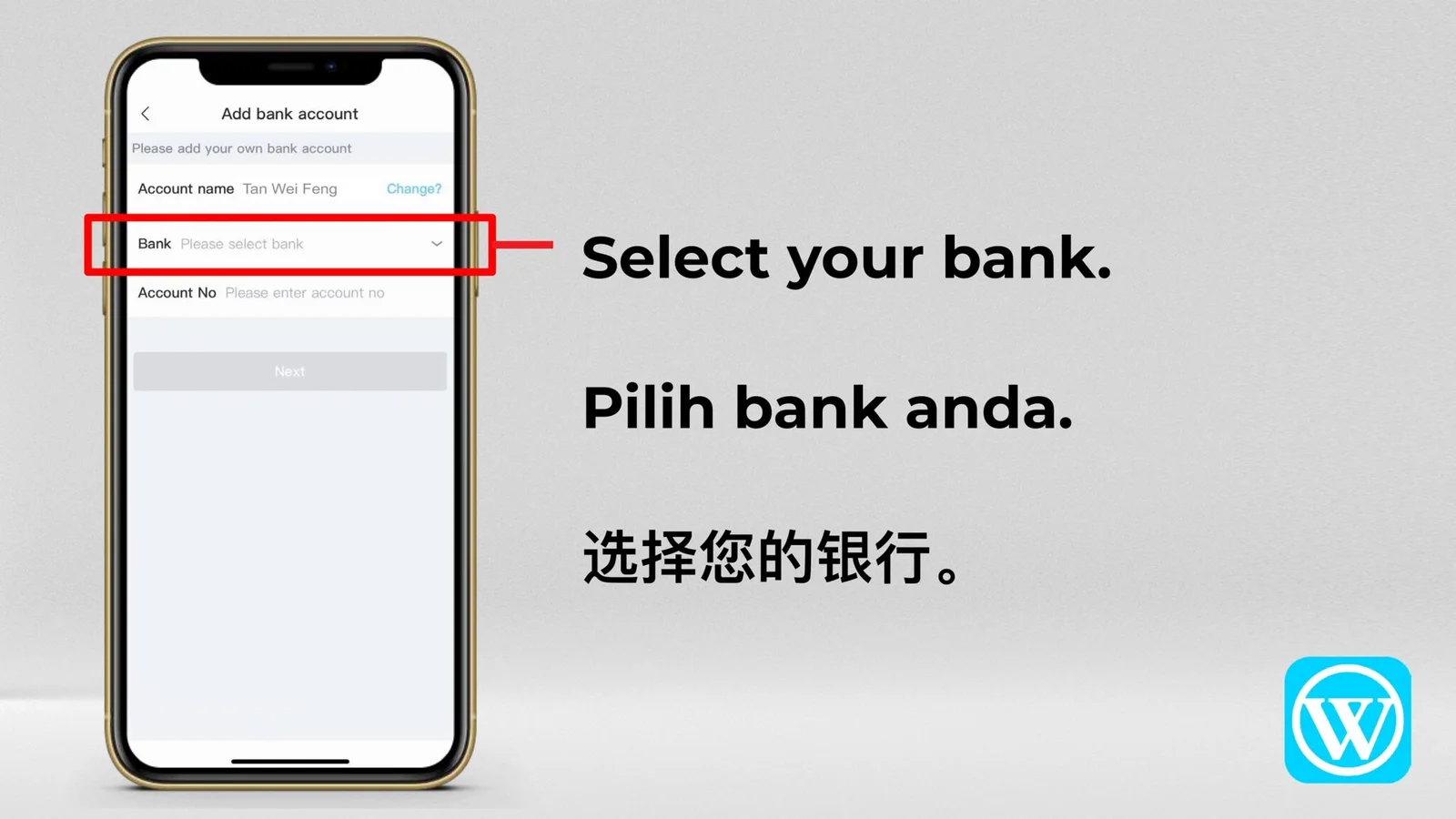
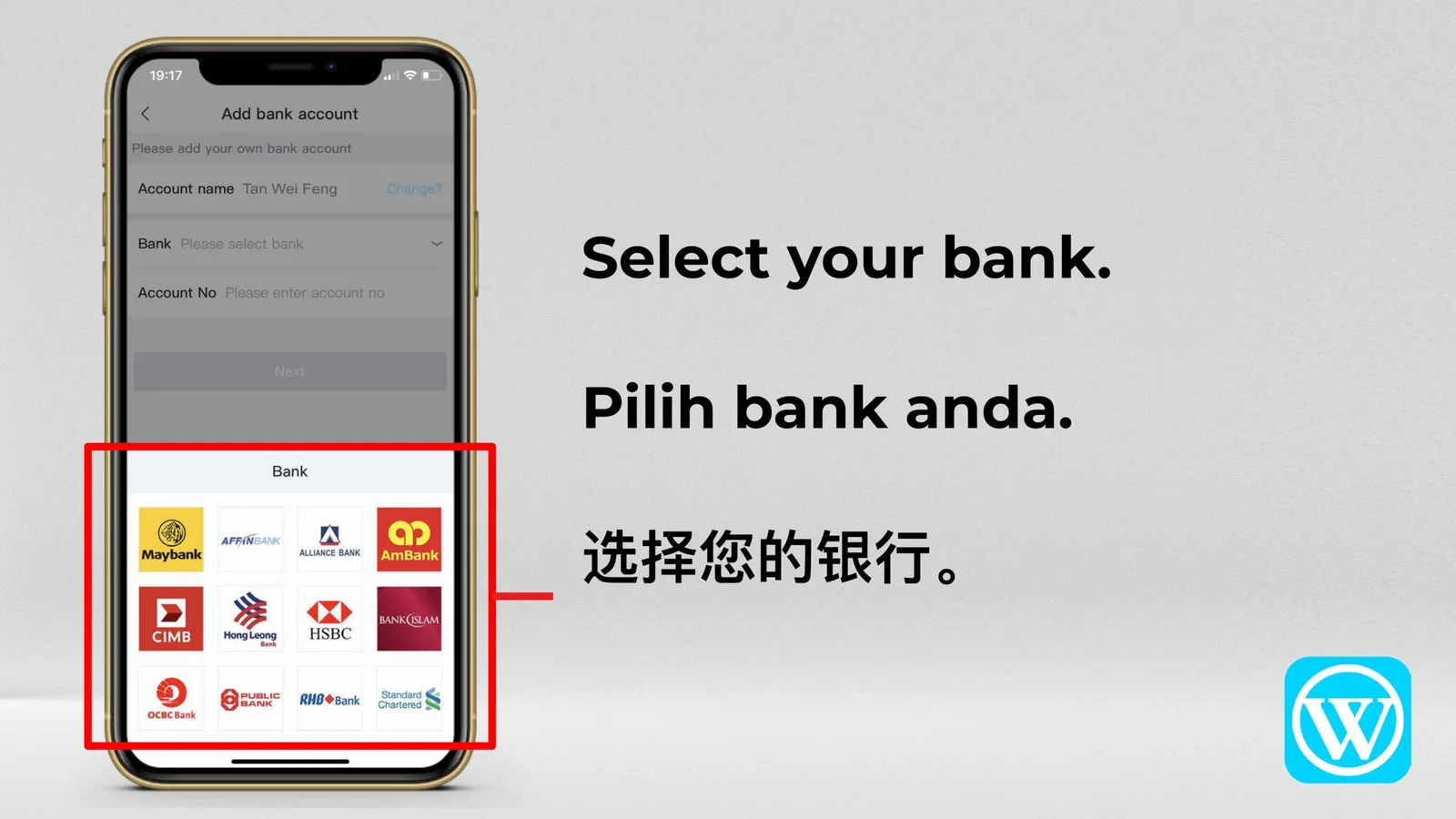
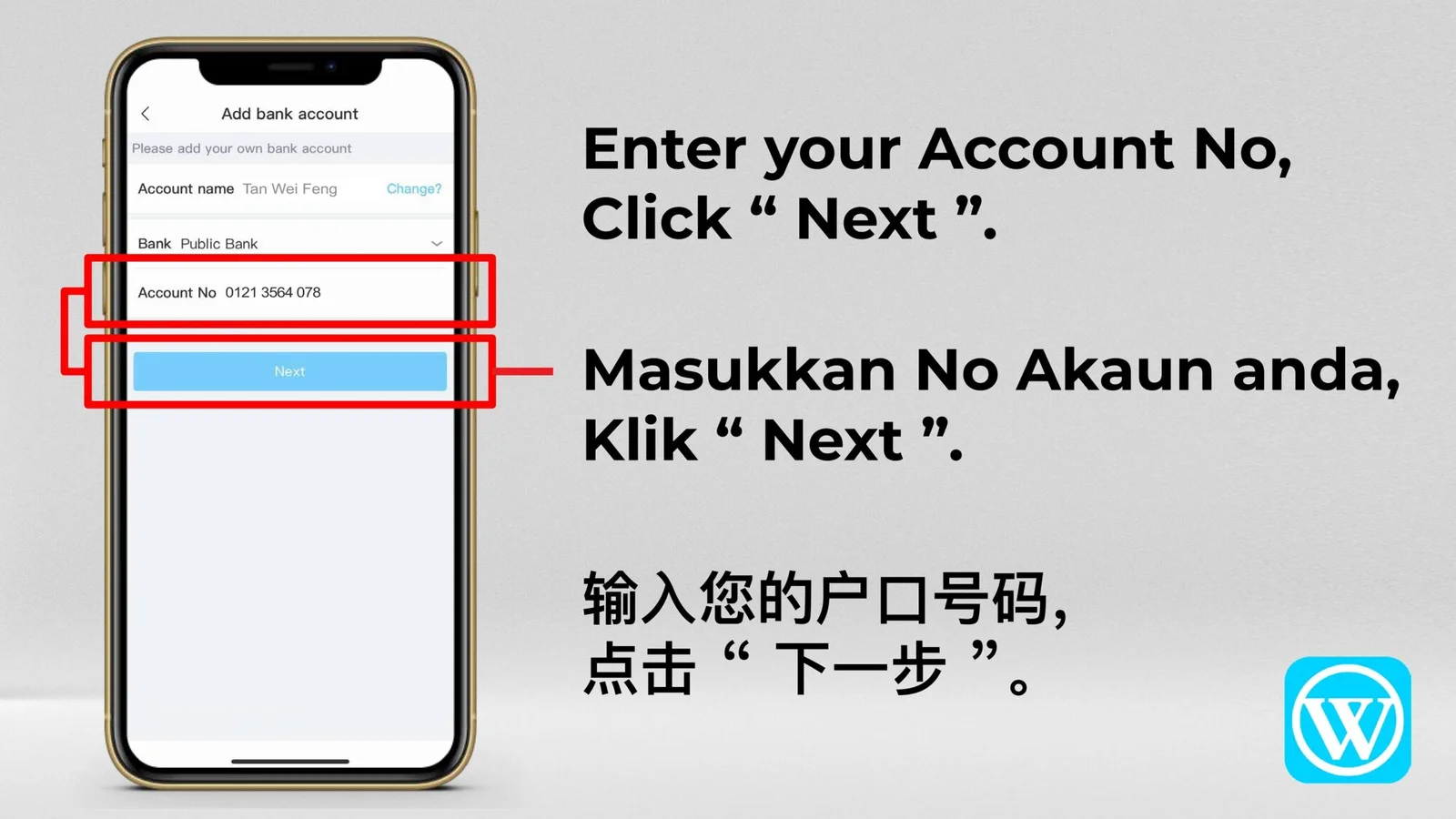
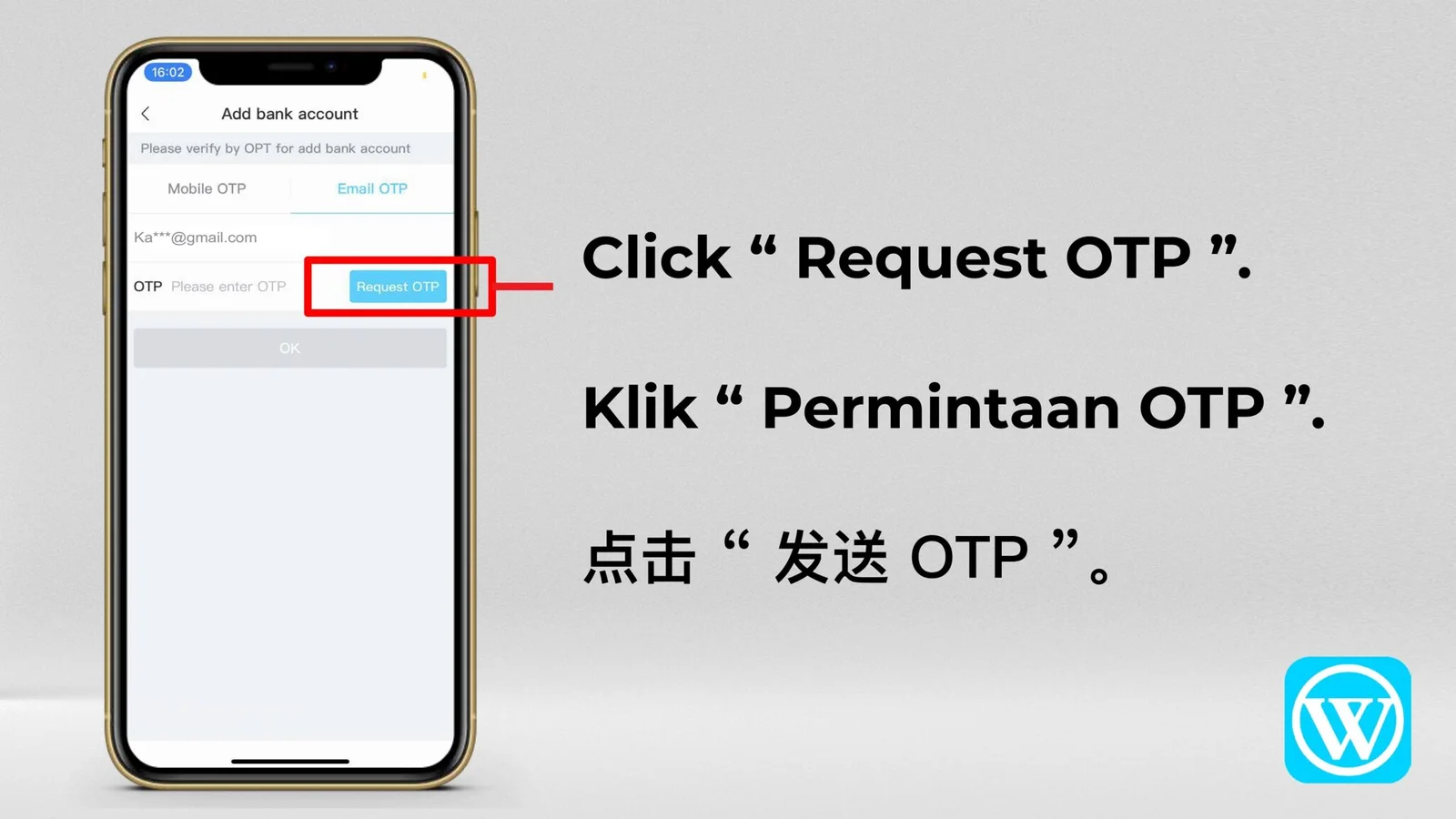
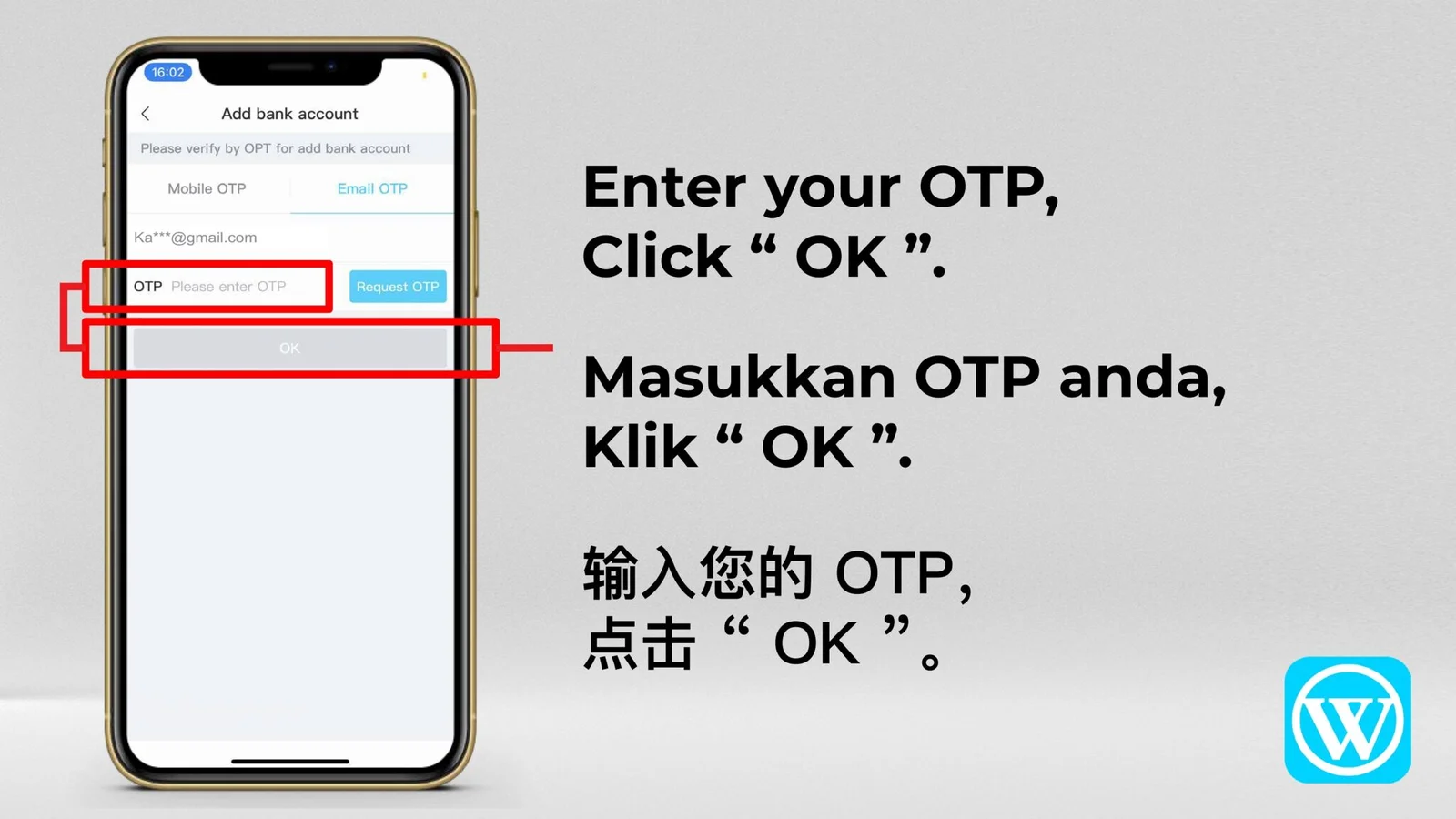
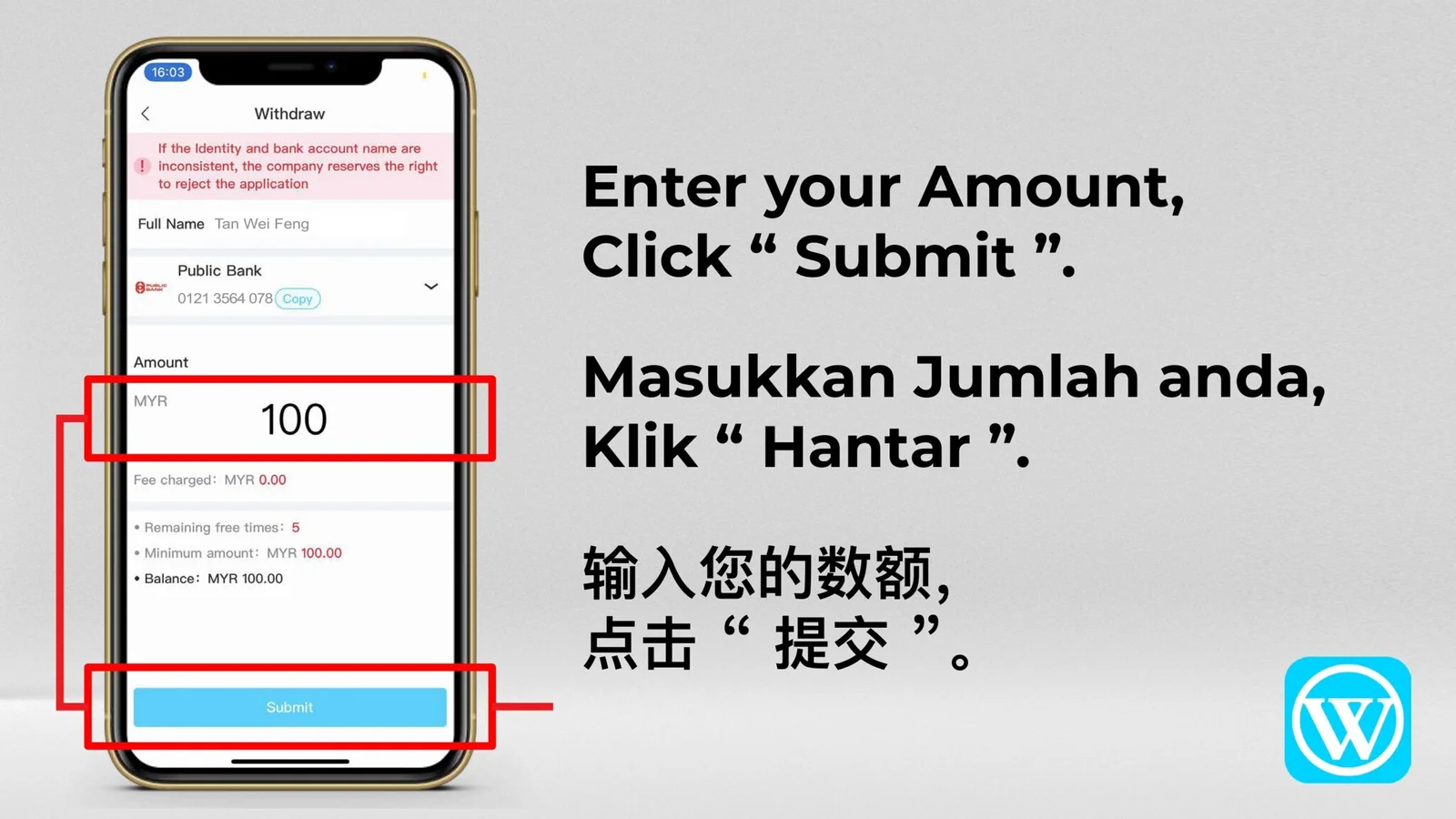
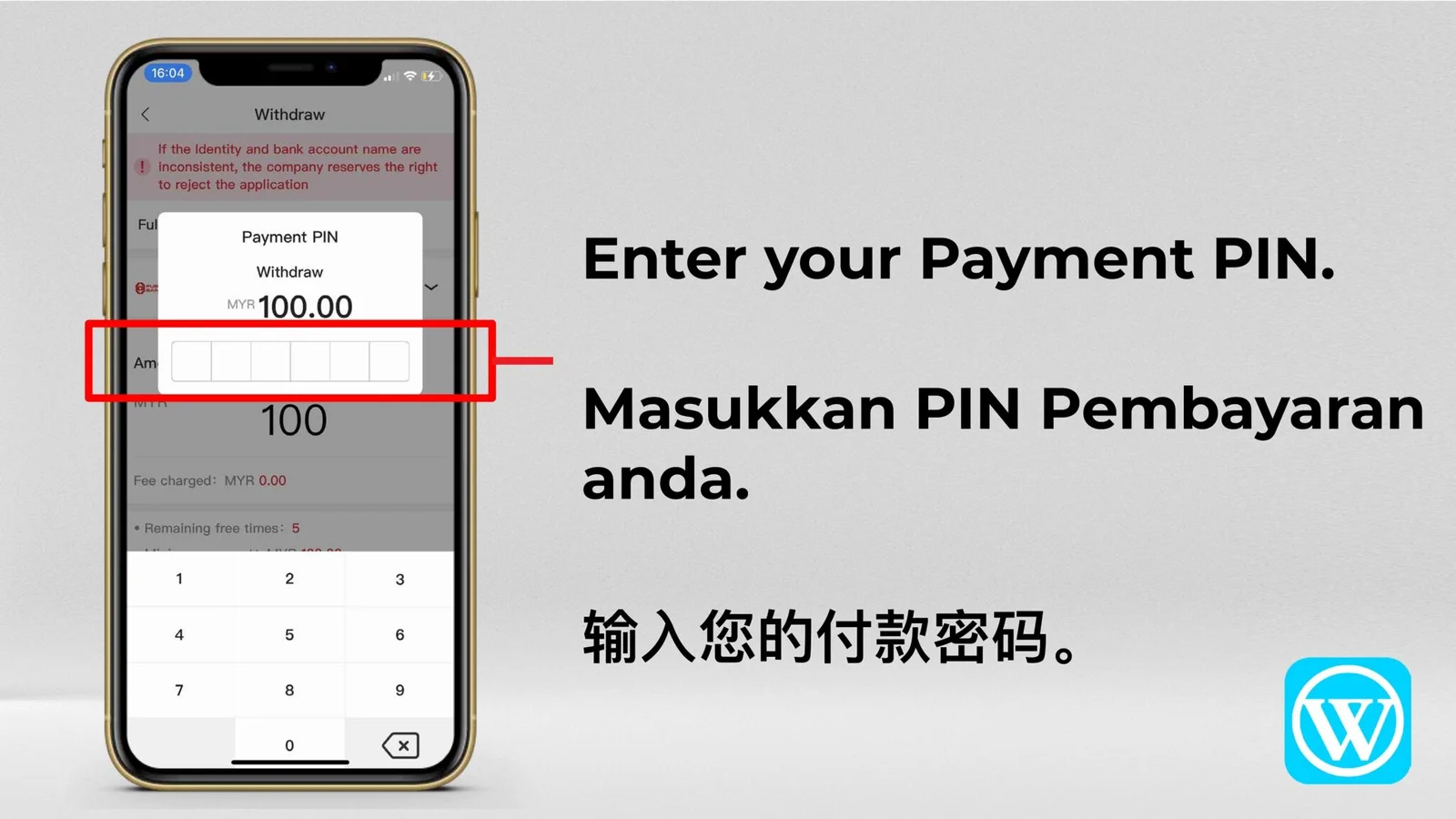
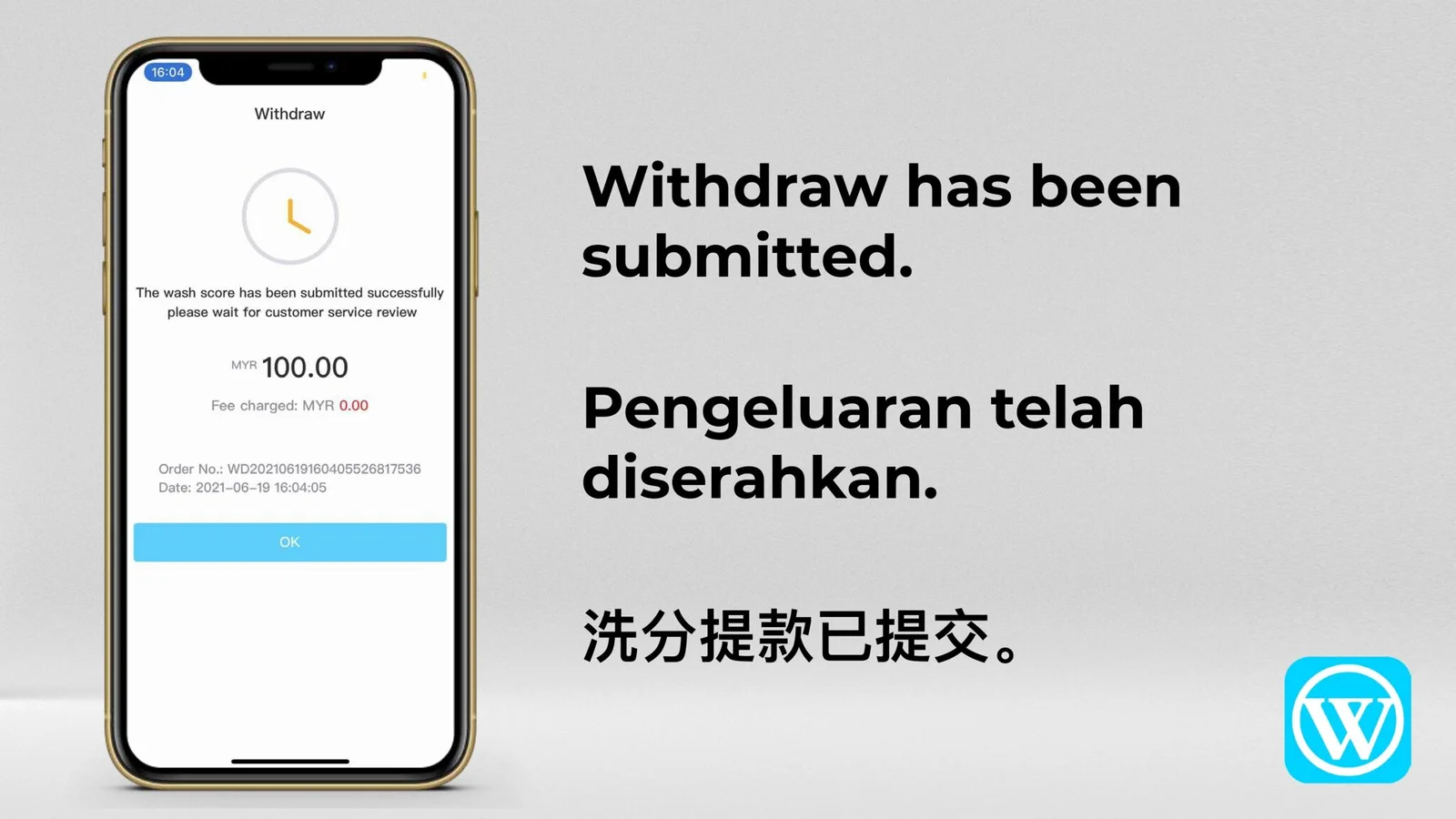
The complete supplied sequence covers account access, bank details, OTP verification, withdrawal amount, payment password and submission status.
Complete Walkthrough · 13 Images
WINBOX Withdrawal Tutorial
Move through all thirteen images in order from the tutorial cover to the submitted withdrawal record.
Before You Submit
Review every transaction detail
The supplied images may show an earlier WINBOX interface. Current banks, limits, processing time and screen labels may differ on the live platform.
- ✓Confirm the selected top-up or withdrawal method.
- ✓Check the bank account, amount and uploaded receipt.
- ✓Enter OTP and payment codes only inside the verified transaction screen.
- ✓Review the final status before leaving the page.