



Before The Steps
Prepare the withdrawal details
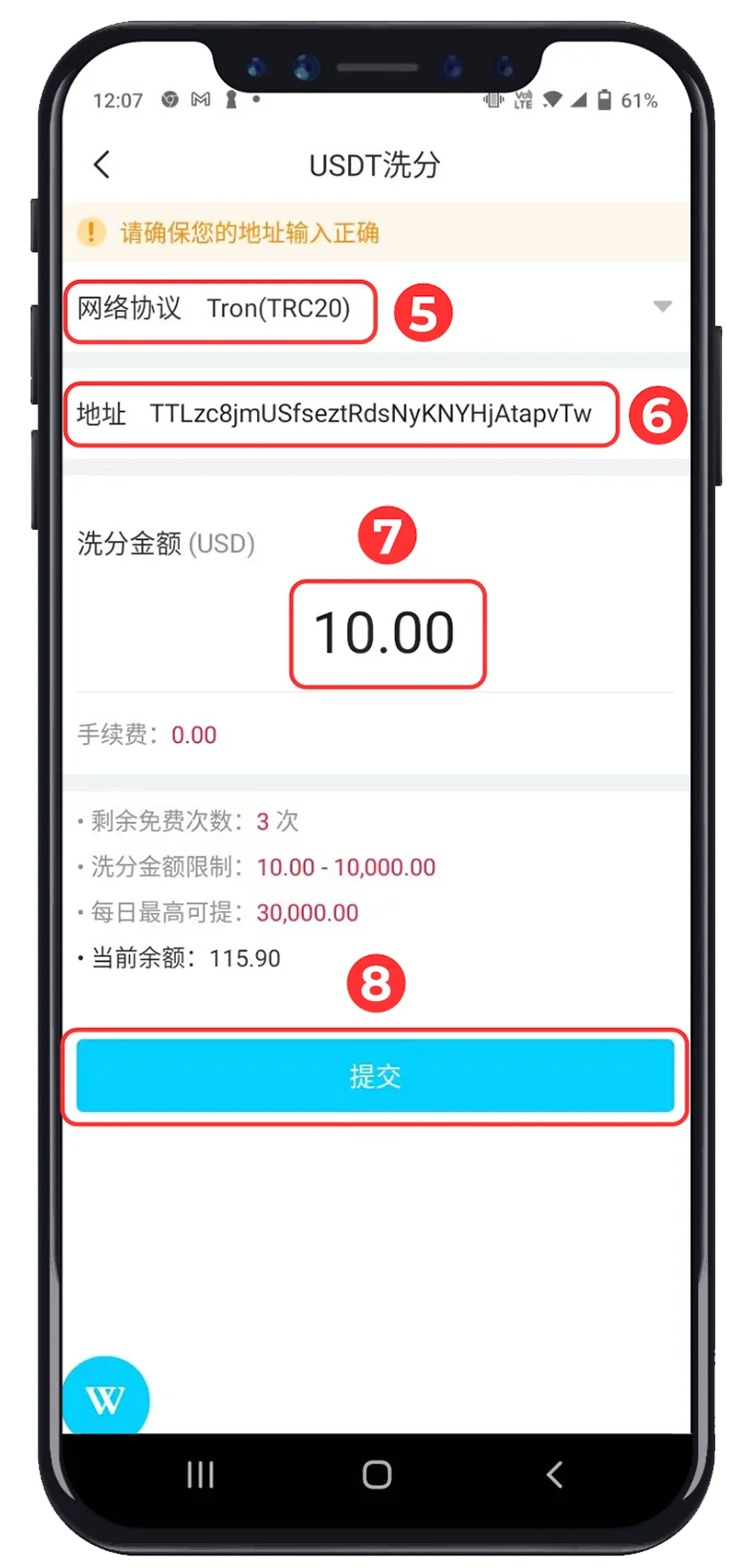
Have the receiving USDT address ready and confirm which network protocol the receiving wallet supports before entering any information.
Copy the complete USDT address from the destination wallet.
Select the same network protocol shown by the receiving wallet.
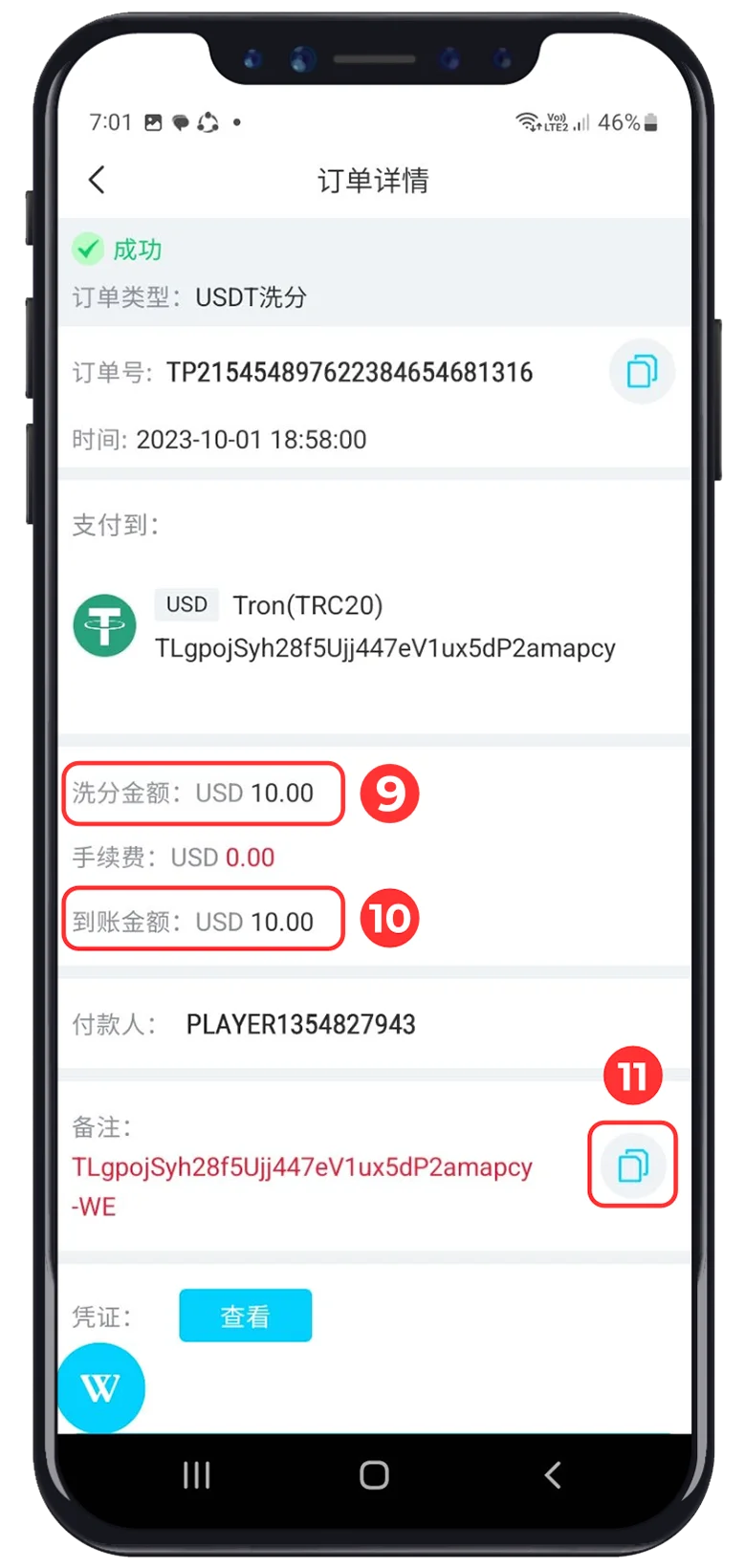
Review the amount, displayed fee and final credited amount.
WINBOX Tutorial
USDT withdrawal, in order
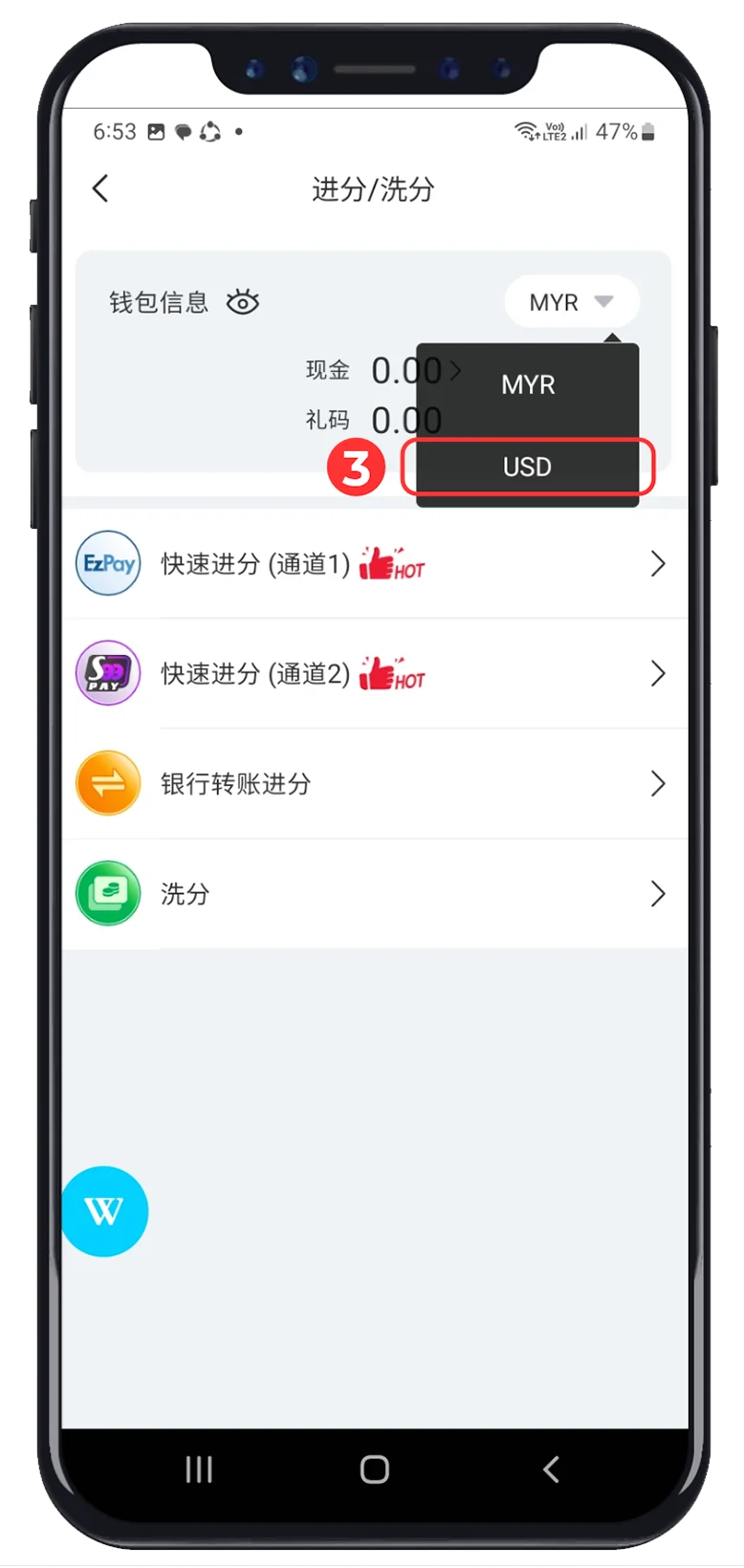
Move through all five supplied images in order. The red markers inside each screenshot correspond to the numbered instructions shown beside it.
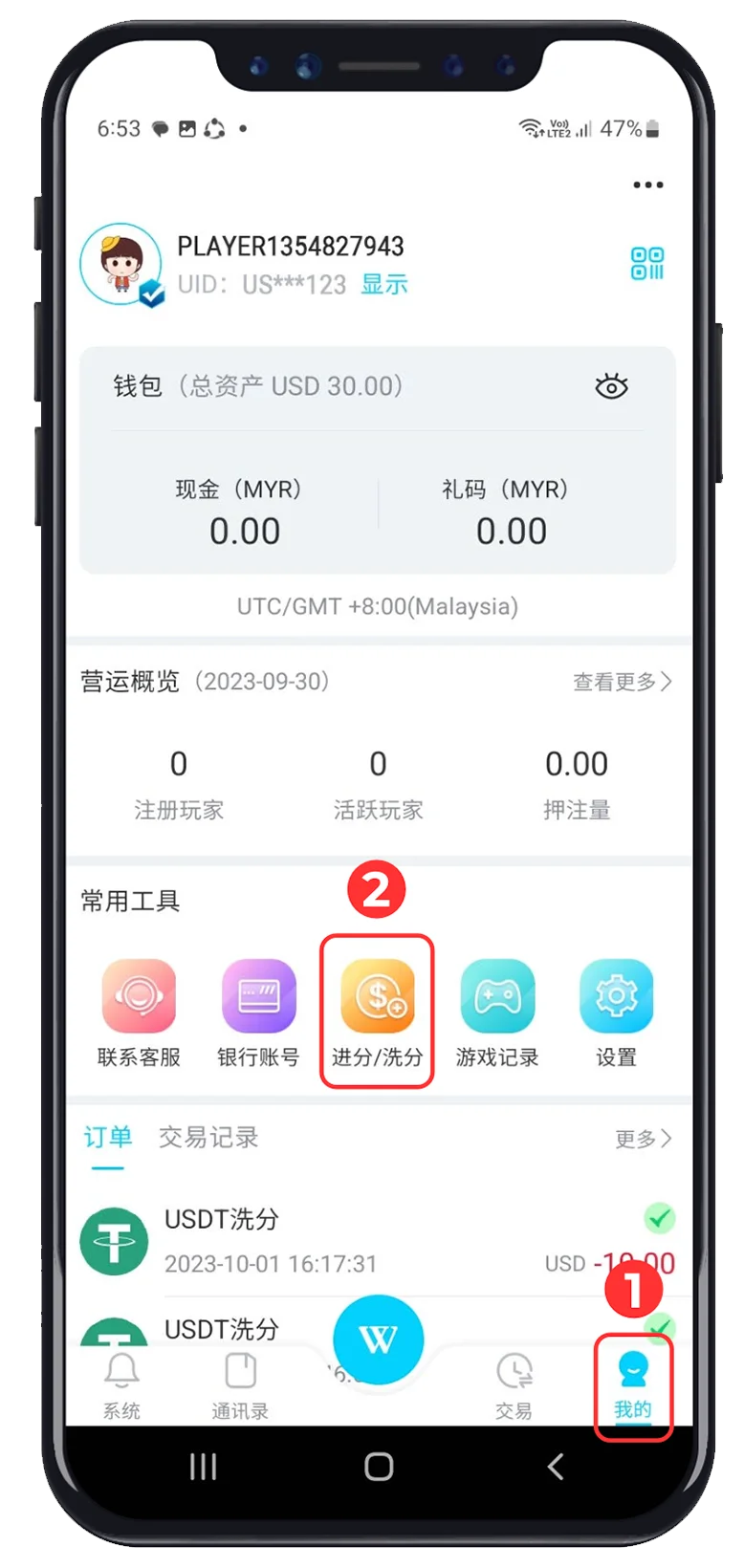
Account Access · 01–02
Open Recharge / Withdraw
-
 Click “Me”
Open the account area from the bottom navigation.
-
 Click “Recharge / Withdraw”
Select the wallet shortcut highlighted in the screenshot.

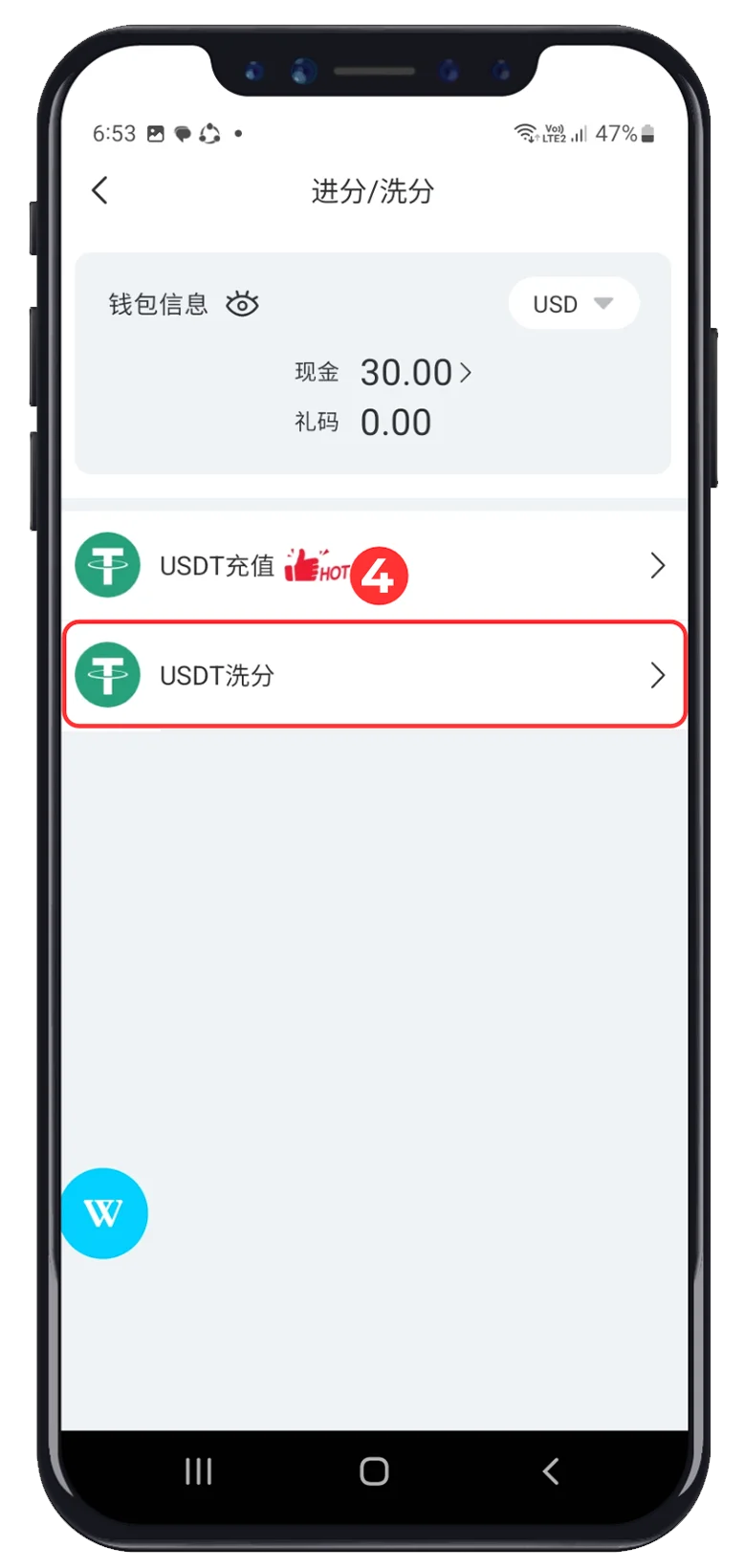






Final Check
Review before submitting
The tutorial follows the supplied WINBOX interface. Labels, limits, fees and available protocols may differ on the current platform.
- ✓The receiving wallet supports the selected network.
- ✓The complete USDT address has been entered correctly.
- ✓The withdrawal amount and displayed fee are correct.
- ✓No login details or access codes have been shared.