
Apple devices
Download for iOS ↗
iOS Download
Open the official download page and follow the iOS installation guide below.

MOBILE APP
Choose your device, open the current download destination and follow the illustrated installation steps from start to finish.
Android & Apple
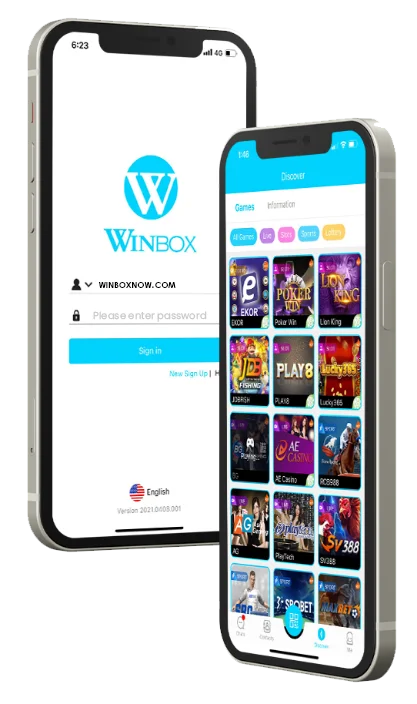
Use the official member destination to download the latest available WINBOX app. If app installation is unavailable on your device, continue with the web version.
Open the official download page and follow the iOS installation guide below.

Download the APK and use either installation method shown below.
Sign in through a supported browser when you prefer not to install the app.
Remark: Please use the WINBOX Web Version to log in if you cannot download the app on Apple iOS.
Quick Installation Guide
Choose your device and complete each step in order. The illustrated Android and iOS carousels below provide additional screen-by-screen guidance.
Select “Download for iOS” above, or click here.
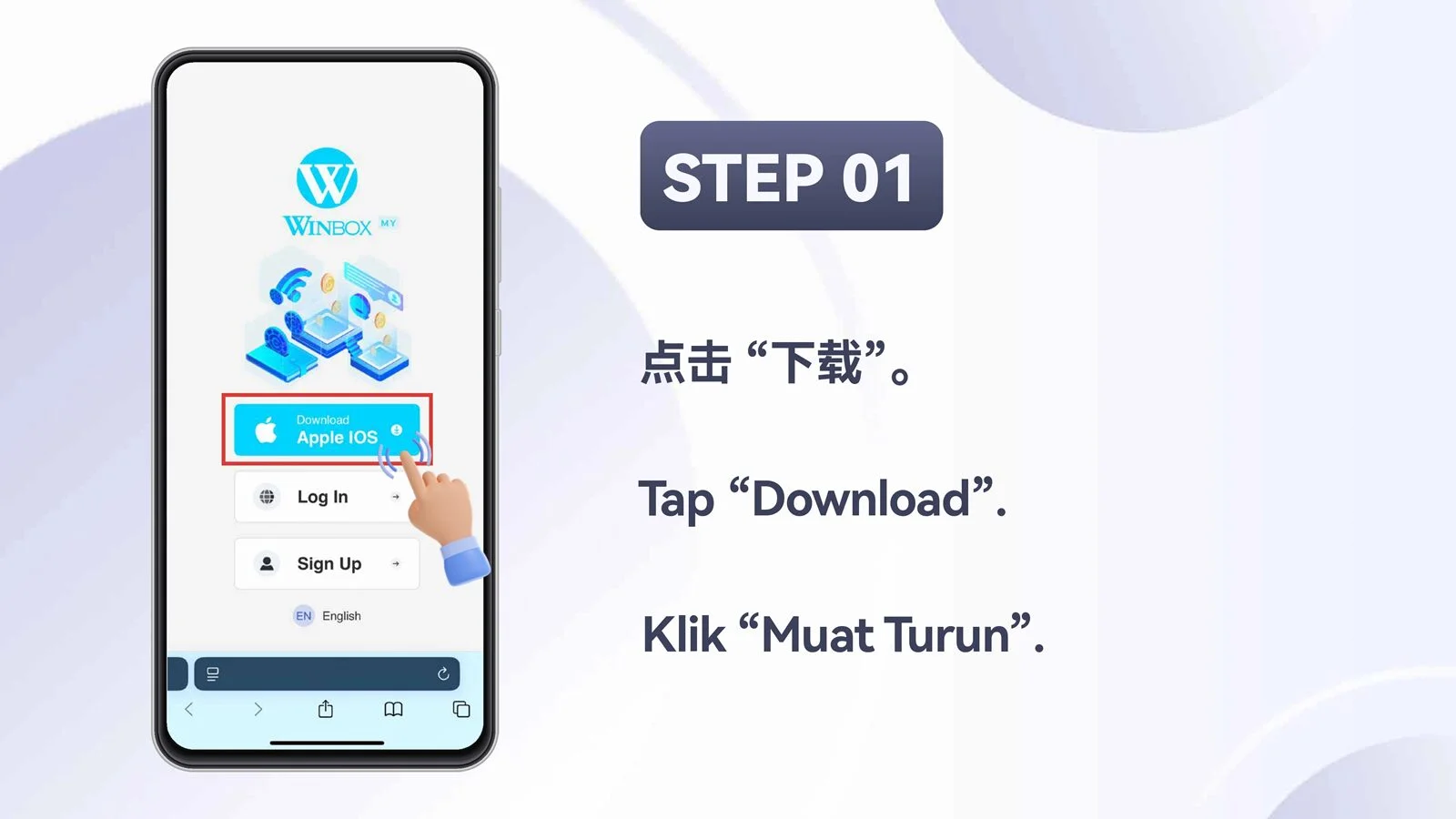
Select “Download Apple iOS”.
Select the first “Install” button to install TestFlight.
Select the second “Install” button to install WINBOX.
After installation is complete, open the WINBOX app and log in.
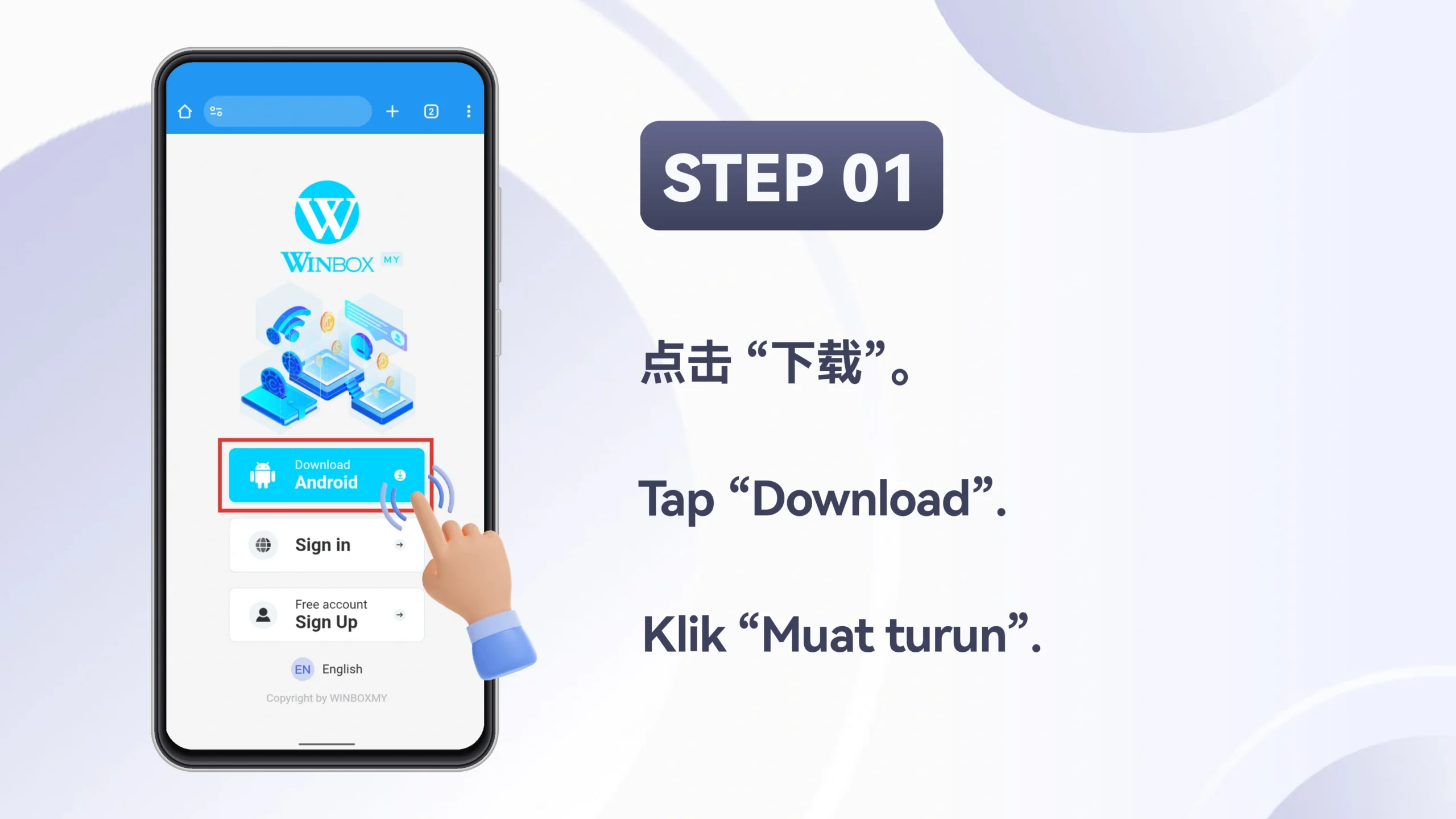
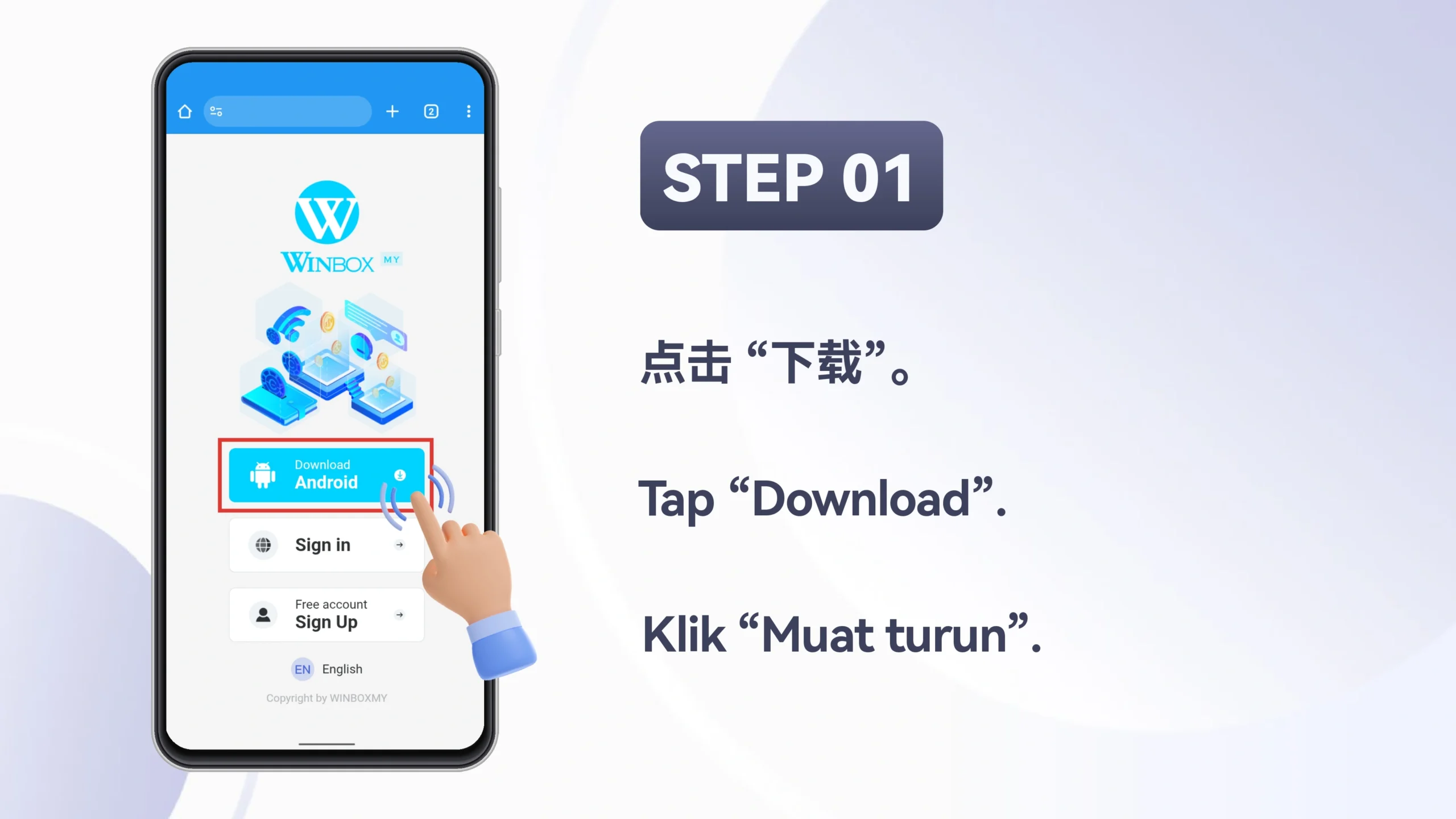
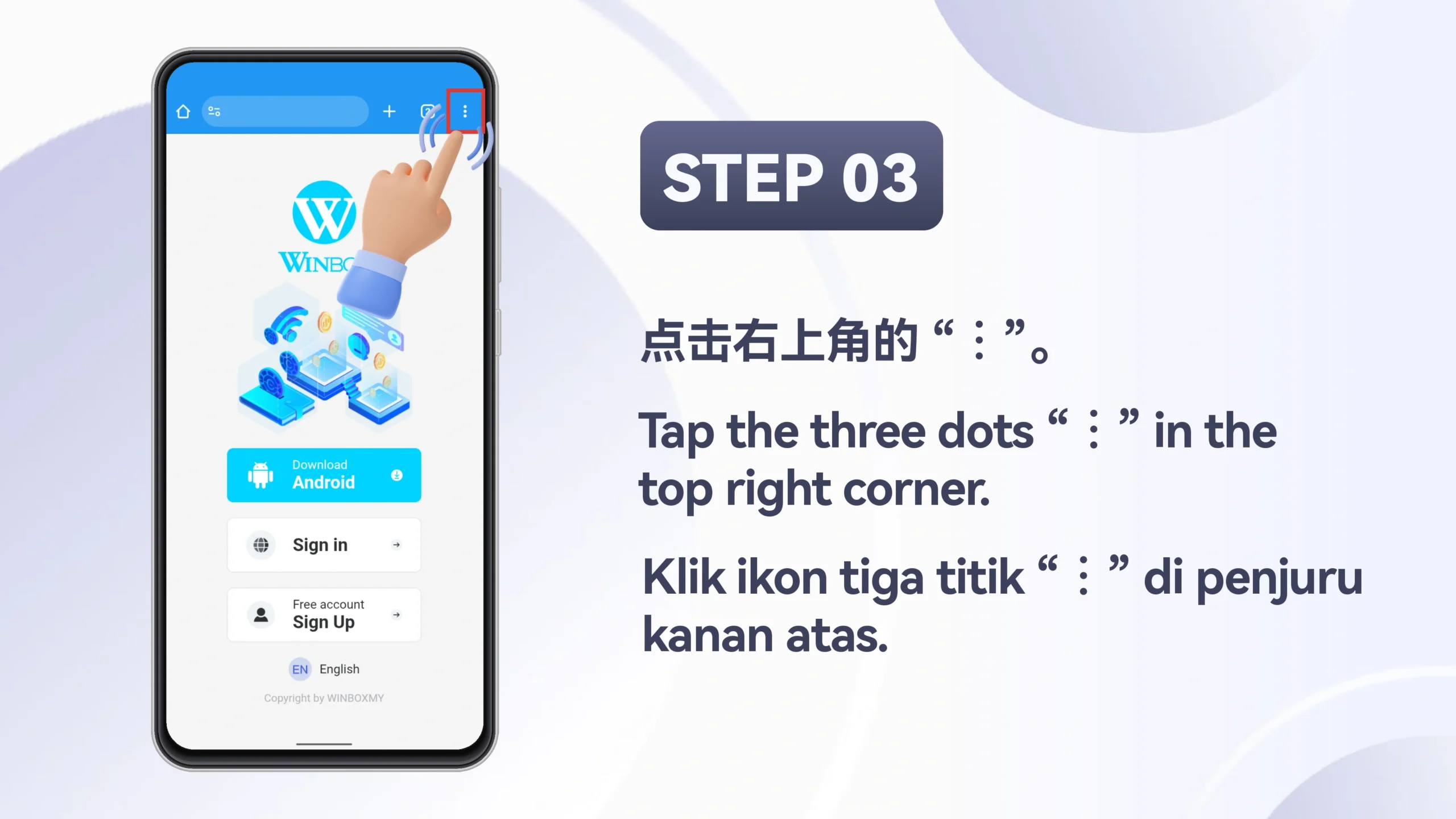
Select “Download for Android” above, or click here.
Select “Download Android”.
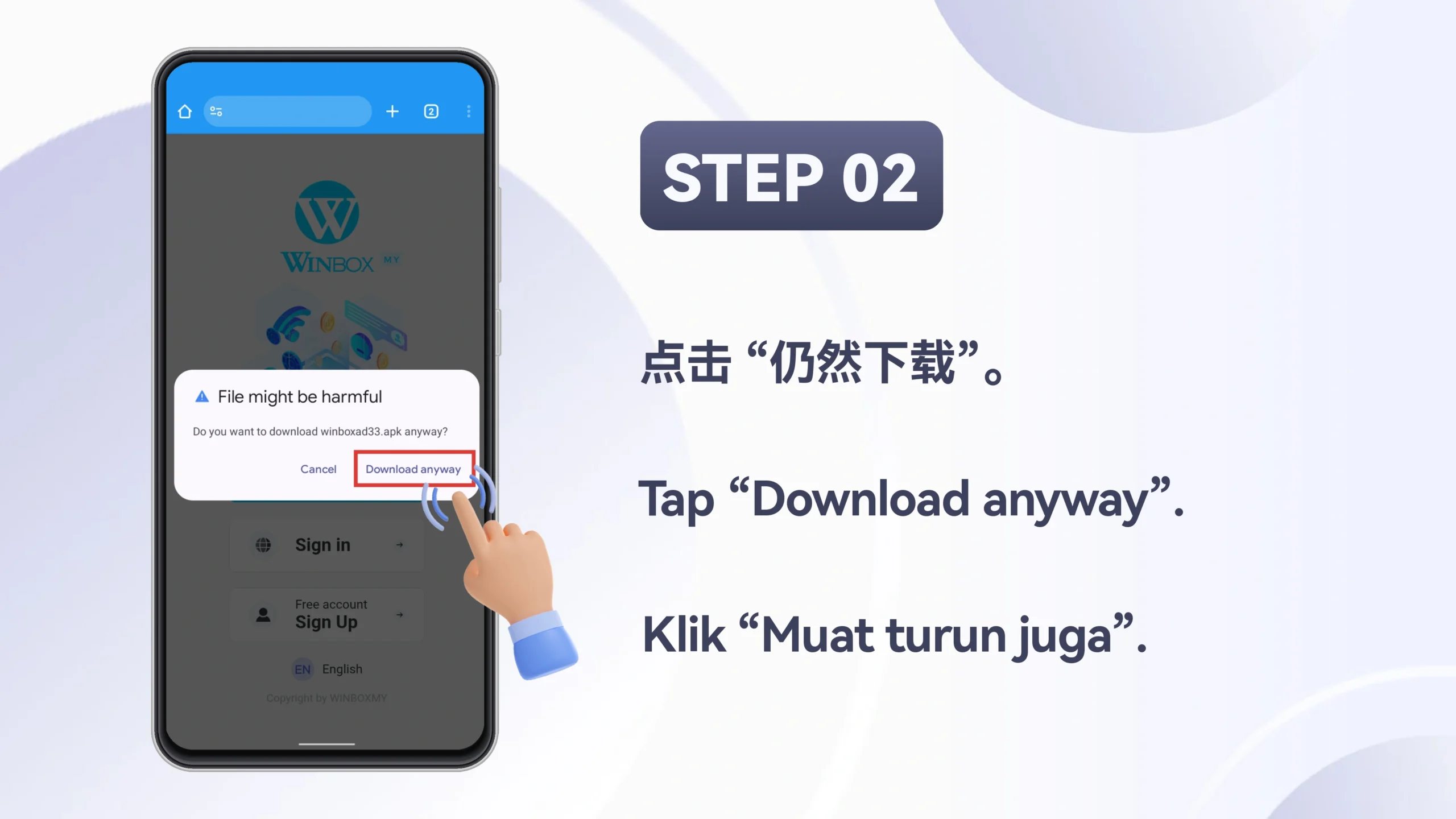
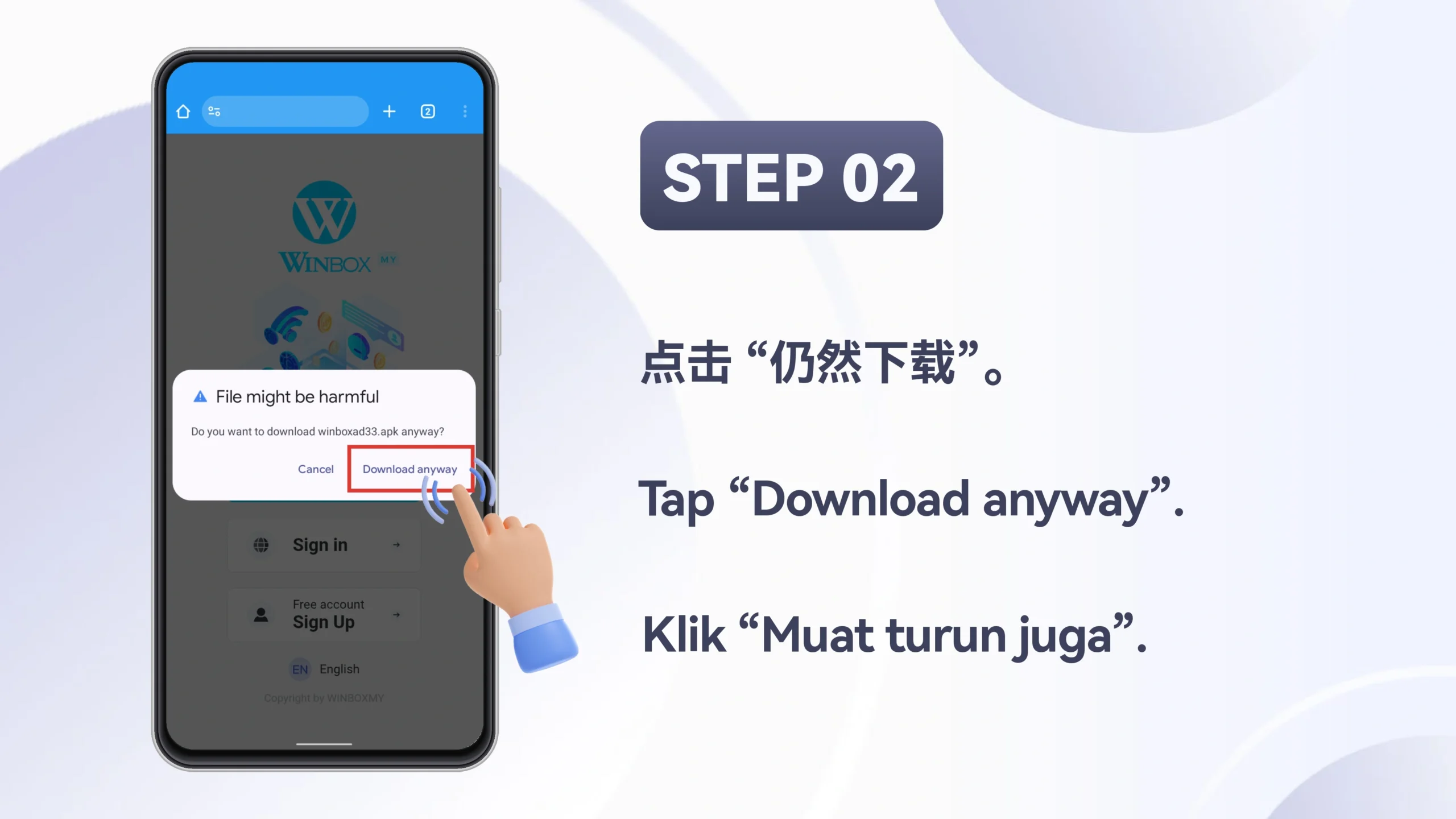
Select “OK” to begin downloading the APK.
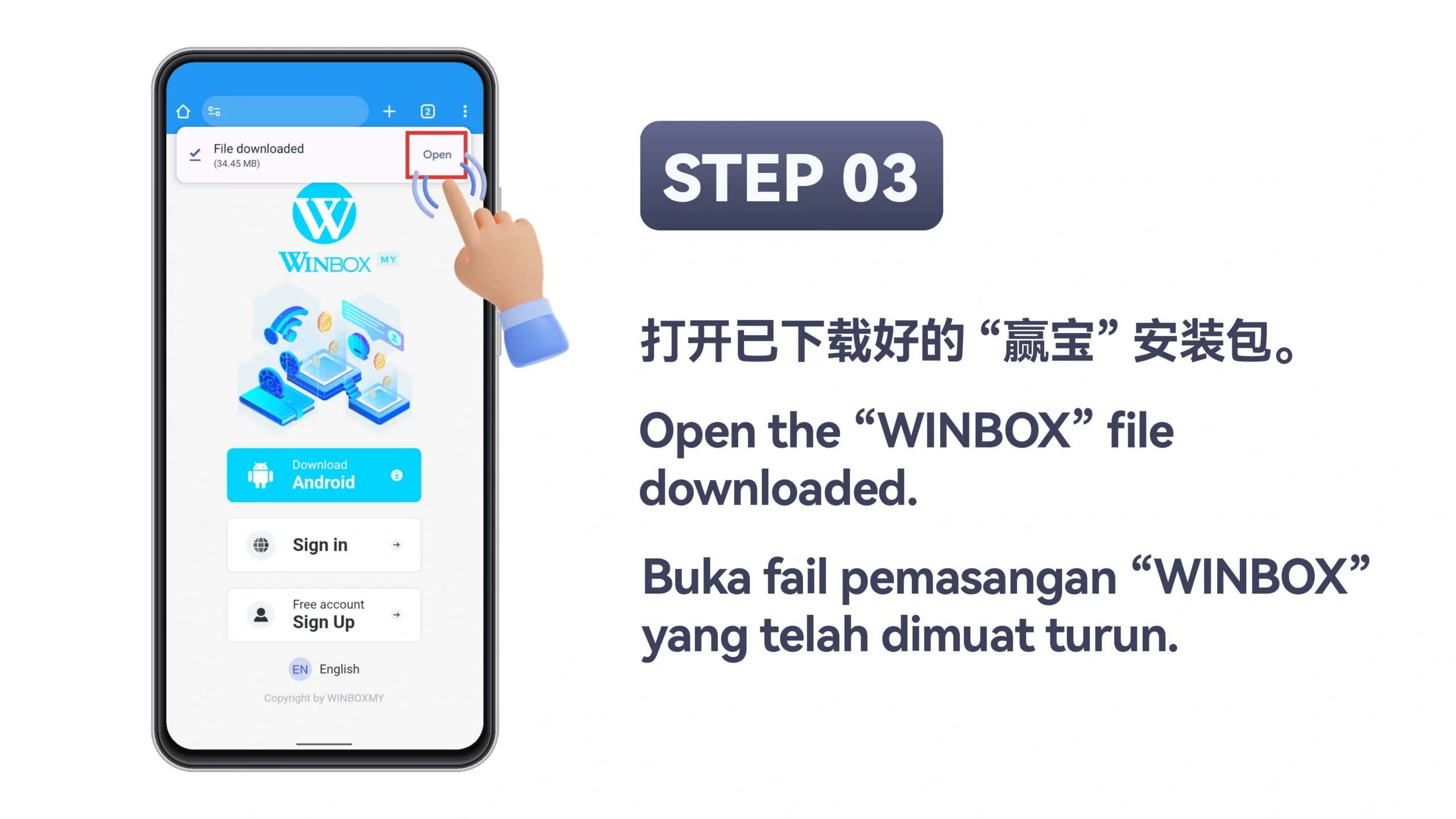
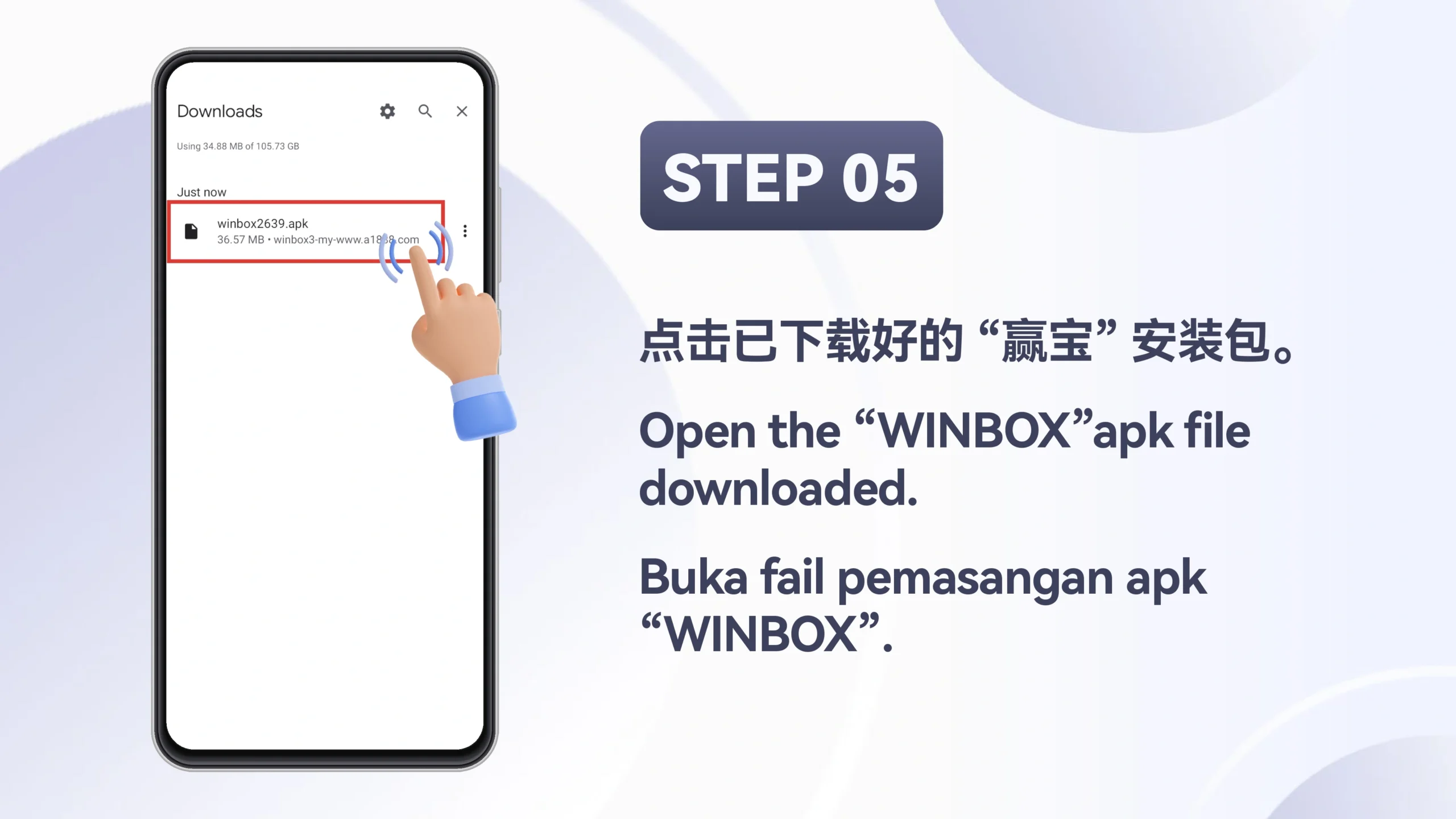
Select “Open” after the download is complete.
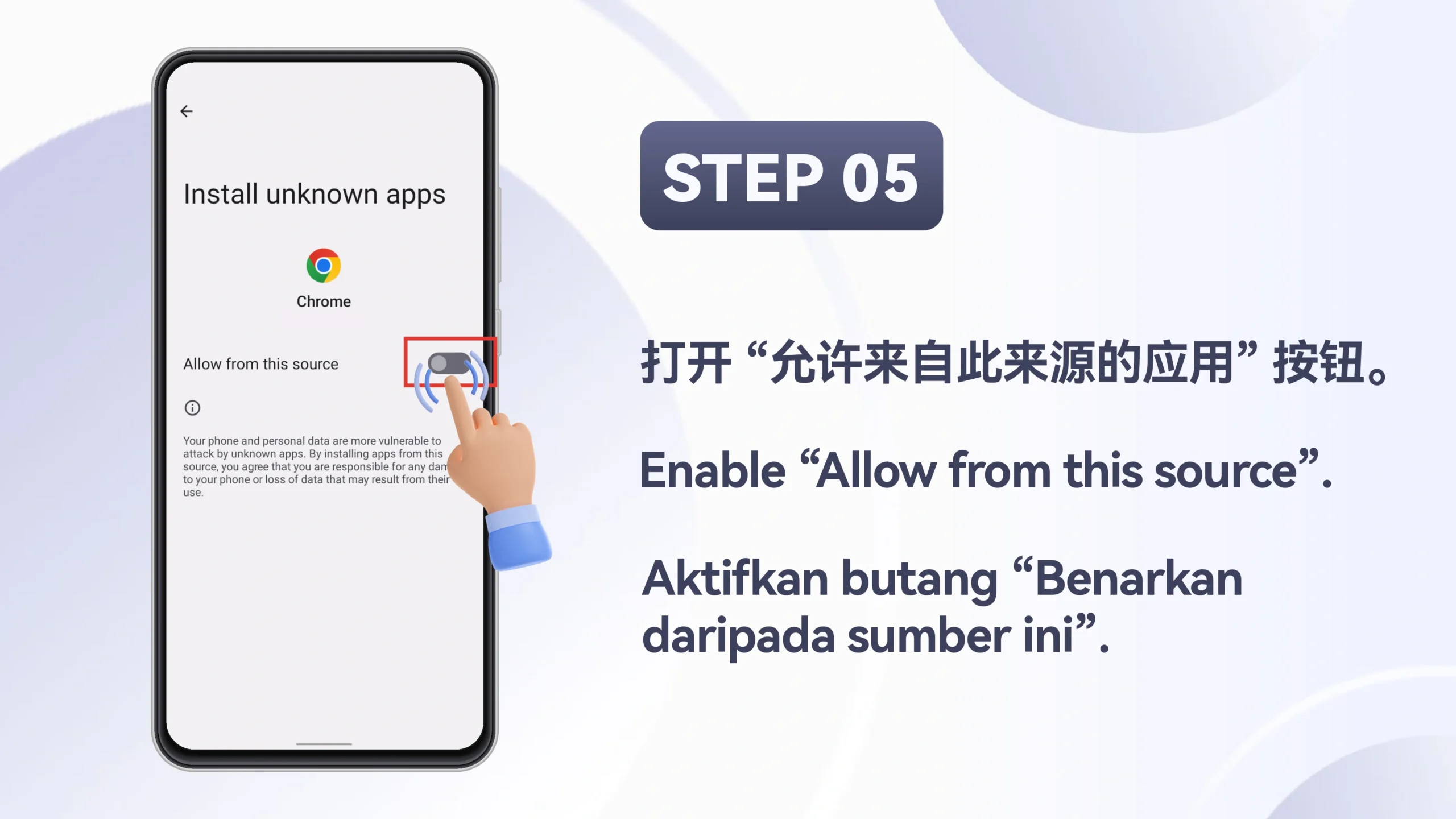
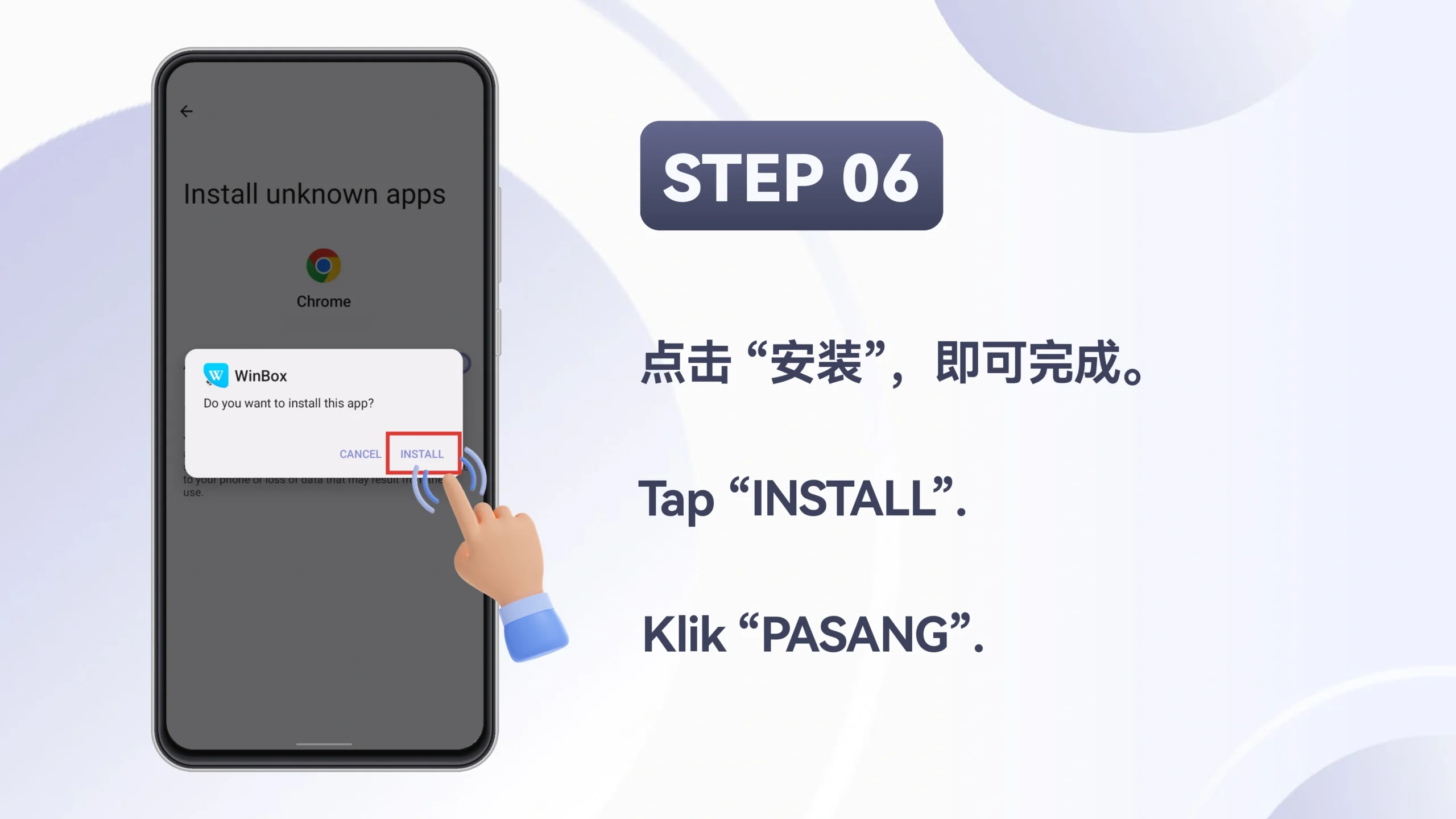
Select “Install” to install the WINBOX app.
After installation is complete, open the WINBOX app and log in.
Android Installation
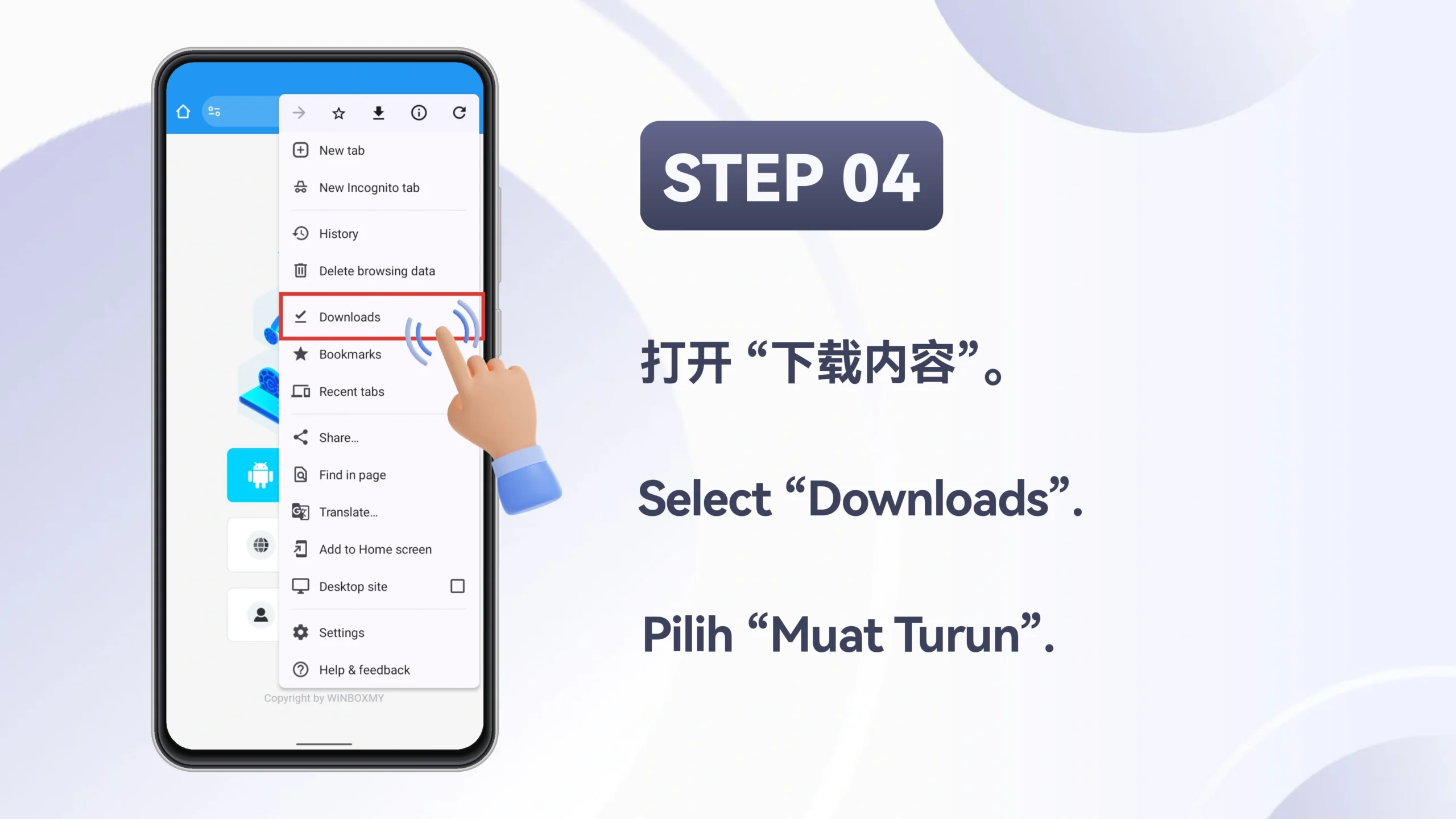
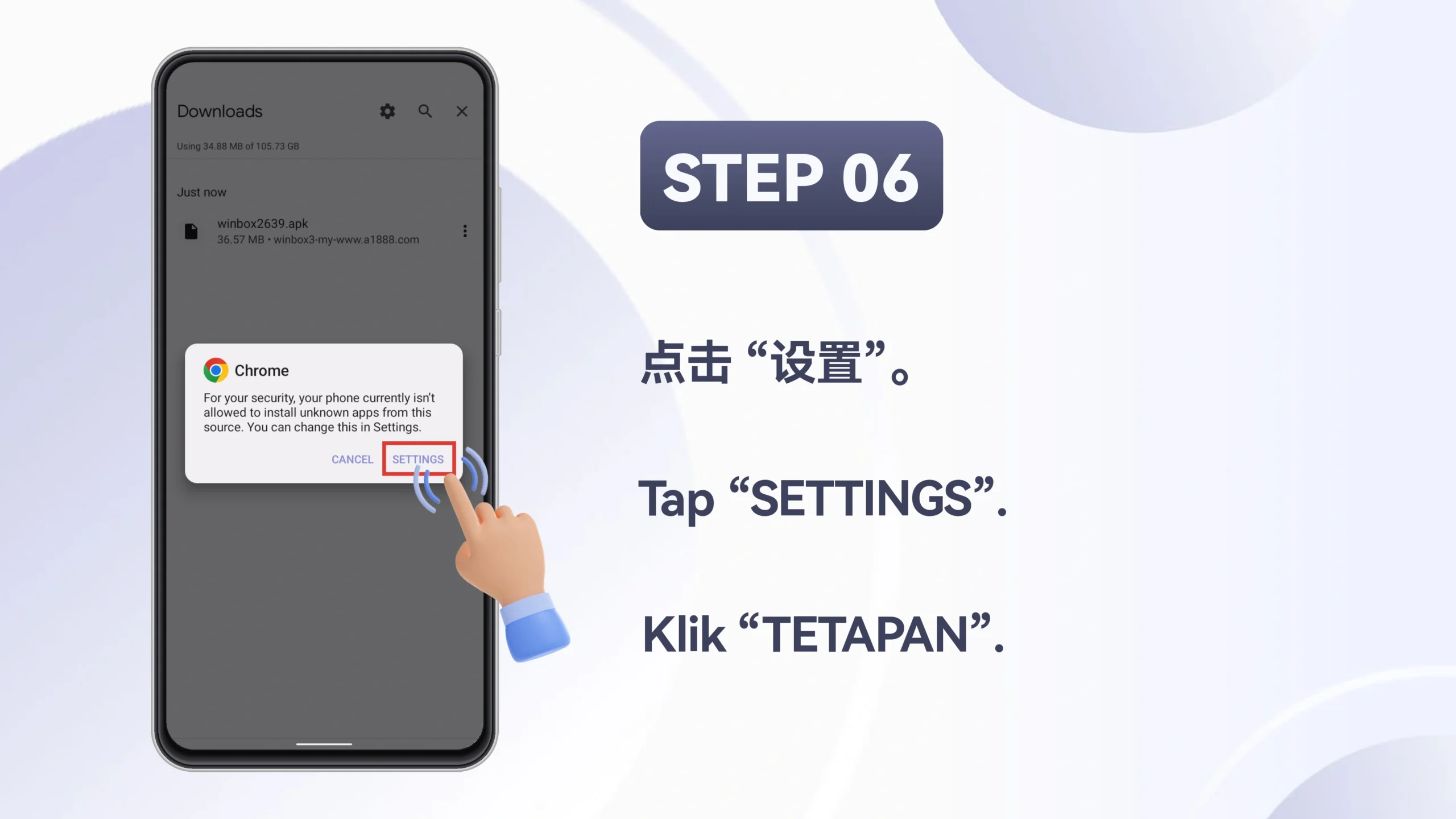
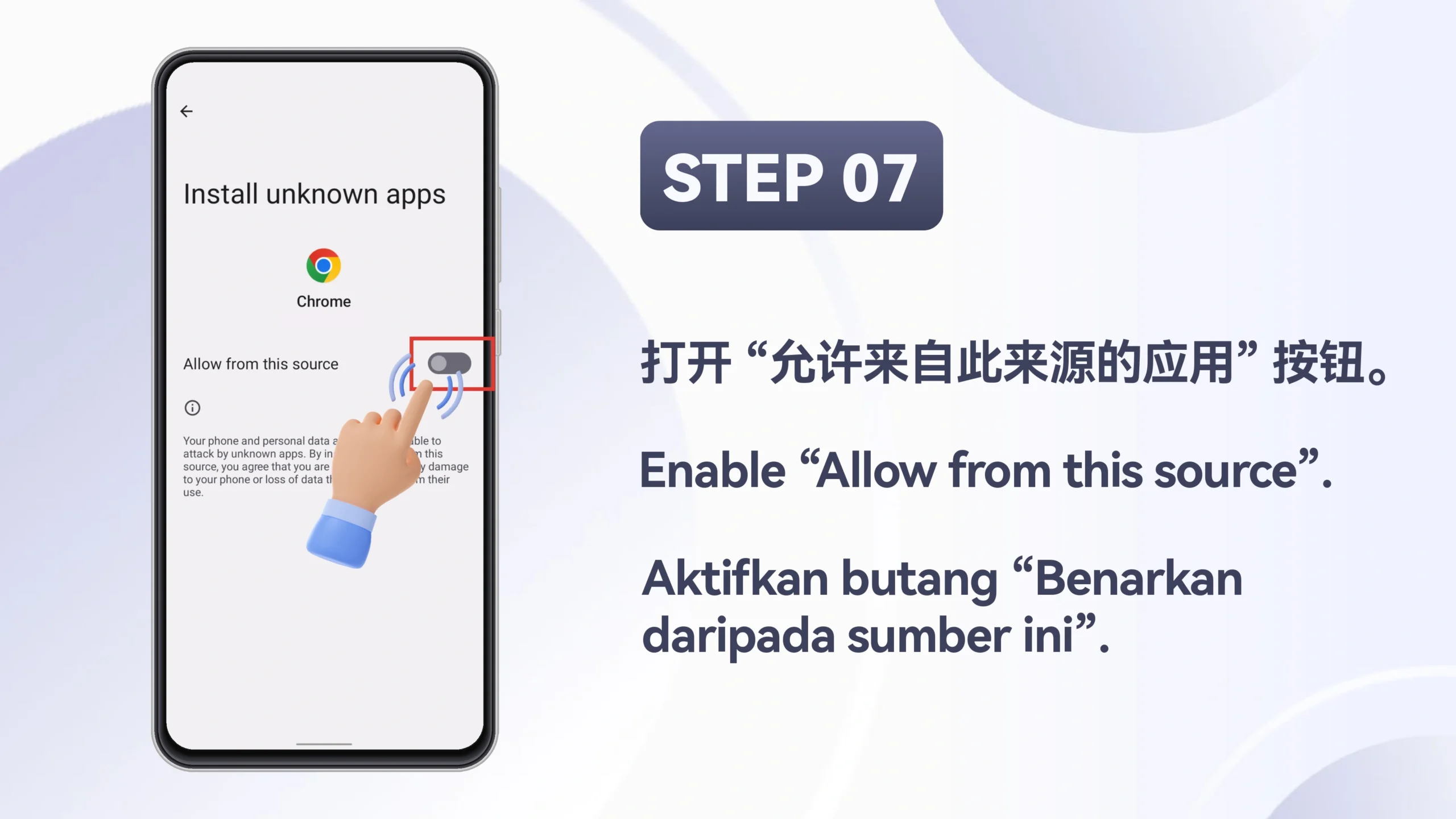
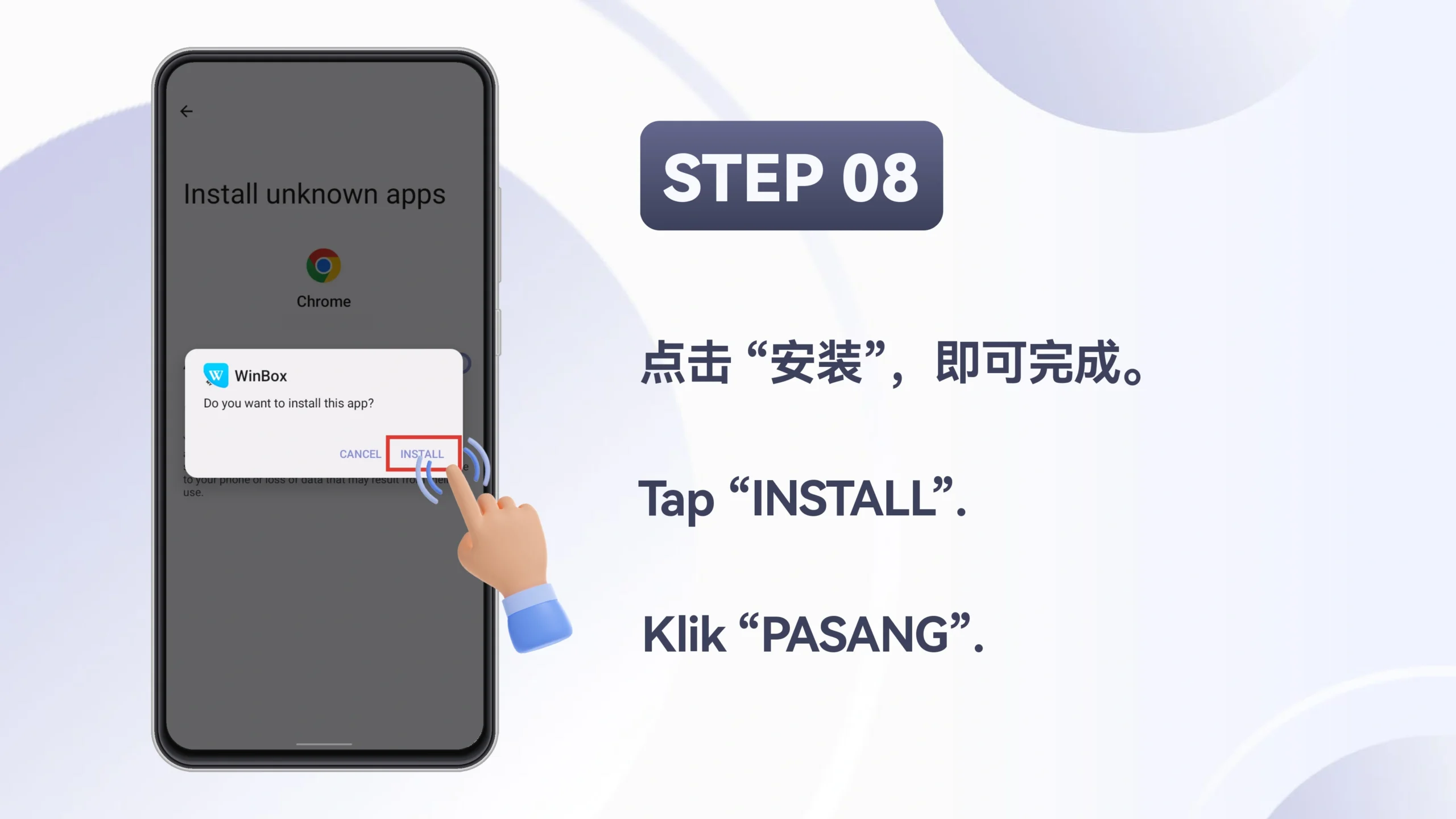
Start with Method 1. If your Android security settings block the APK, continue with Method 2. Every supplied image is shown in its original order.
Move through the cover and six numbered instructions in sequence.
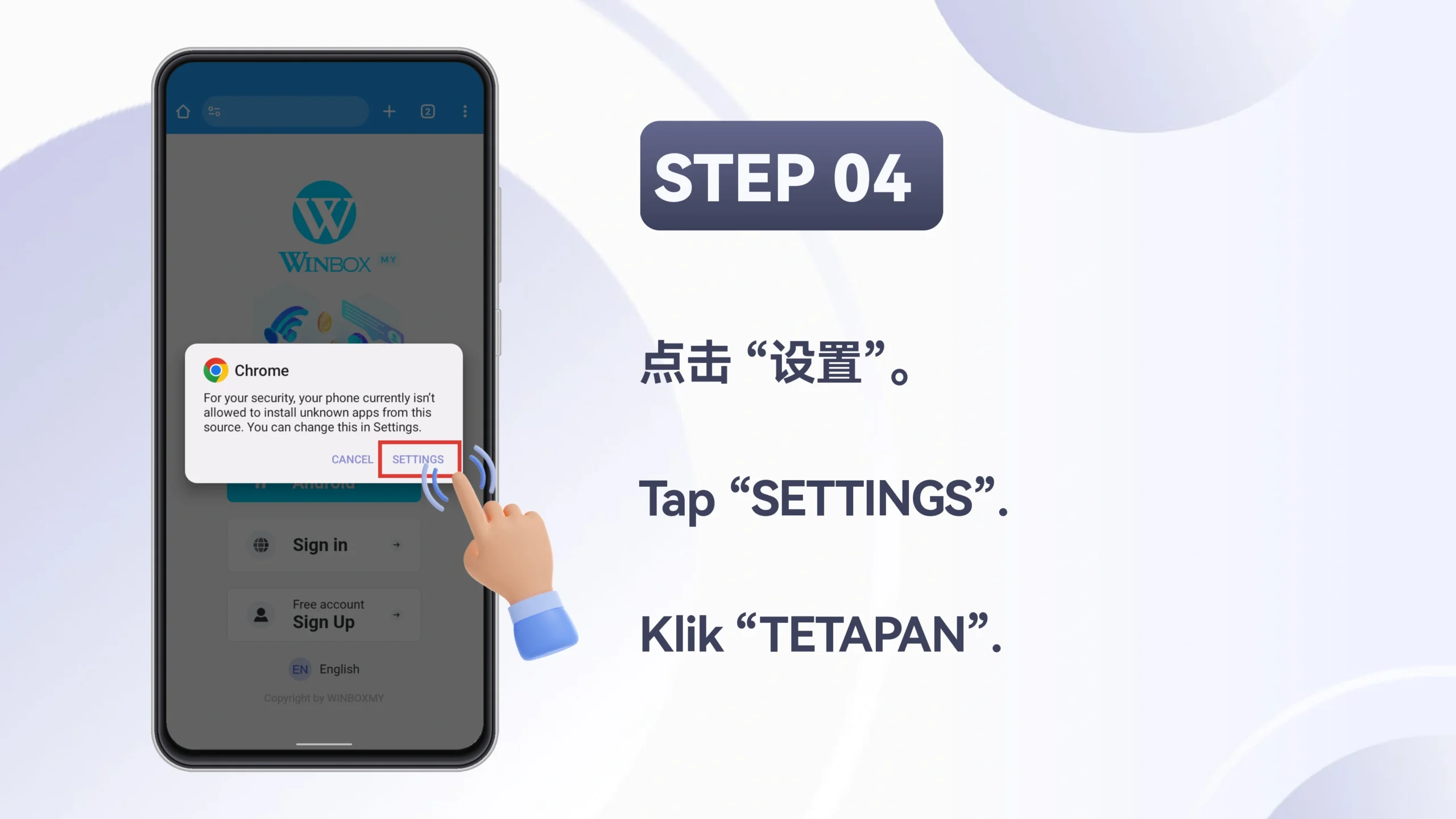
Use this route when your phone asks for permission to install an unknown app.
Apple iOS Installation
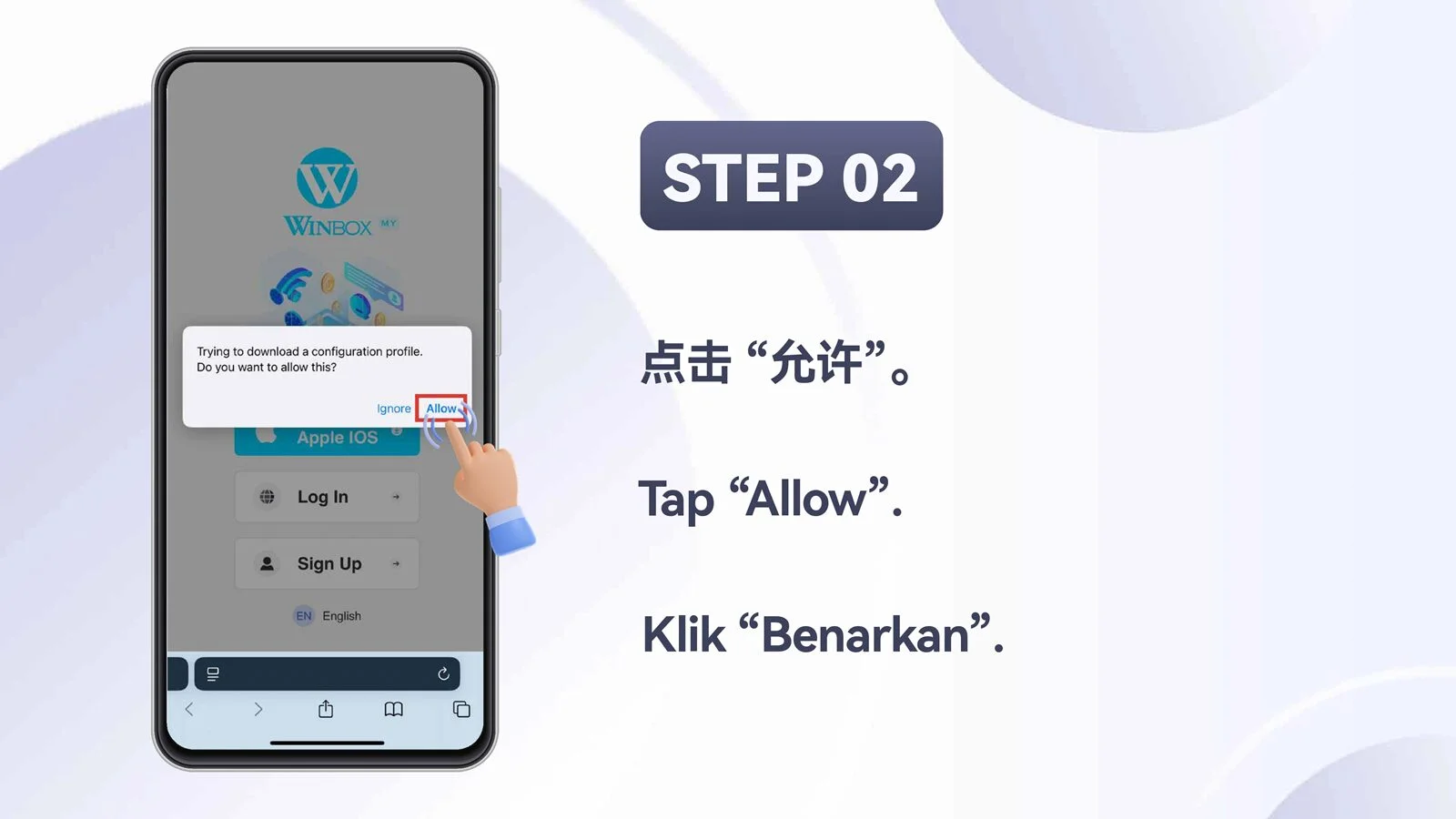
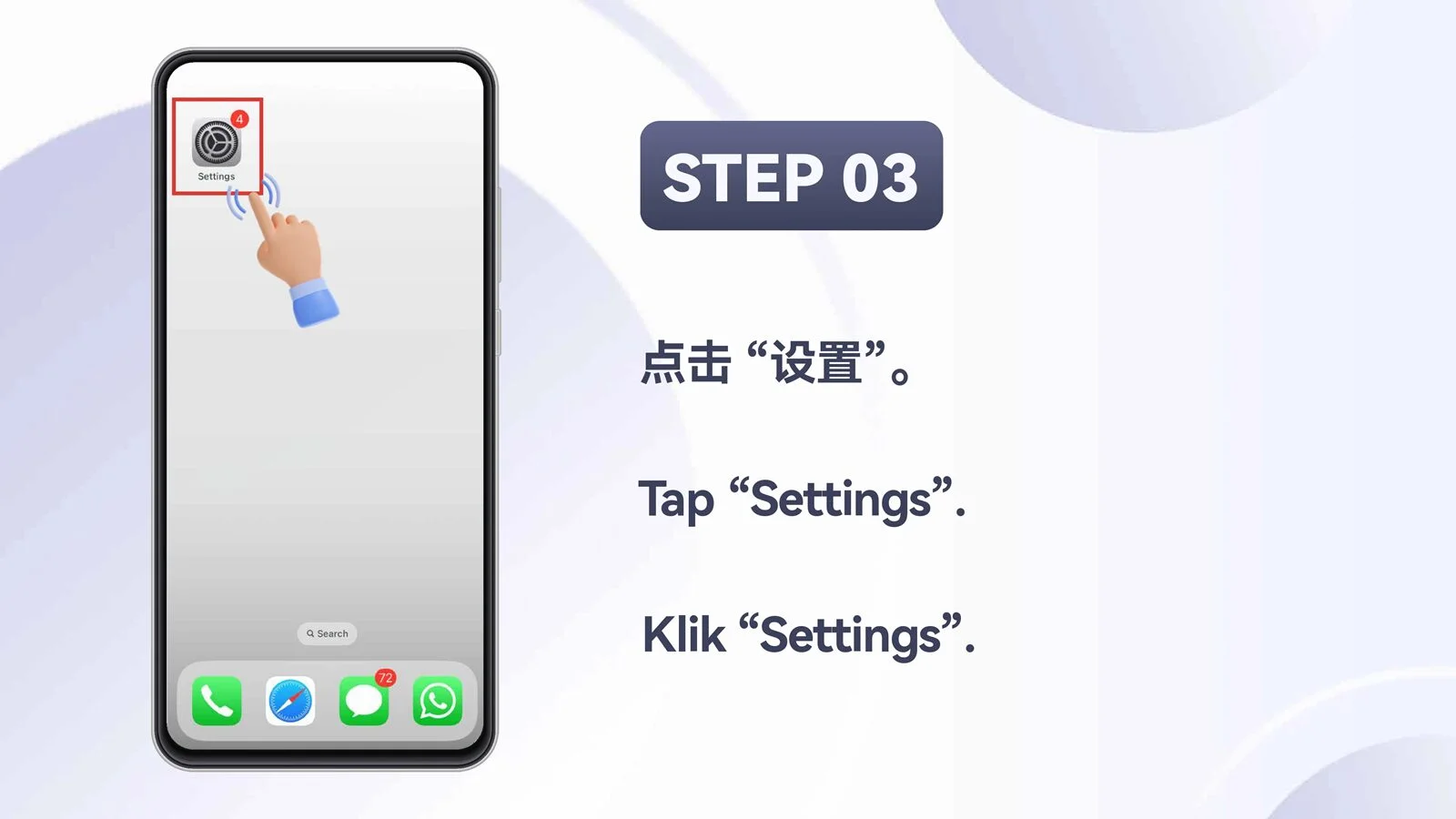
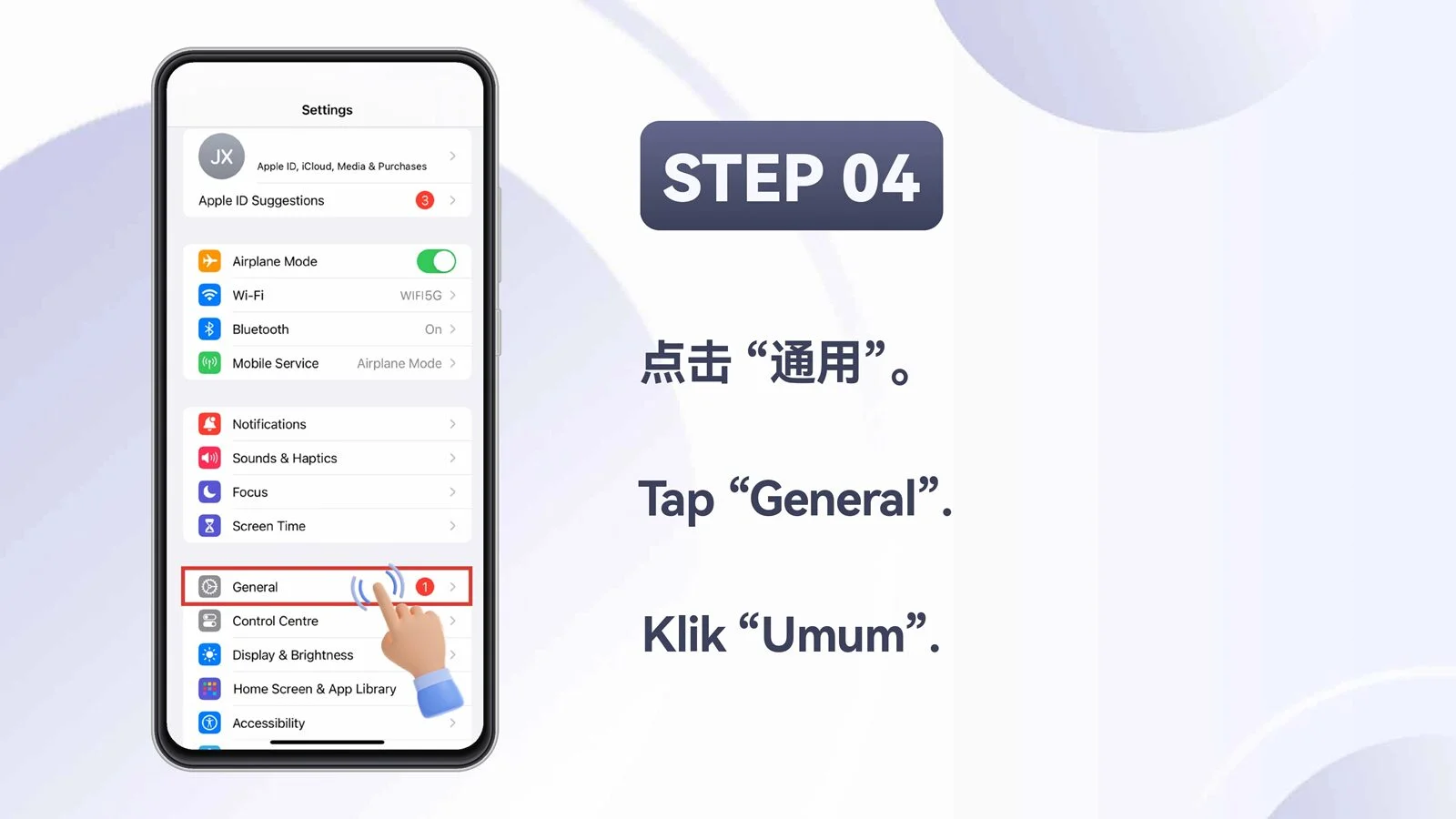
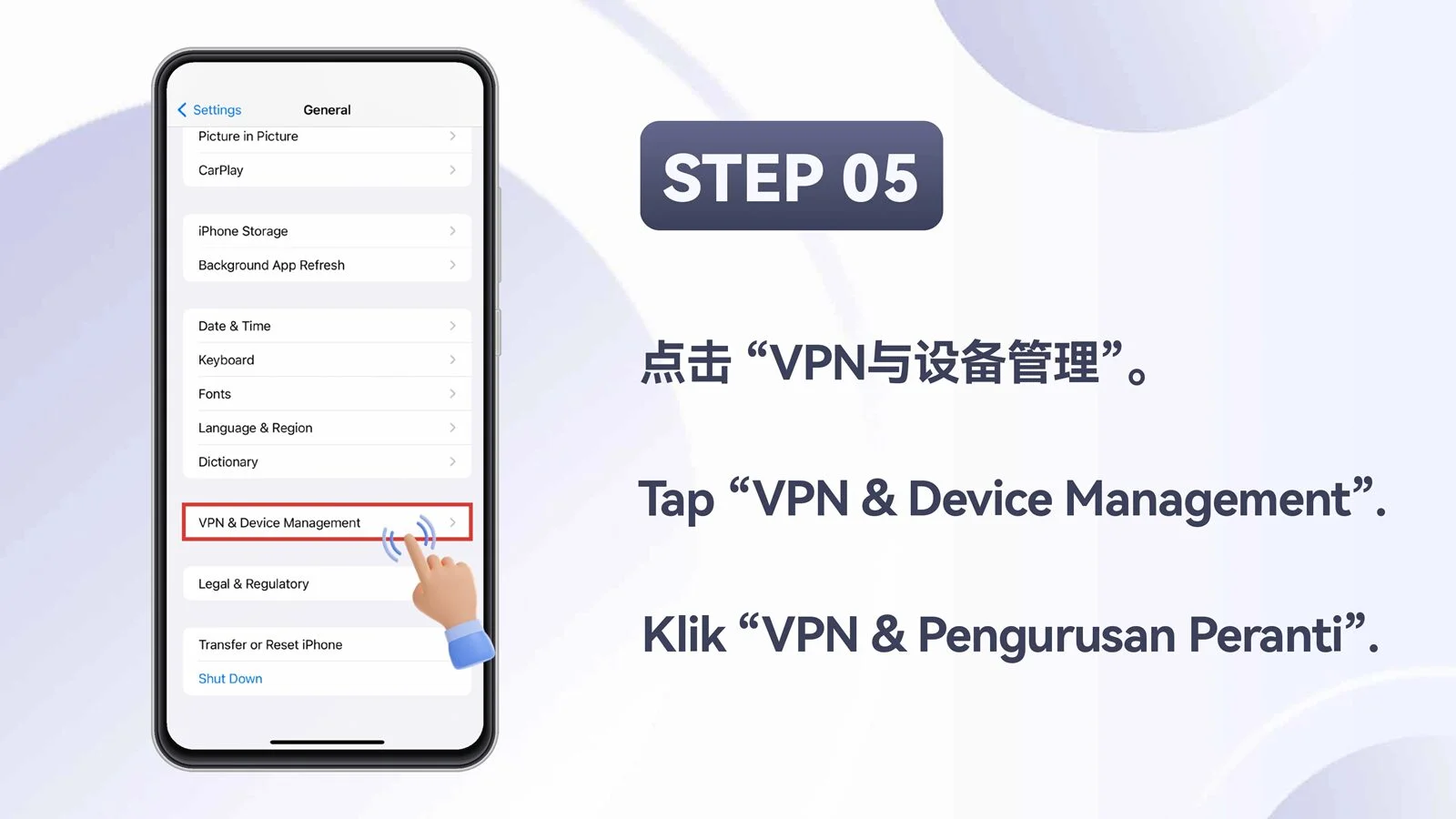
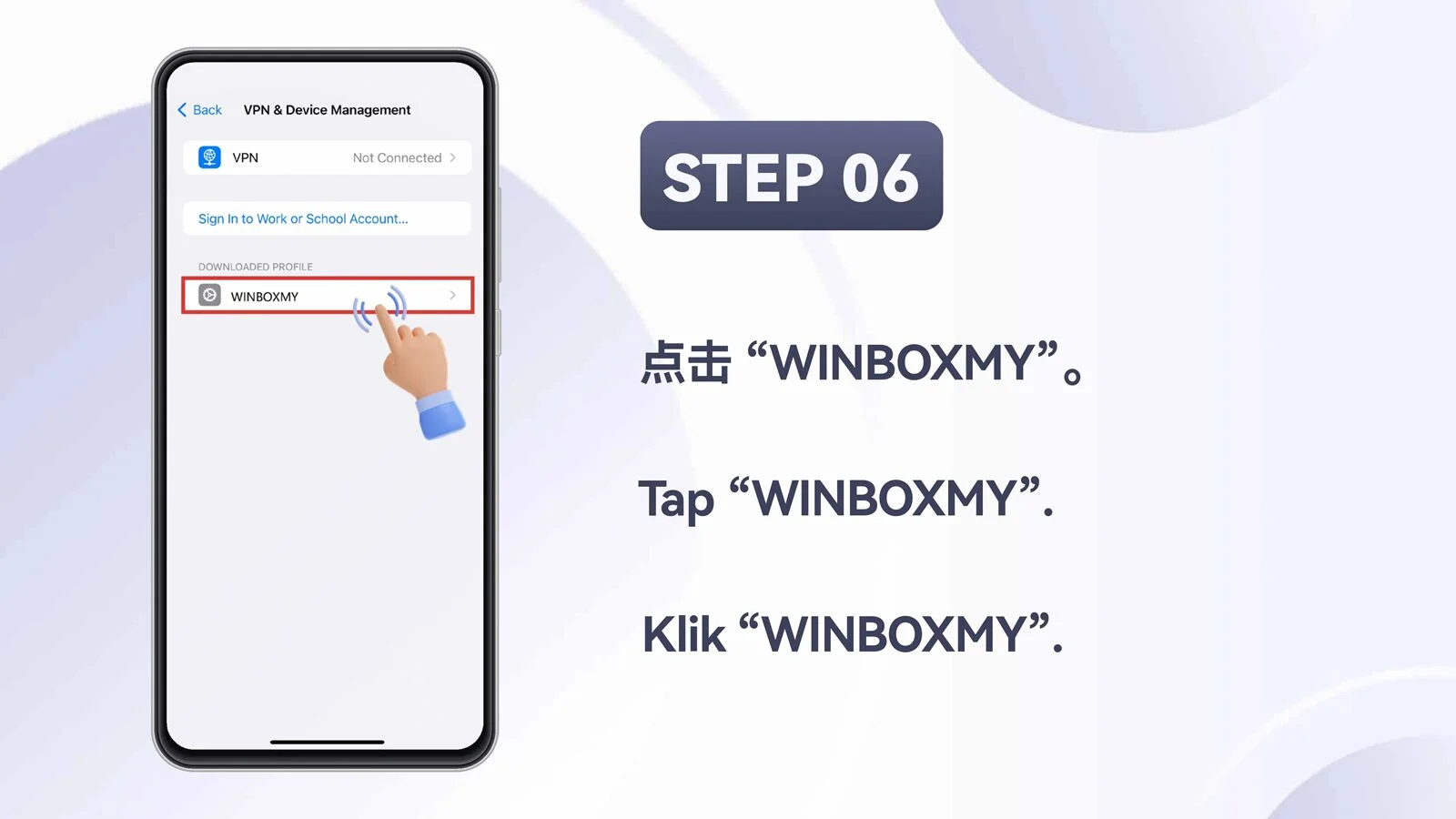
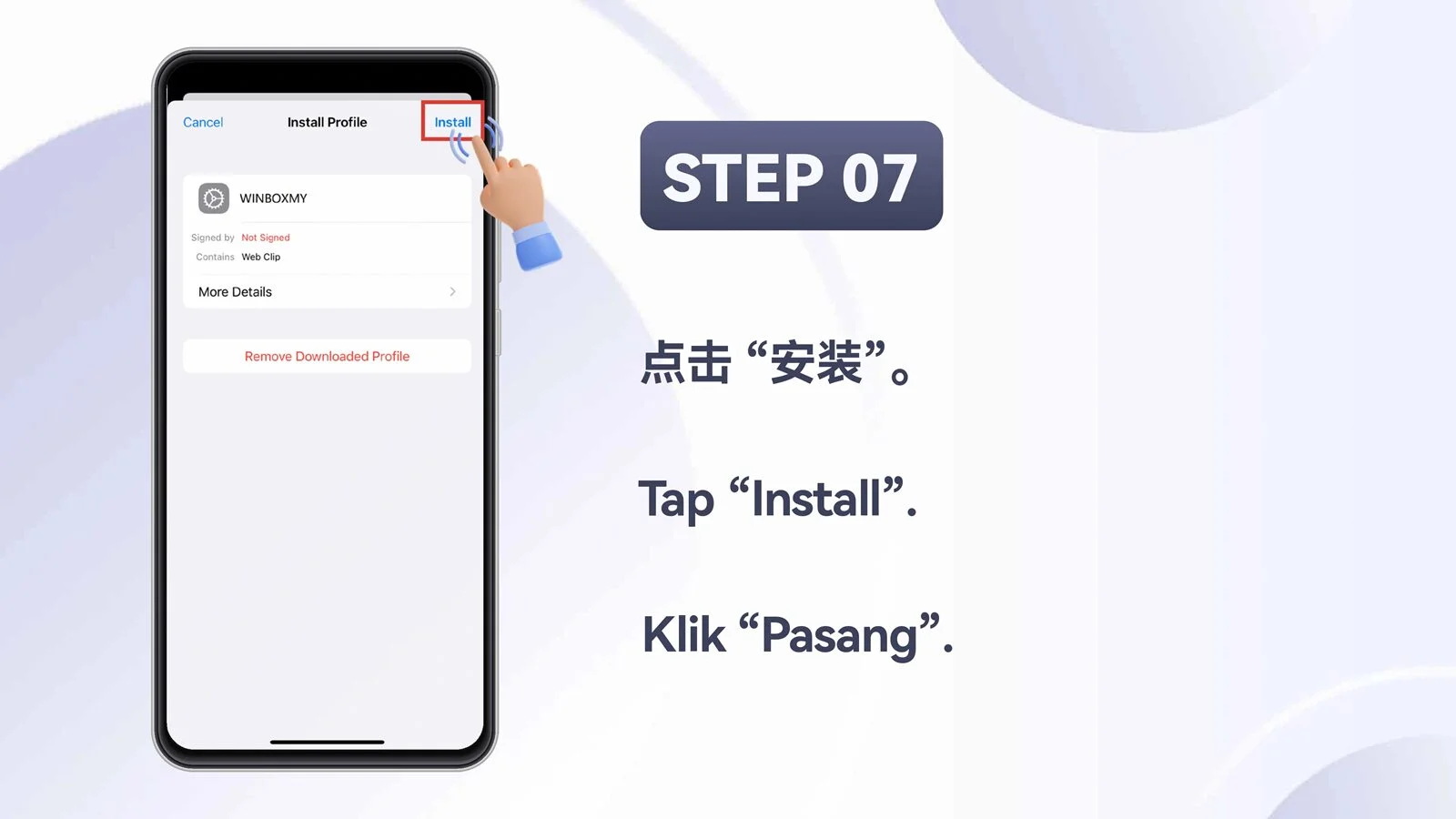
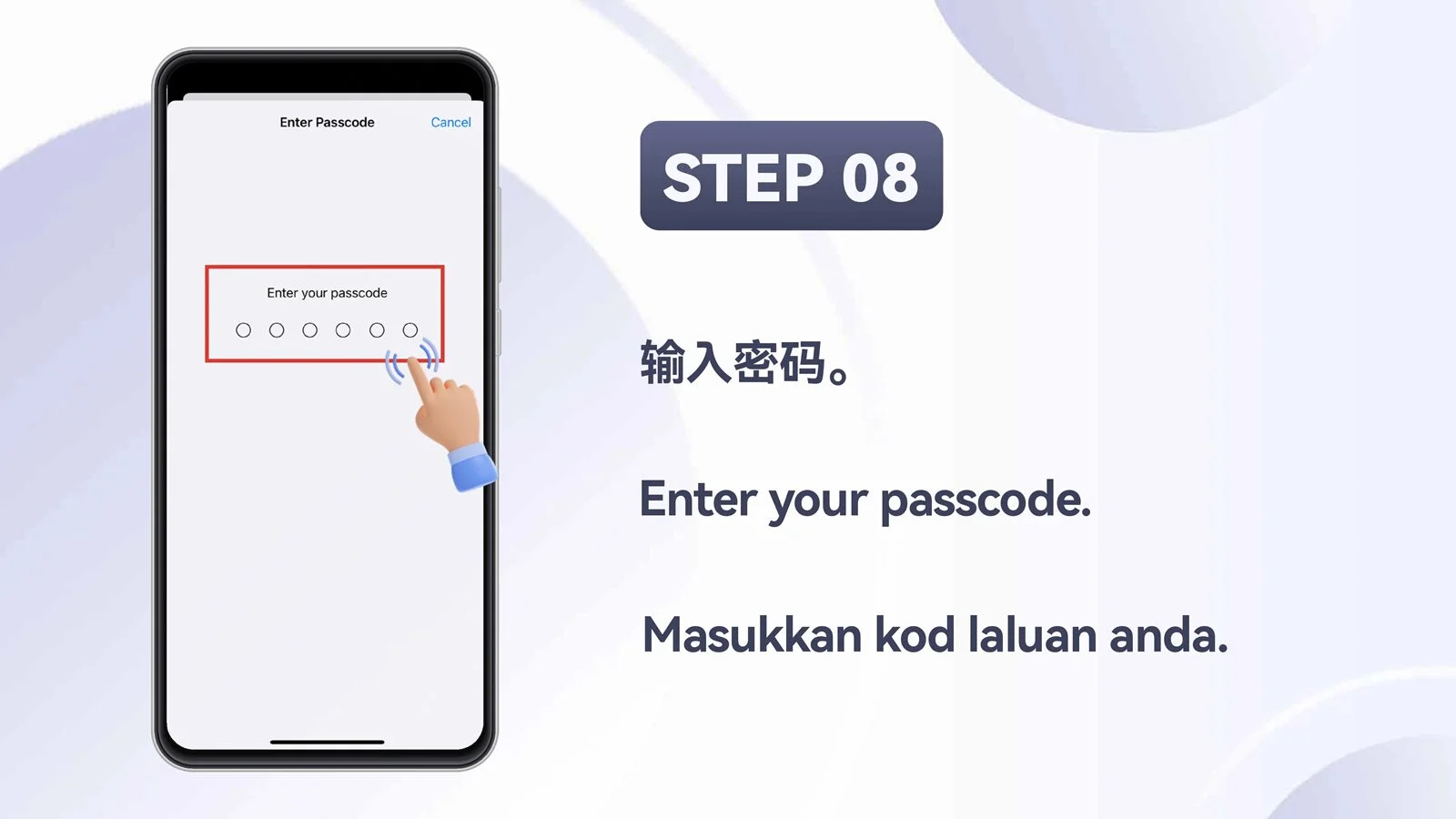
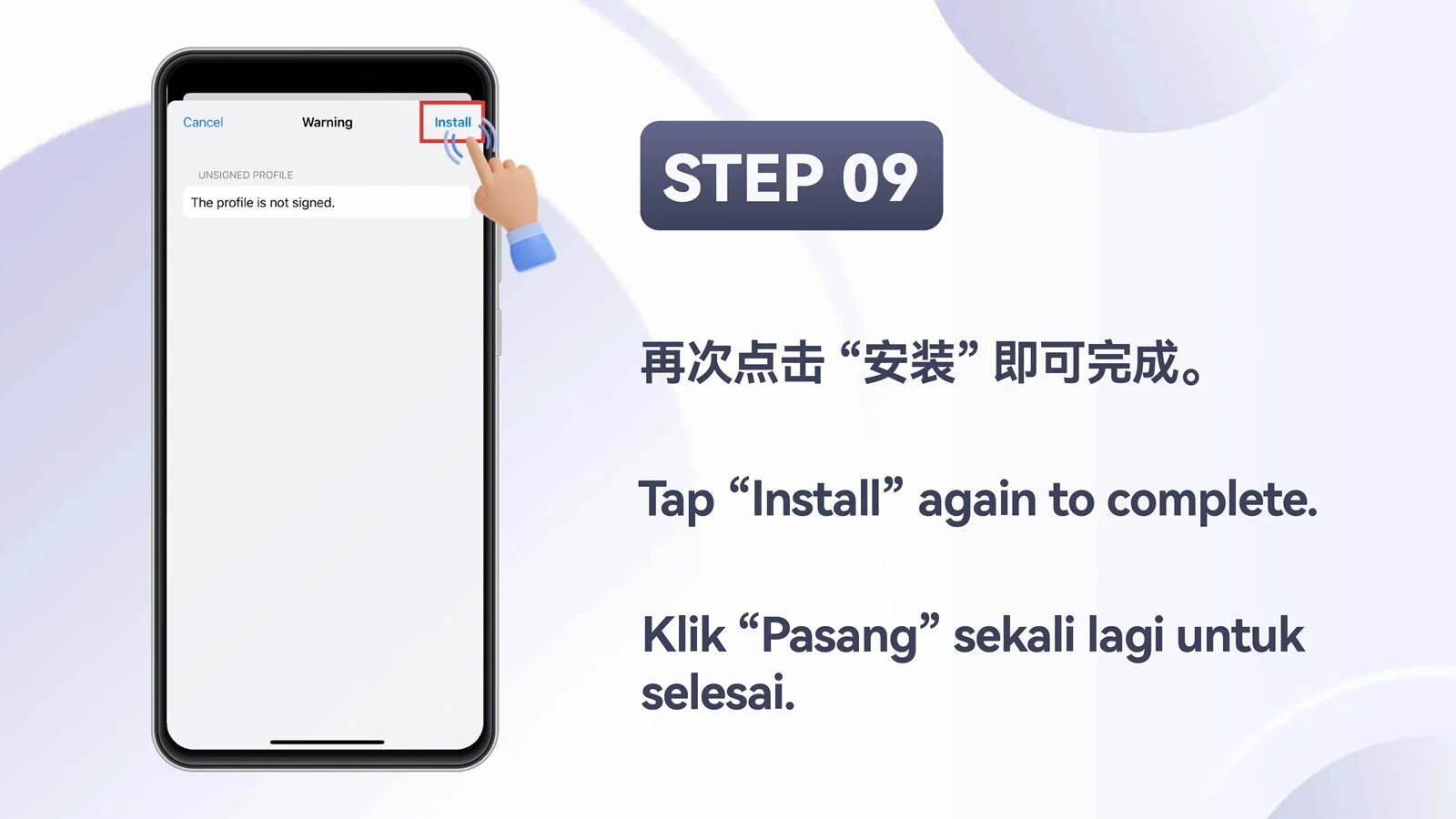
Open the official destination in Safari and follow the supplied screens from the iOS cover through Step 9.
If direct installation is unavailable, use the WINBOX Web Version in your browser.
Ten supplied screens presented in their original order.
MOBILE APP
WINBOX provides separate installation flows for Android and iPhone. Before downloading, confirm your device type, available storage and network connection, then follow only the instructions that match your operating system.
Open the Android download option, allow the APK to finish downloading and review any device security prompt. If required, permit installation from the browser you used, then return to the file and continue.
Open the iOS download option and follow the current TestFlight or installation flow shown by the platform. Device settings and Apple approval screens may differ between iOS versions.
If the app cannot be installed, open WINBOX Web Version in Safari or Chrome. You can add a shortcut to the home screen for faster browser access.