



Currency Exchange Steps
Nine steps from wallet to confirmation
The supplied WINBOX tutorial covers account access, currency selection, rate confirmation, payment-code verification and the successful exchange record.

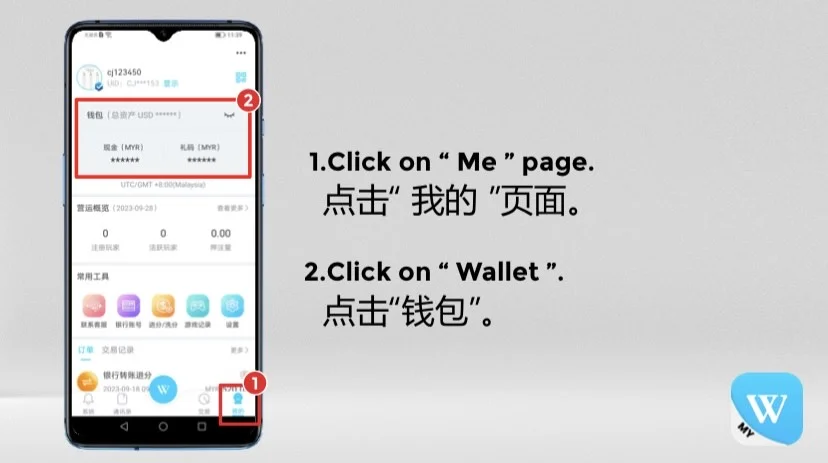
Go to the personal account page.

Select the wallet balance area.

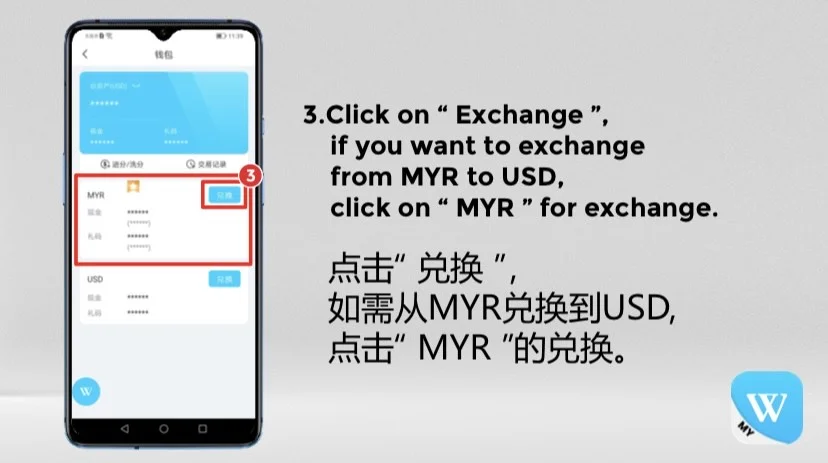
Choose MYR when exchanging MYR to USD.

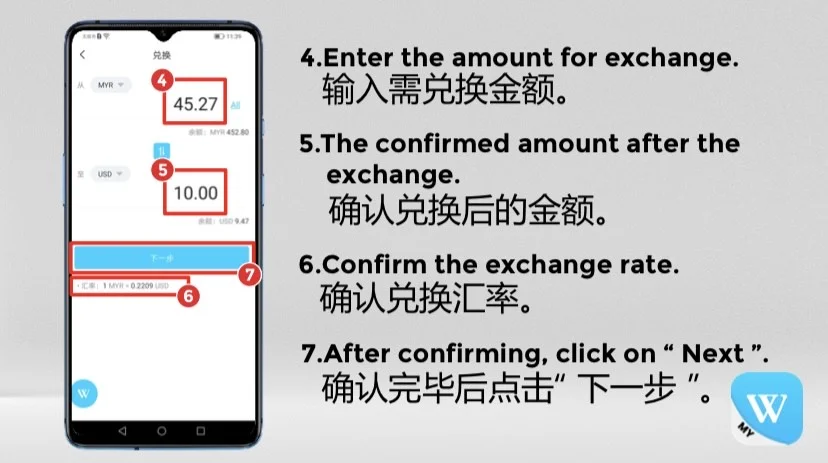
Enter the source amount to exchange.

Check the confirmed amount after exchange.

Review the current exchange rate shown.

Continue after checking the figures.

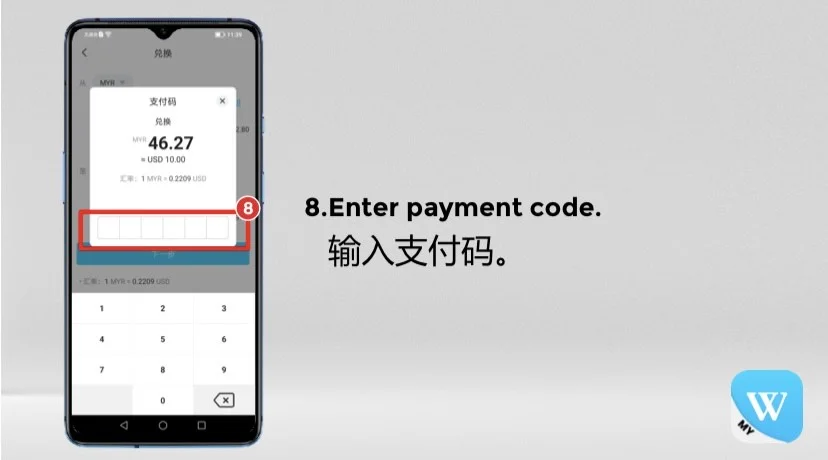
Verify the exchange with the payment code.

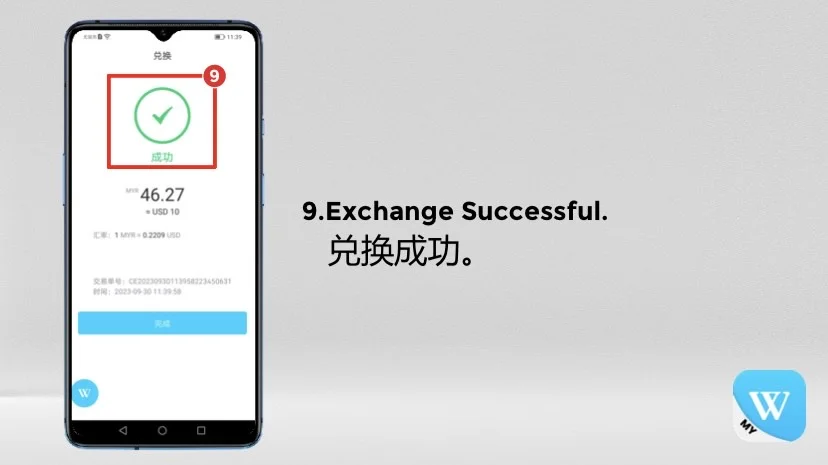
Review the completed exchange record.
WINBOX Tutorial
Currency exchange image guide
All six supplied images are displayed in their original landscape ratio without cropping. Swipe on mobile or use the arrows to continue.
Before Confirming
Review the exchange details
The tutorial follows the supplied WINBOX interface. Available currencies, rates and labels may change on the current platform.
- ✓The source and destination currencies are correct.
- ✓The entered amount and received amount have been checked.
- ✓The displayed exchange rate is acceptable before continuing.
- ✓The payment code is entered only inside the WINBOX interface.