


Before You Start
Prepare the transfer details
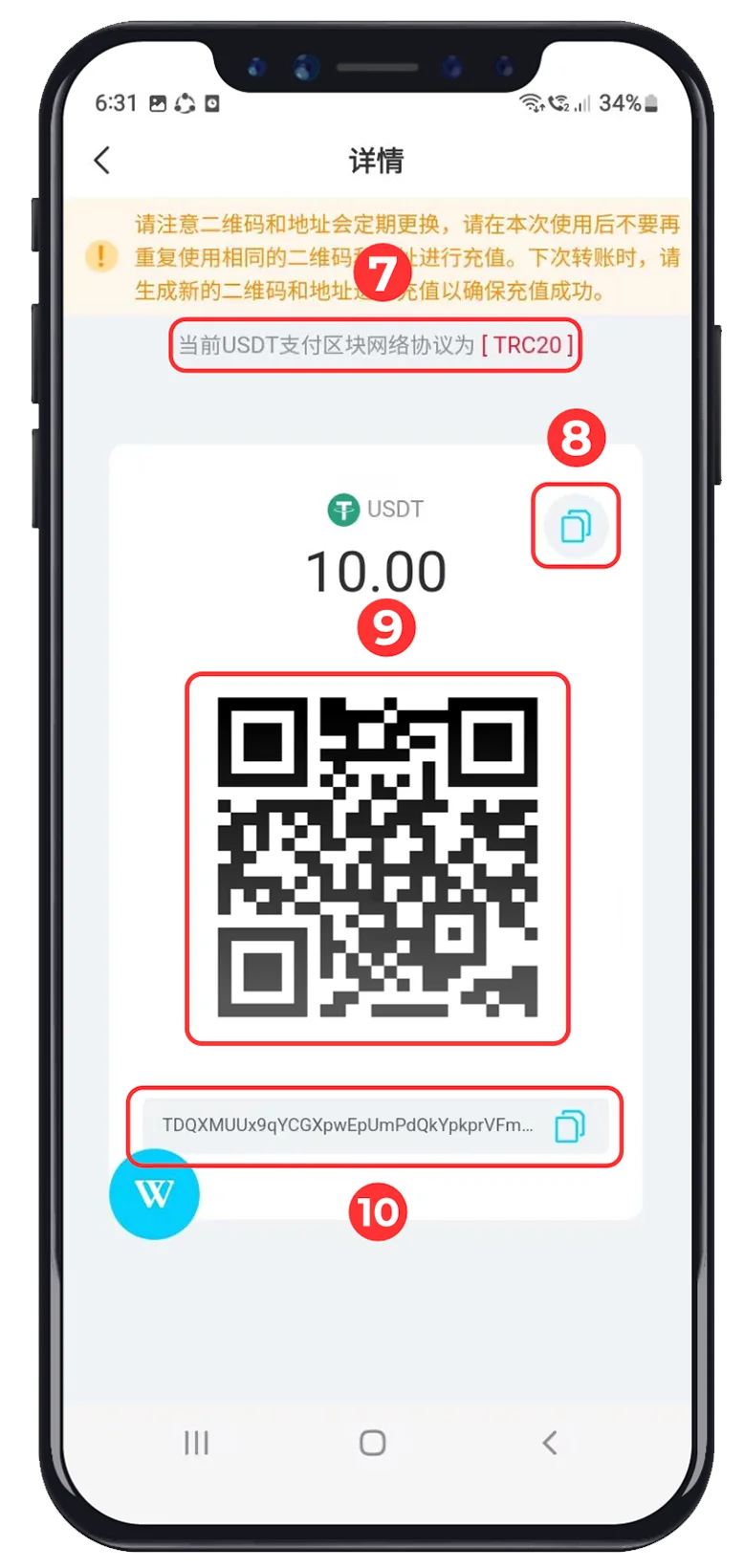
Use a wallet or exchange that supports the same USDT network shown by WINBOX. The network and deposit address must match exactly.
Switch the WINBOX wallet from MYR to USD before opening USDT Top Up.
Select the same payment network on both WINBOX and the sending platform.
Use the QR code or address generated for the current top-up request only.
WINBOX Tutorial
USDT deposit tutorial
All six supplied screenshots are arranged in step order and displayed in full. Swipe on mobile or use the arrows to continue.
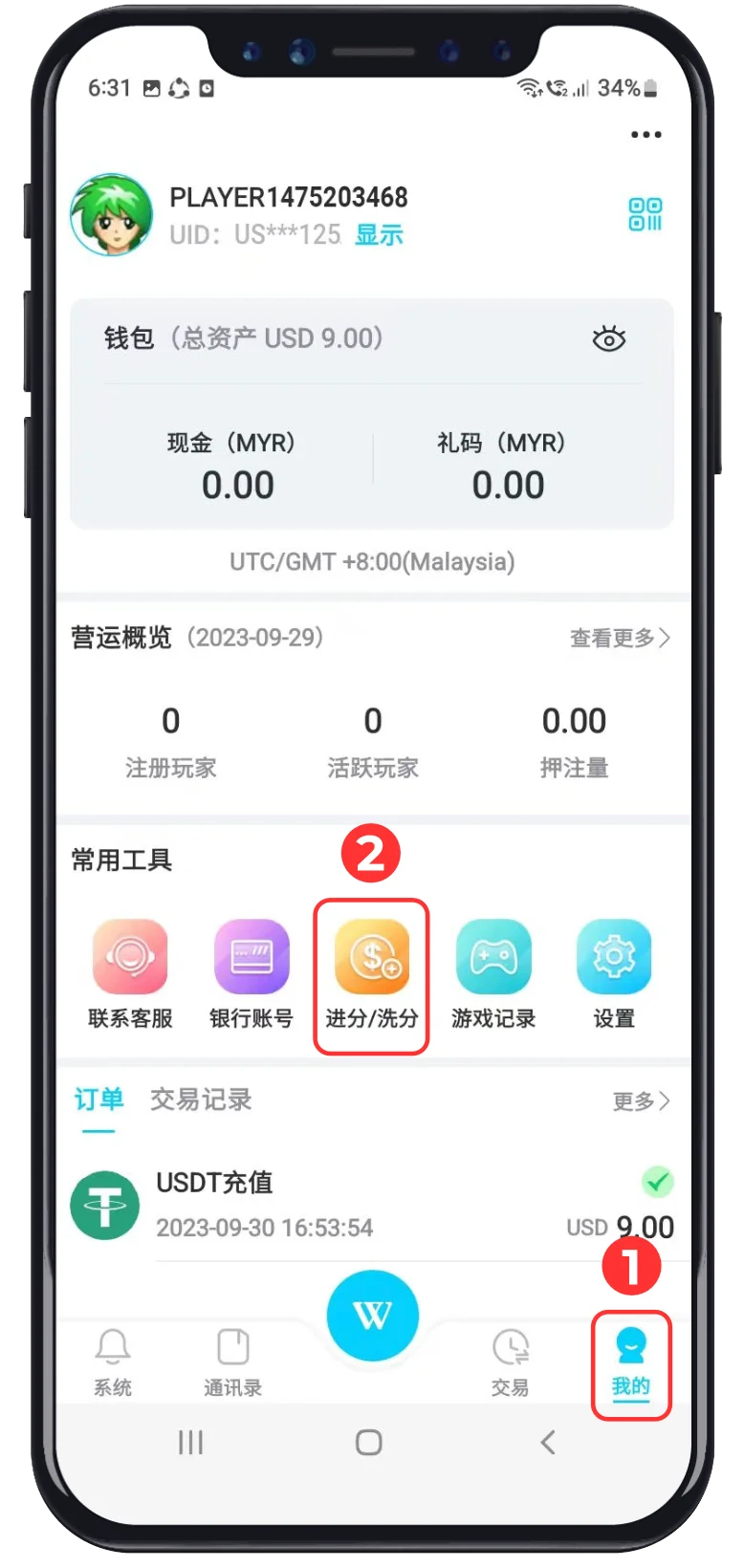
Account Access · 01–02
Open the WINBOX wallet
 Click “Me”
Open your personal account from the bottom navigation.
 Click “Recharge / Withdraw”
Select the wallet shortcut highlighted in the screenshot.
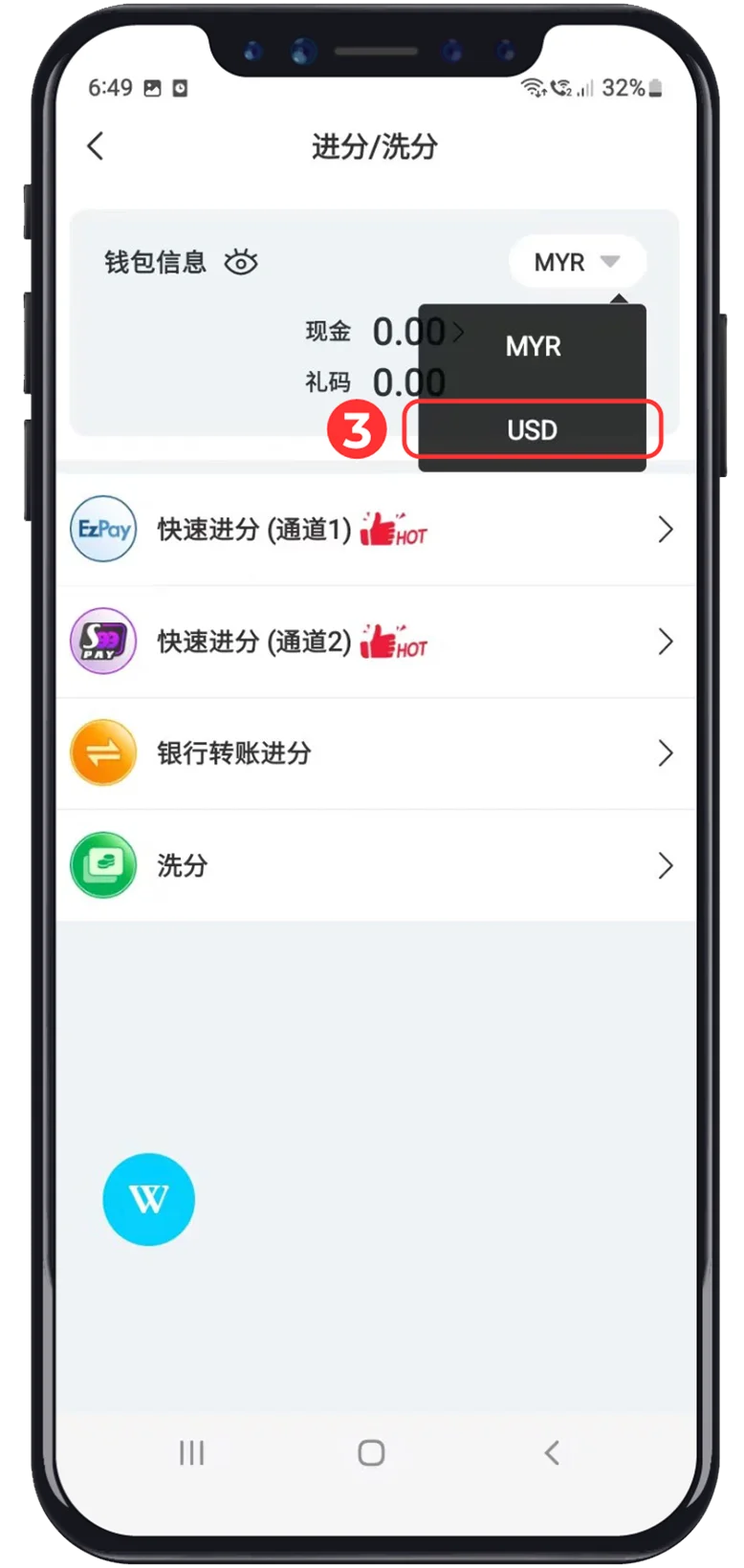
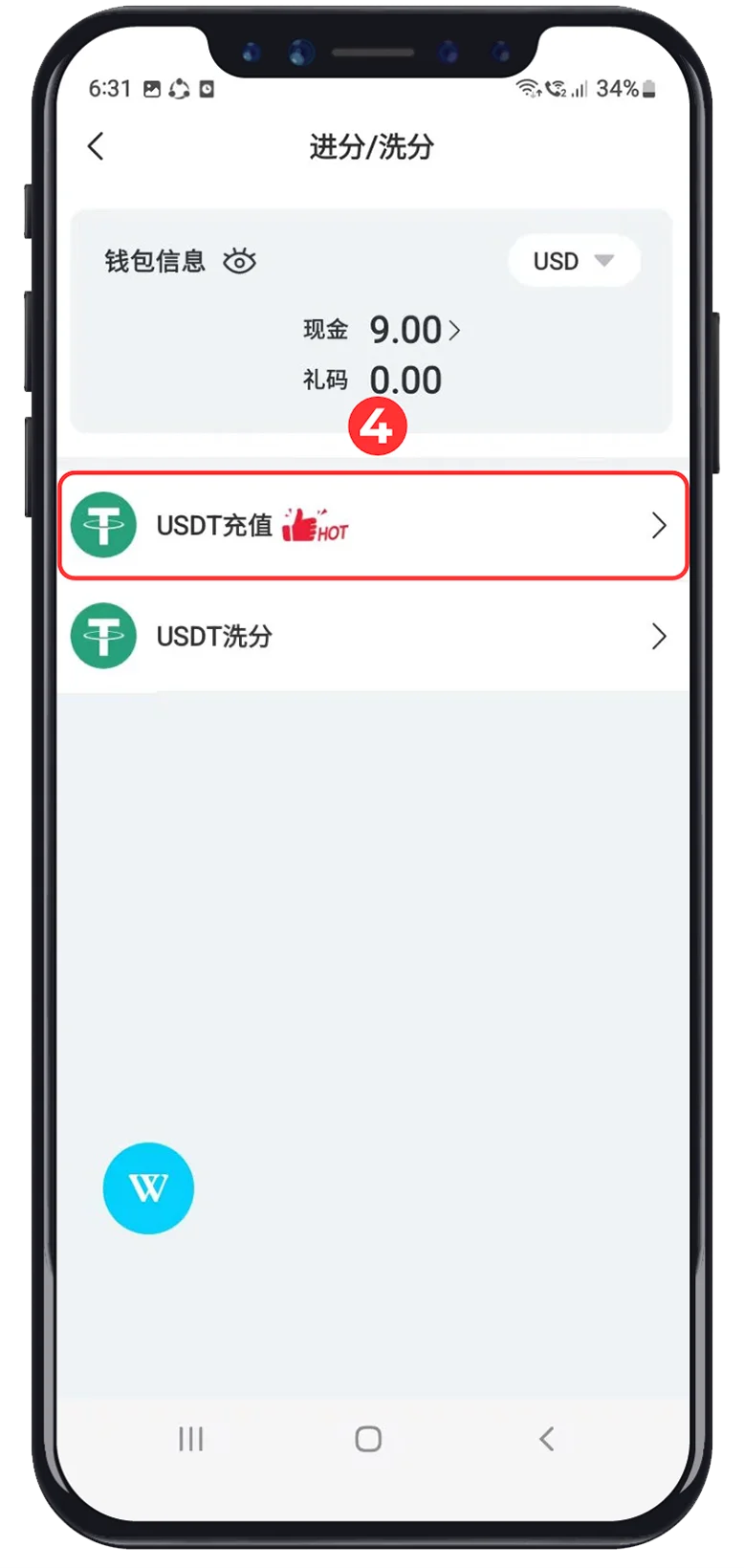

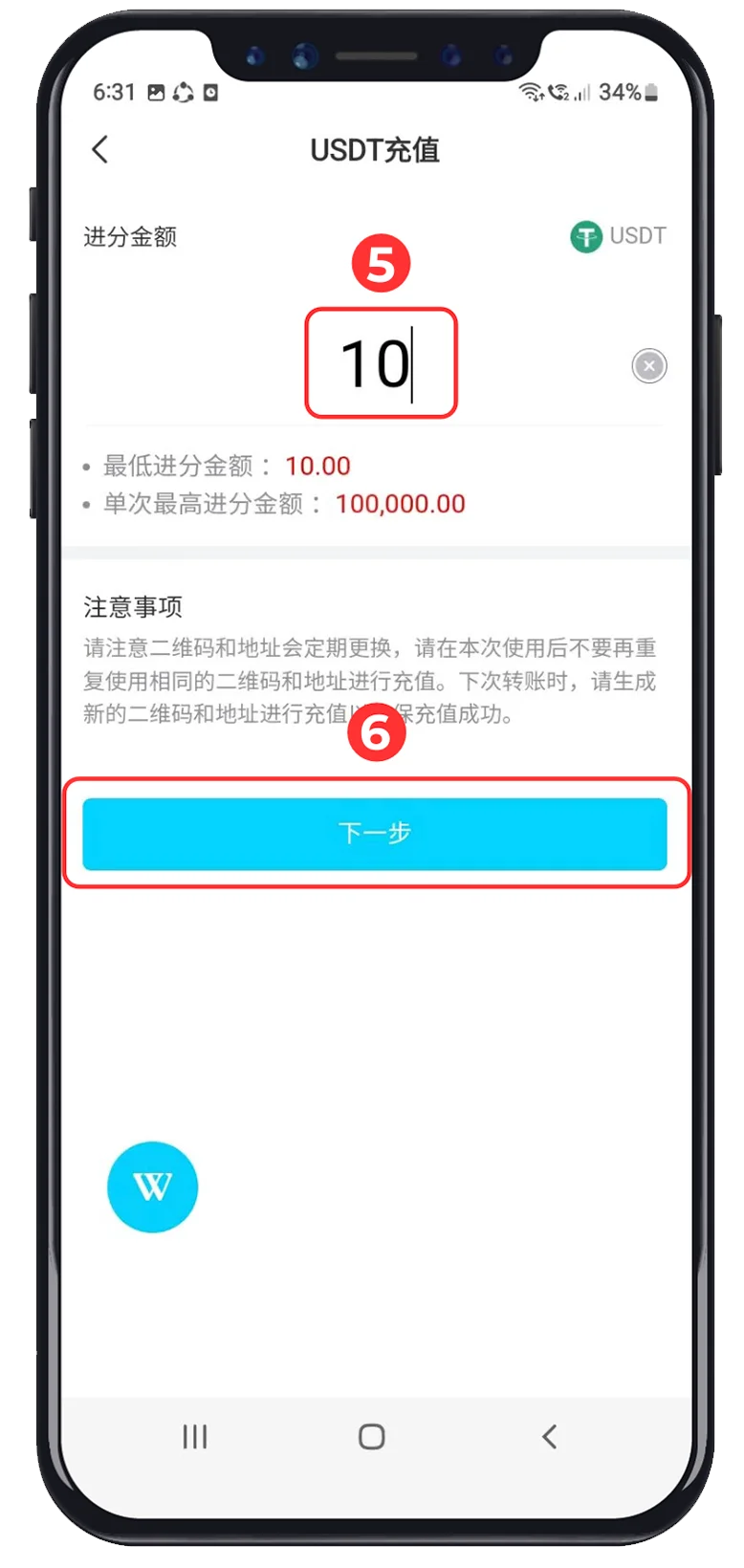




Important
Check before sending
Cryptocurrency transfers normally cannot be reversed. The labels, limits and network options shown in the supplied screenshots may differ from the current WINBOX interface.
- ✓The sending and receiving networks match exactly.
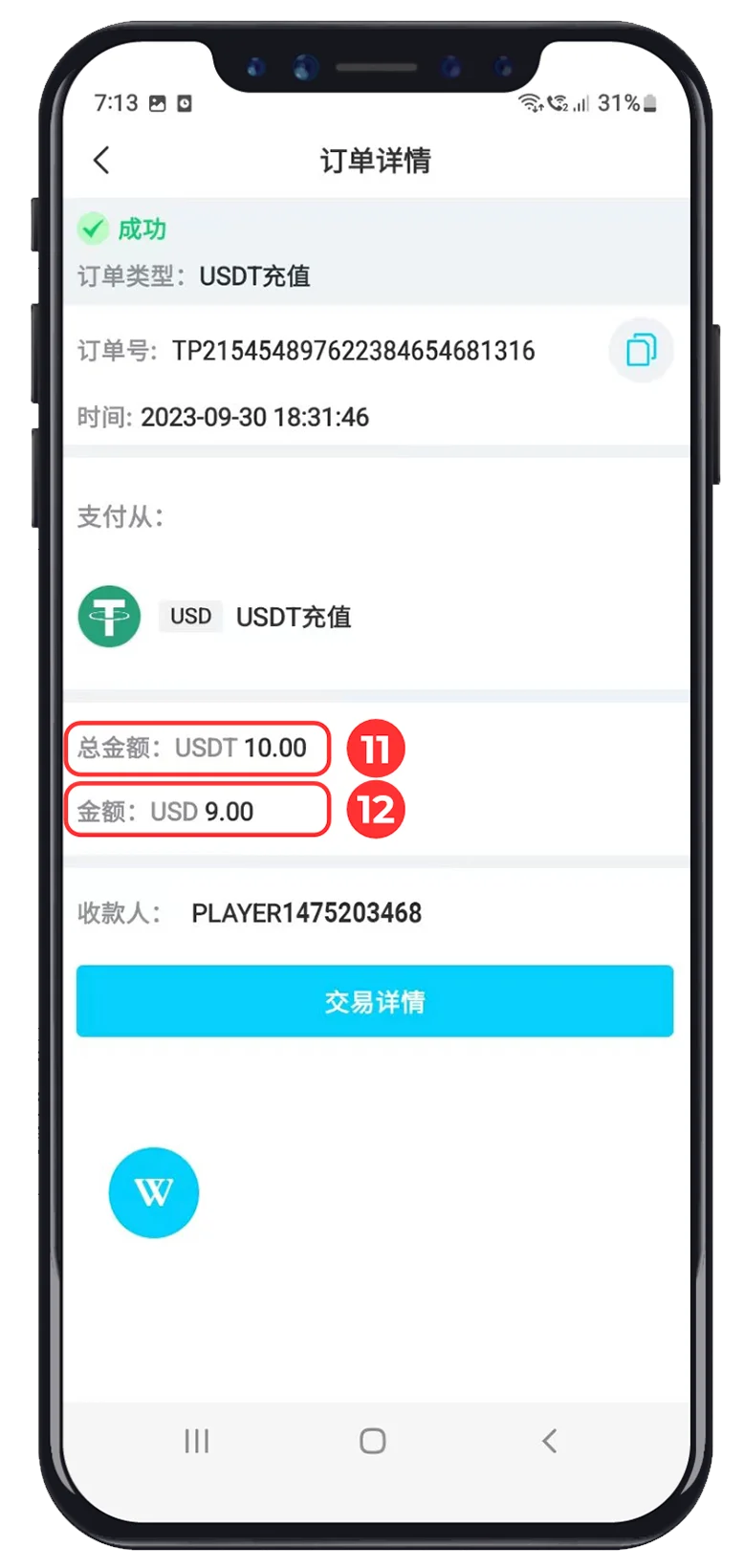
- ✓The transfer amount matches the generated request.
- ✓The QR code or address belongs to the current top-up round.
- ✓The completed order and credited amount have been reviewed.
USDT At WINBOX
Why players use USDT for top ups
USDT is a widely supported stablecoin designed to track the US dollar. Actual processing speed and network fees depend on the selected blockchain and sending platform.
Faster Transfers
Blockchain transfers can provide a direct way to move funds between a supported wallet and WINBOX.
Stable Unit
USDT is designed to follow the US dollar, making the transfer amount easier to understand than more volatile tokens.
Clear Records
The sending platform and WINBOX order provide transaction details that can be checked after submission.
Broad Access
USDT is available through many compatible wallets and exchanges used by customers in different regions.
Network Choice
Use the network displayed by the current WINBOX request and select the identical network when sending.
Direct Address
Scan the supplied QR code or copy the complete address generated for the current recharge round.