



No installation
Open it directly in your browser.
BROWSER ACCESS
WINBOX Web Version
Access WINBOX from a compatible mobile browser and keep the platform one tap away without installing the app.
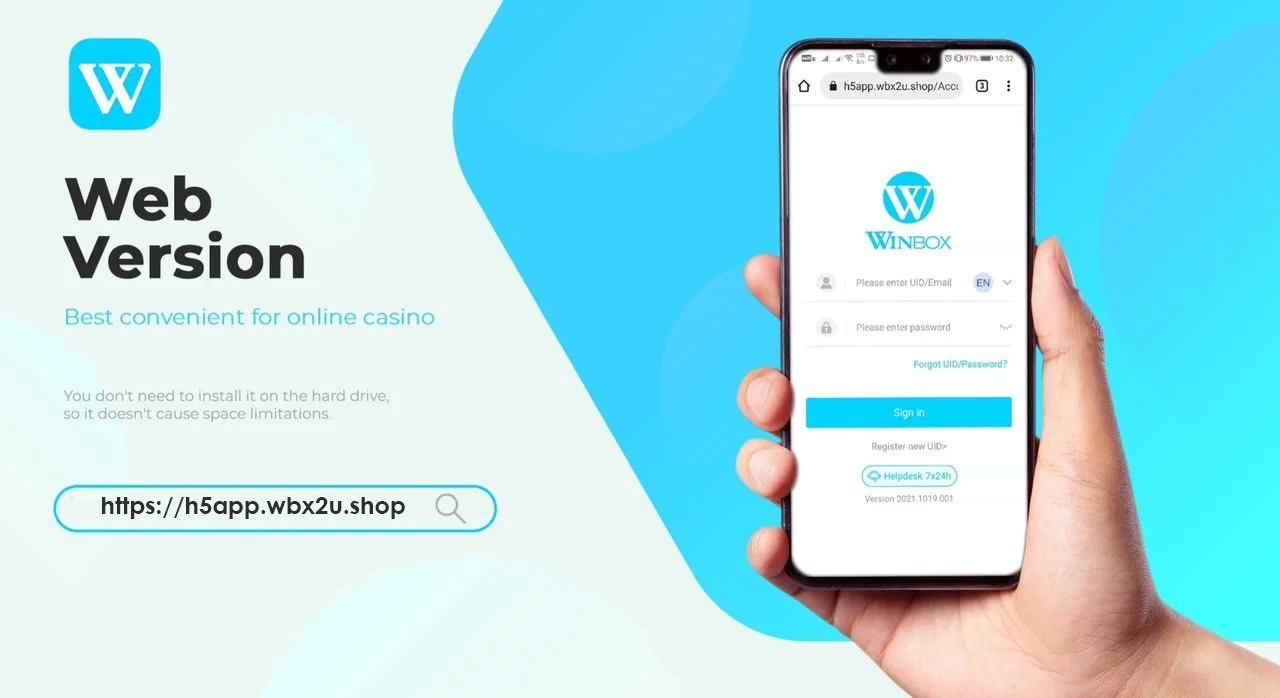
Instant Browser Access
Play without installing the app.
Use the verified WINBOX web destination to sign in, register and access your account from a compatible browser. It is the quickest option when you do not want to use device storage.
Mobile friendly
Designed for convenient phone access.
Home-screen shortcut
Save it like an app on iOS or Android.
New to WINBOX?
Register for Web Version access.
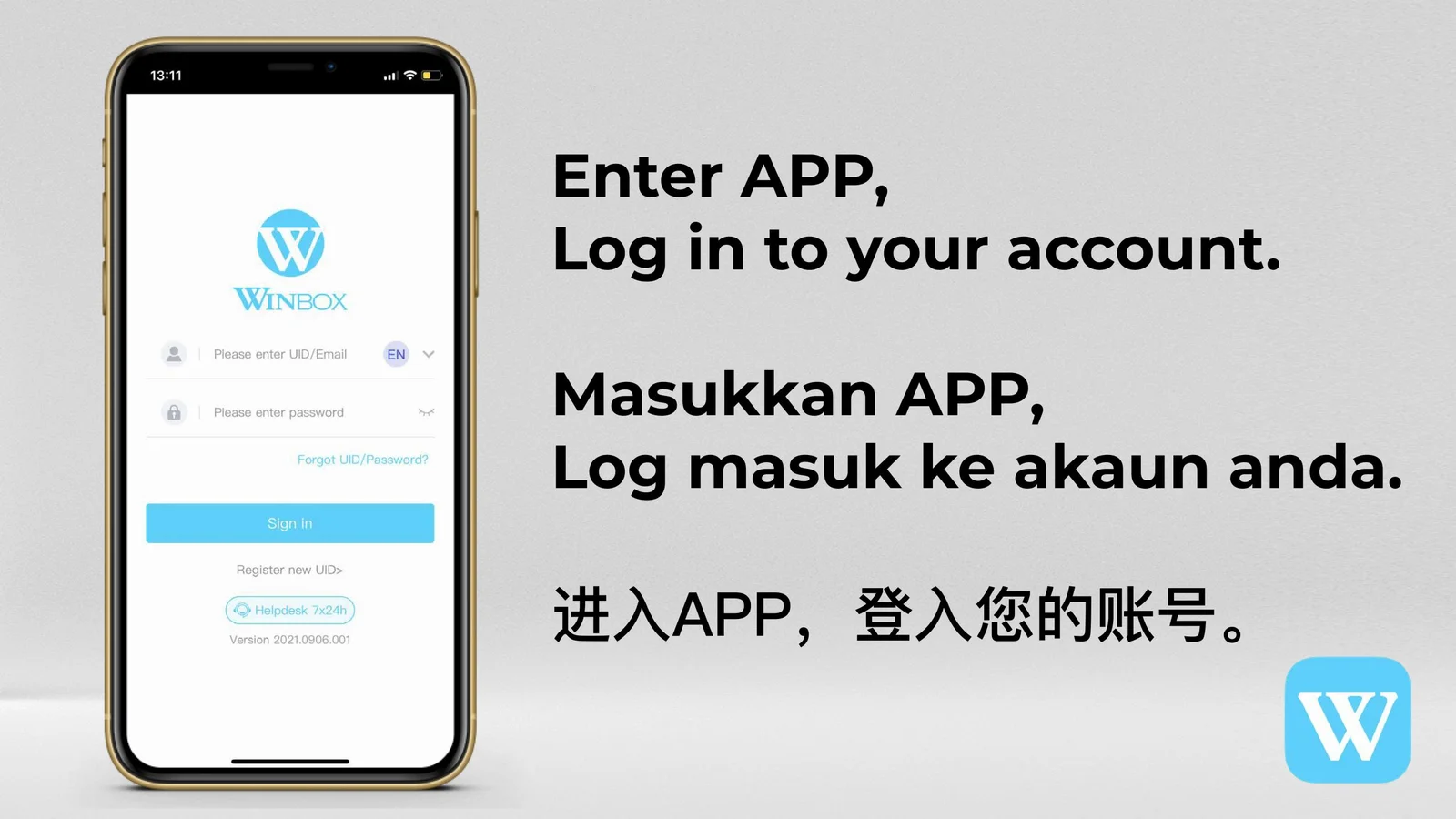
Create your account through the verified registration destination, then return to the Web Version to sign in.
Lucky Referrer Code
JWEI88T
Enter this code when the registration form requests a referrer.
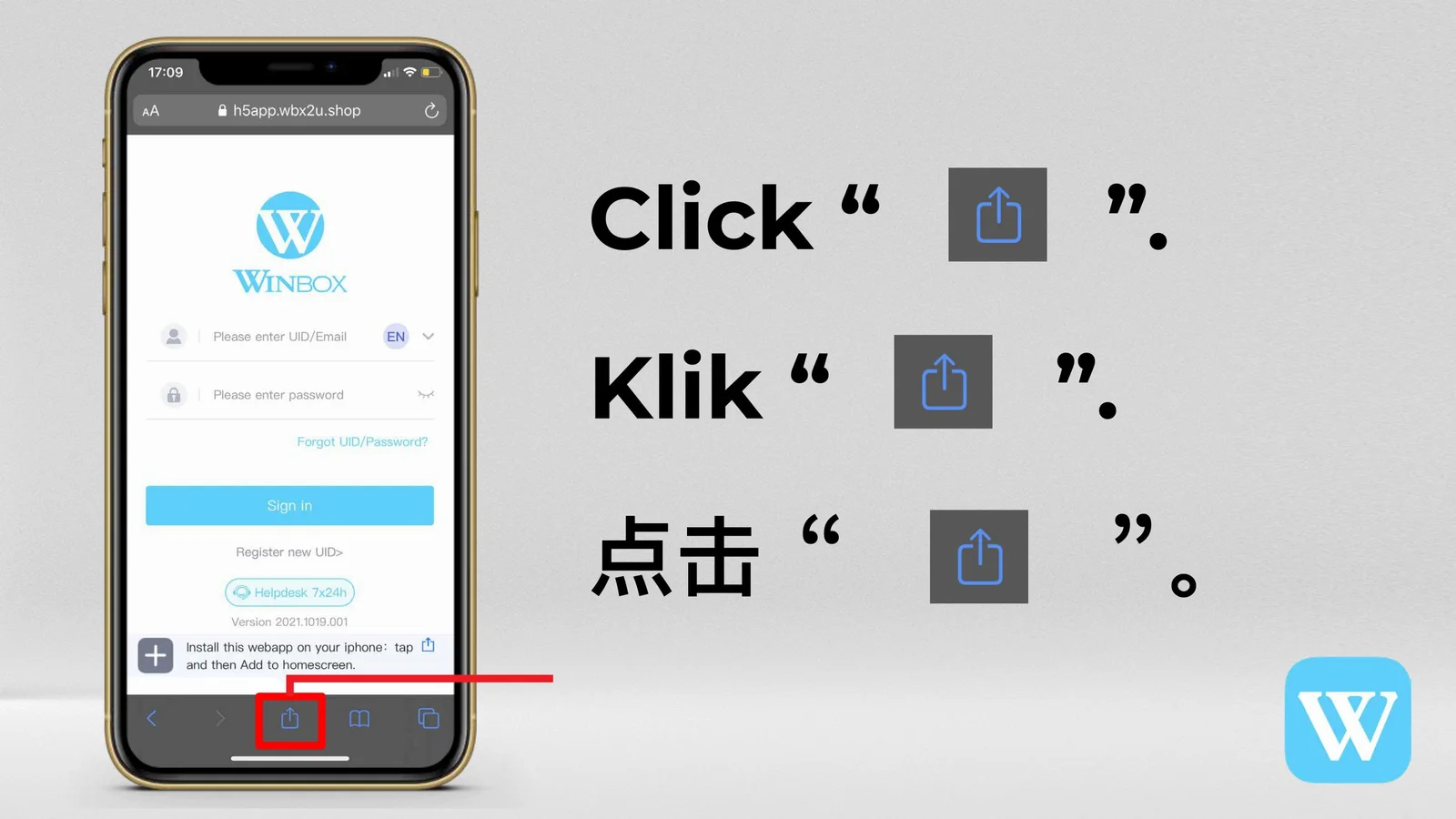
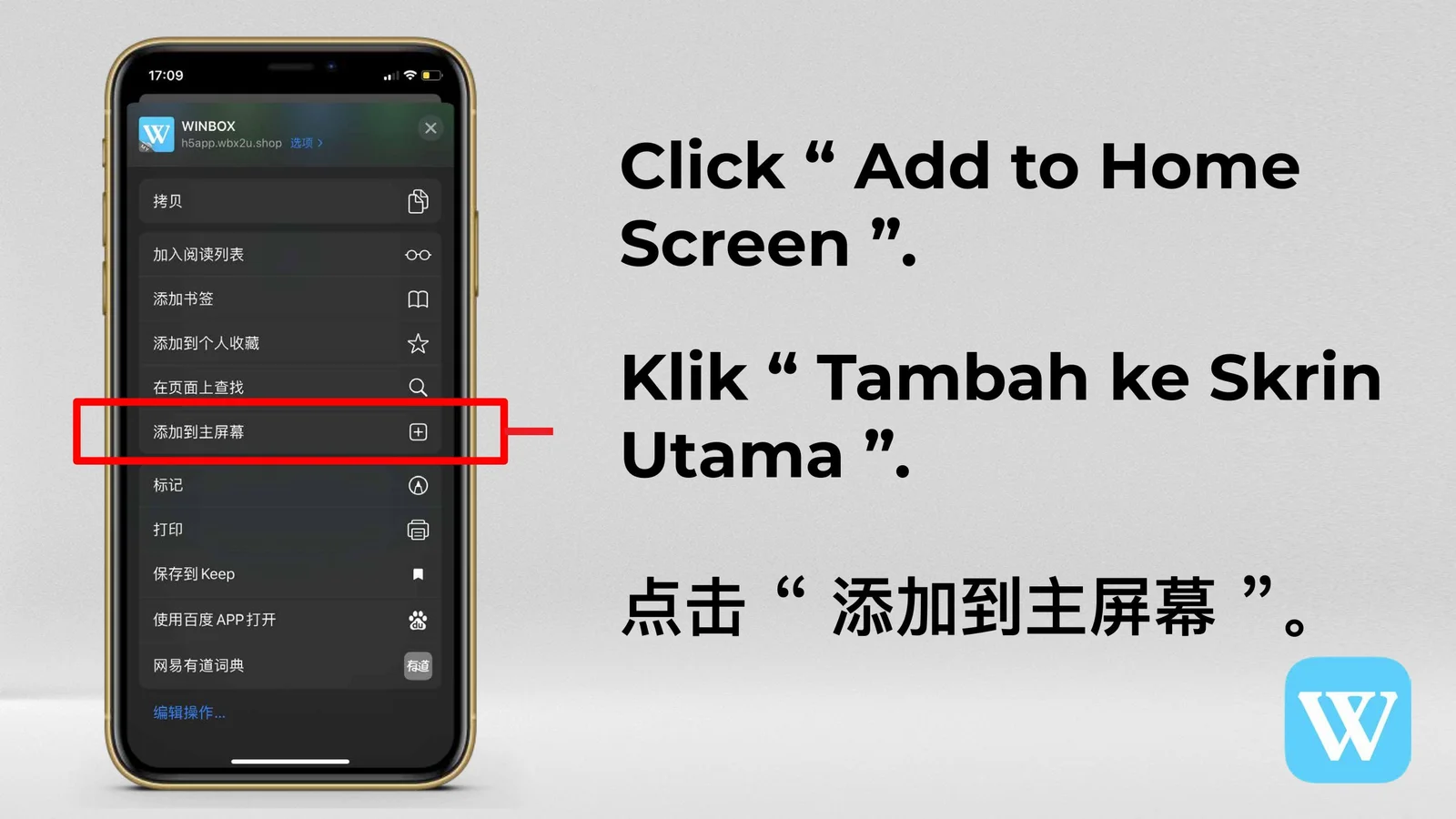
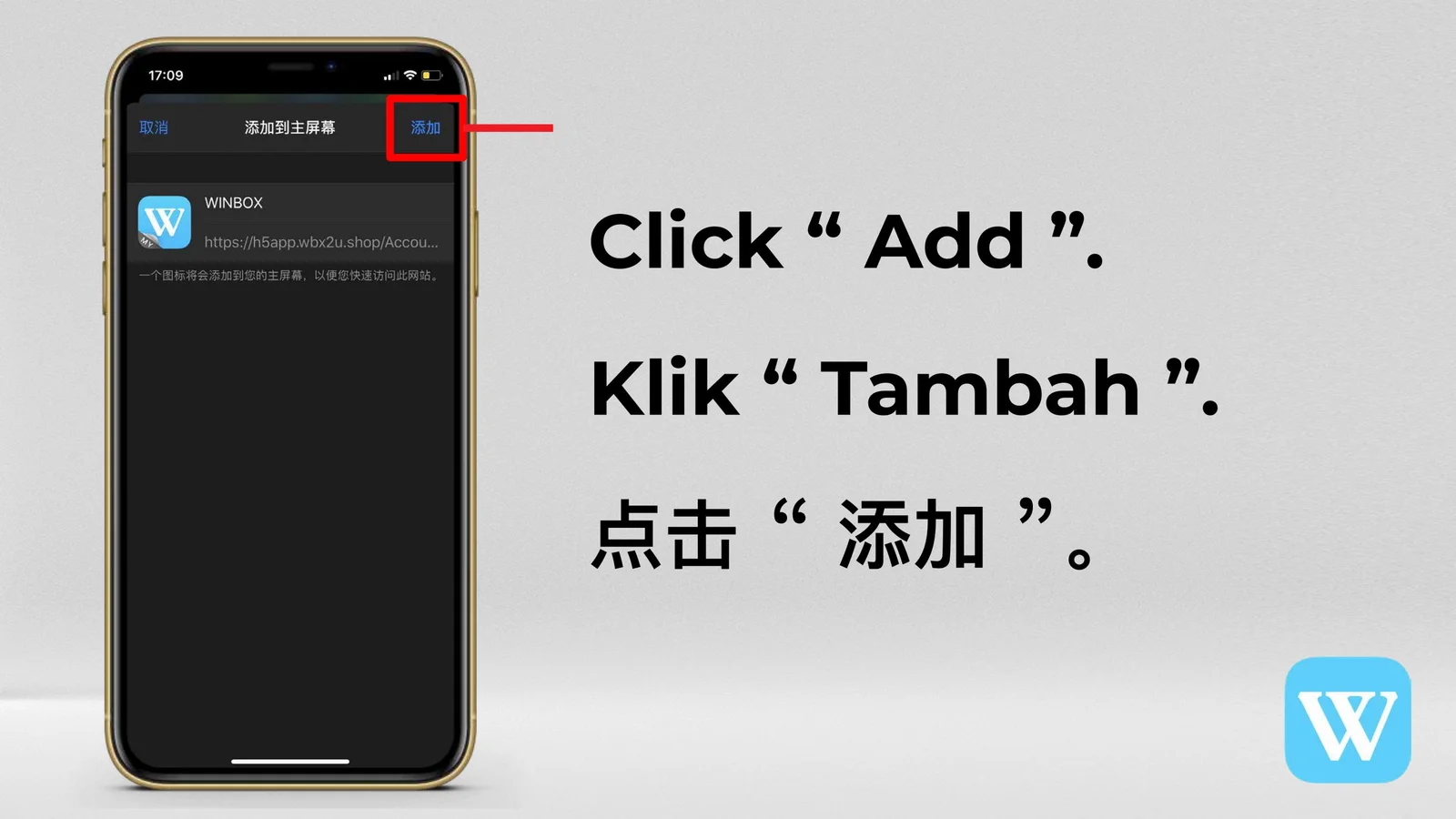
iOS Web Shortcut
WINBOX iOS Web to Icon Tutorial


Android Web Shortcut
WINBOX Android Web to Icon Tutorial


BROWSER ACCESS
Use WINBOX directly from your mobile browser
The WINBOX Web Version is a convenient option for members who prefer browser access or cannot install the mobile app. This page combines the verified access route with complete iPhone and Android home-screen tutorials.
Open the current web destination
Use the access button on this page instead of typing an address from an older screenshot. Supplied tutorial images may show an earlier interface, but the browser steps remain useful.
Add WINBOX to an iPhone home screen
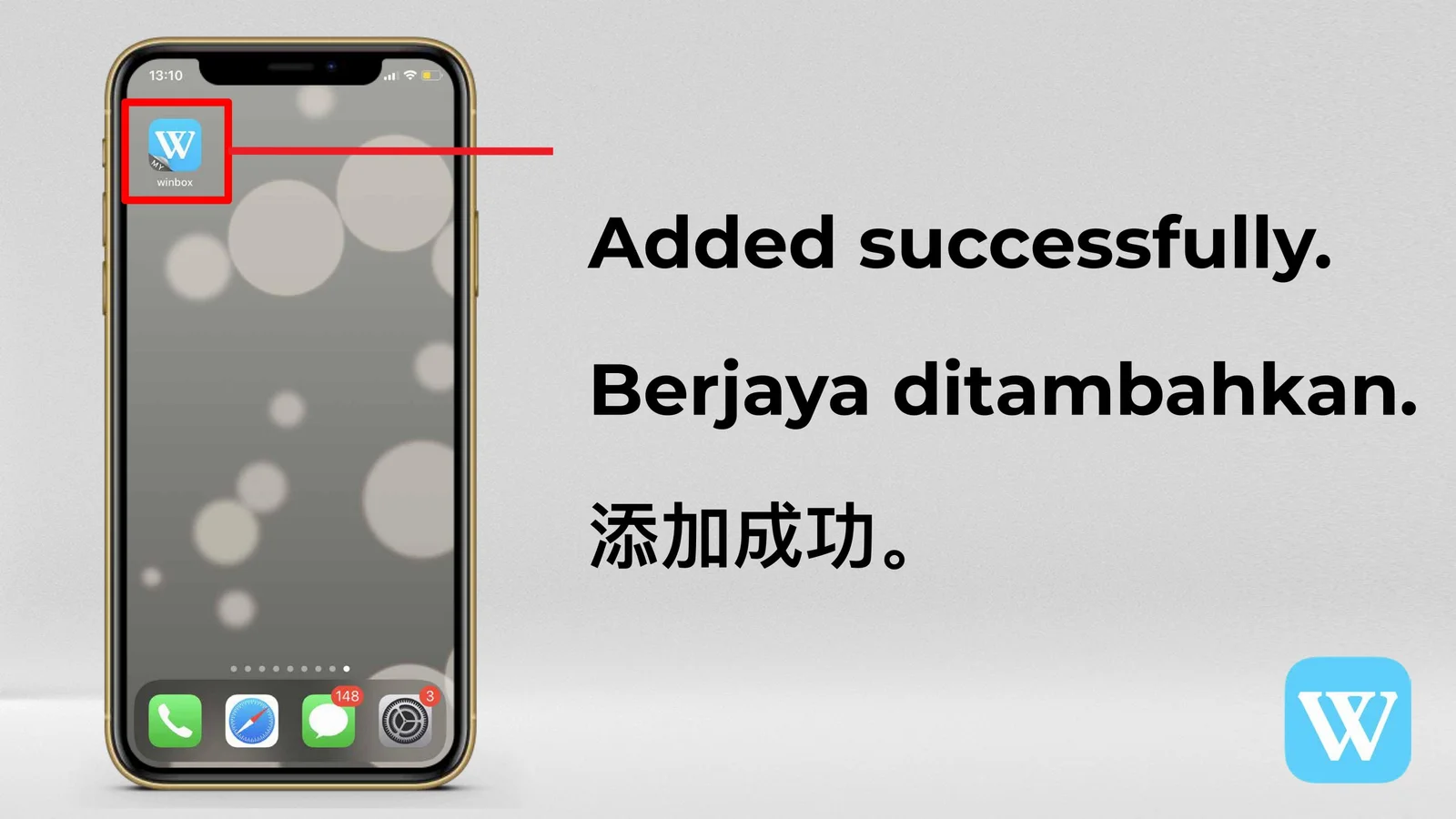
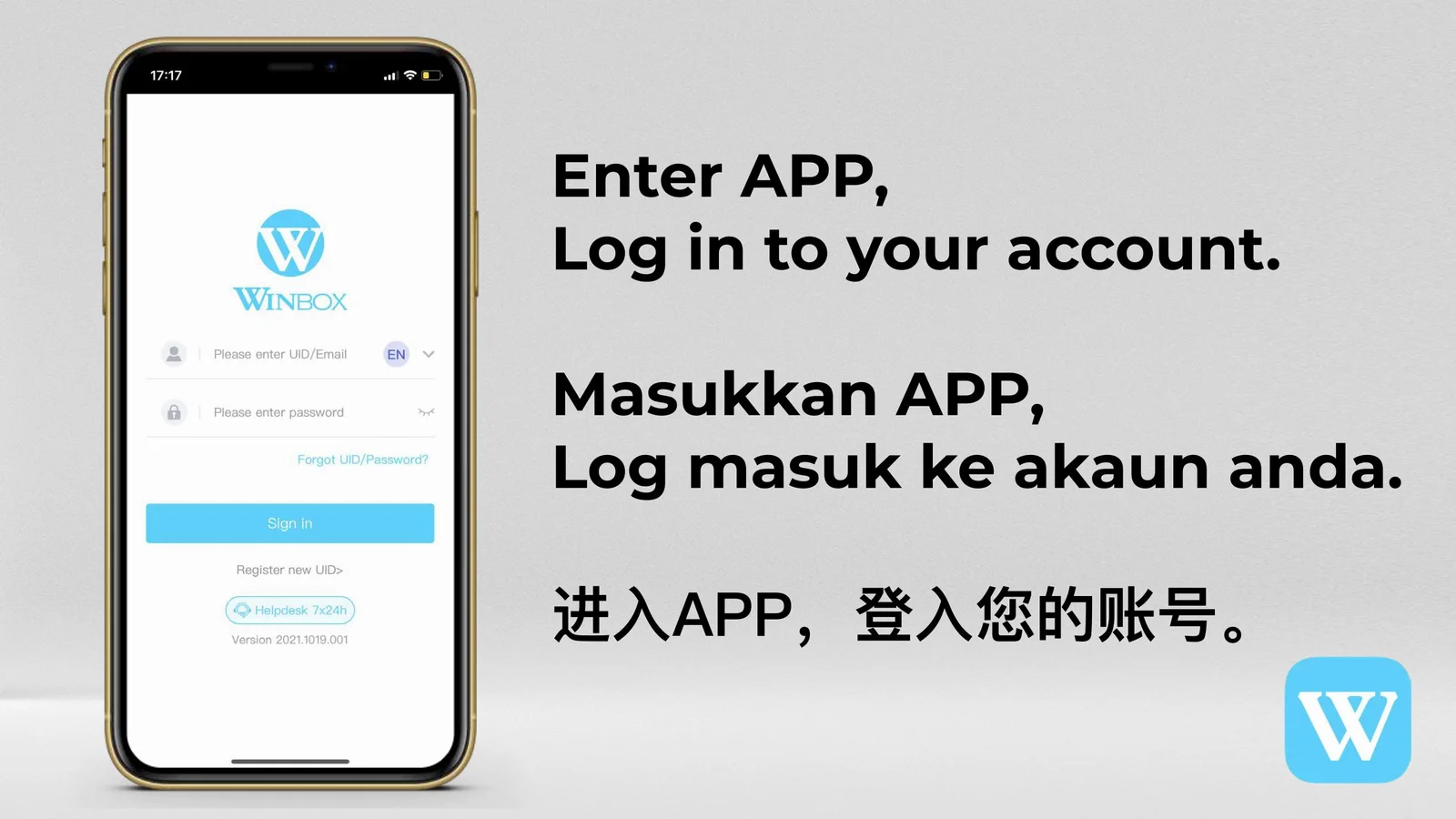
Open the web version in Safari, use the Share menu, choose Add to Home Screen and confirm the shortcut name. The new icon provides quick access from your device home screen.
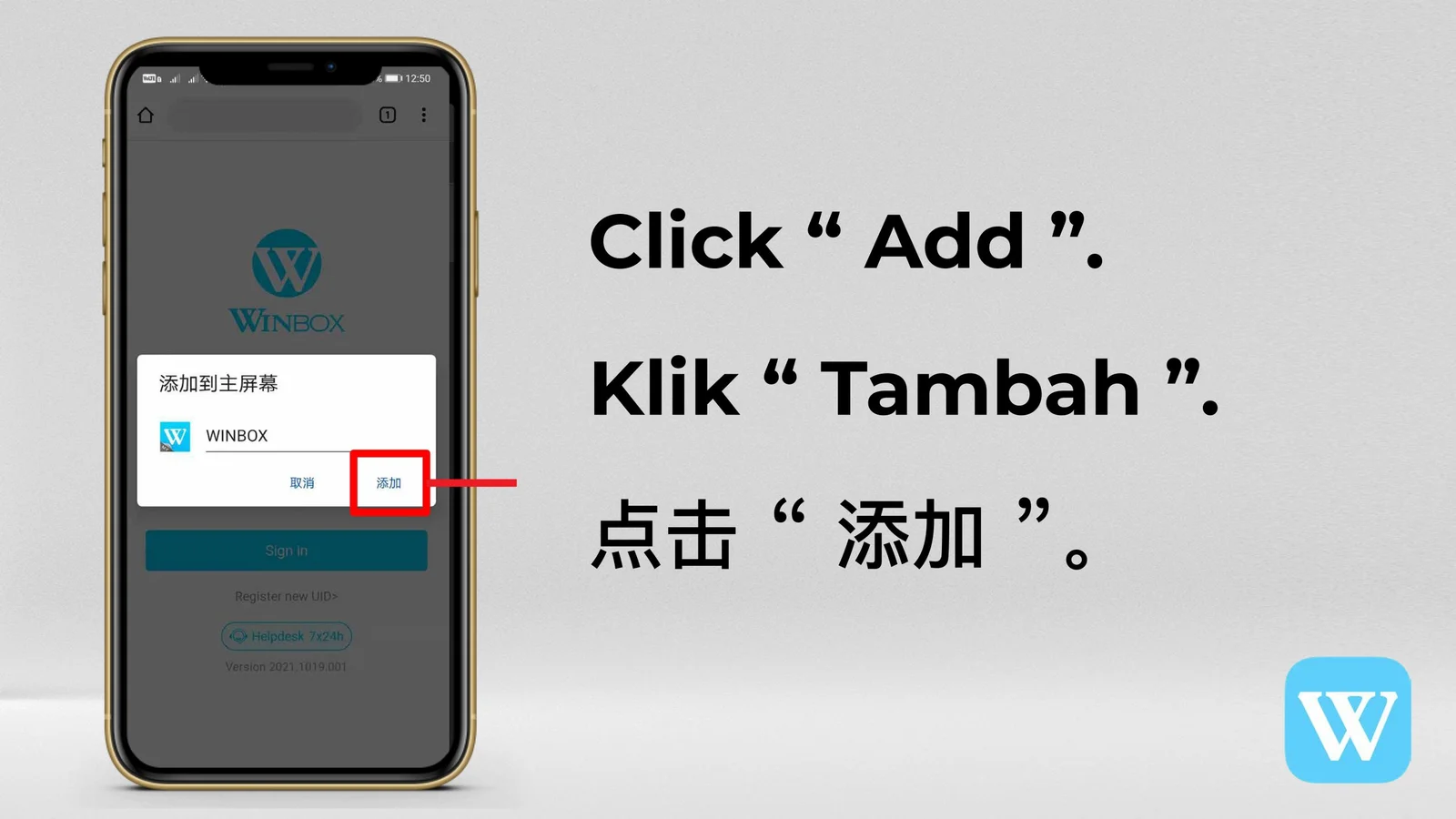
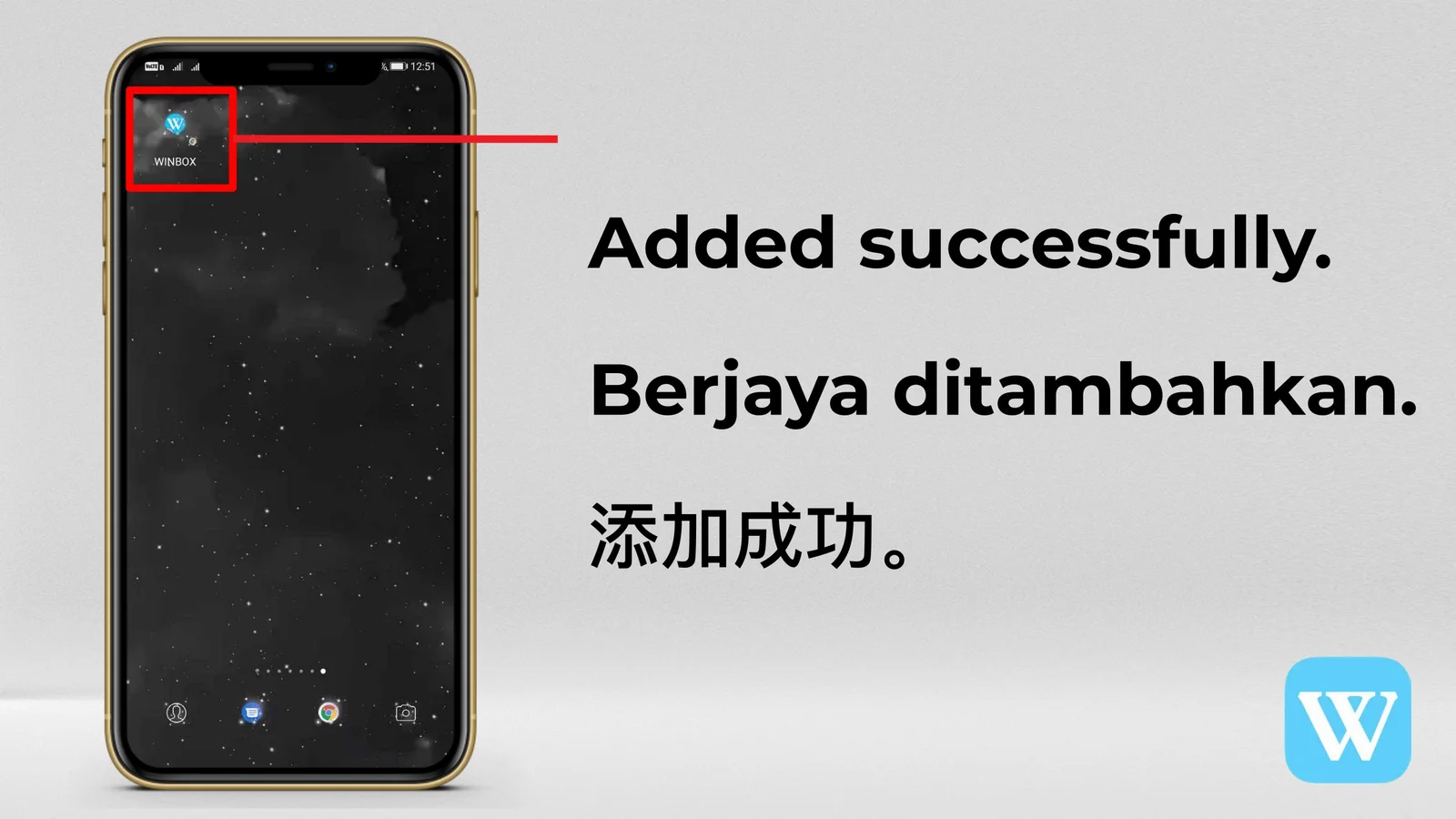
Create an Android home-screen shortcut
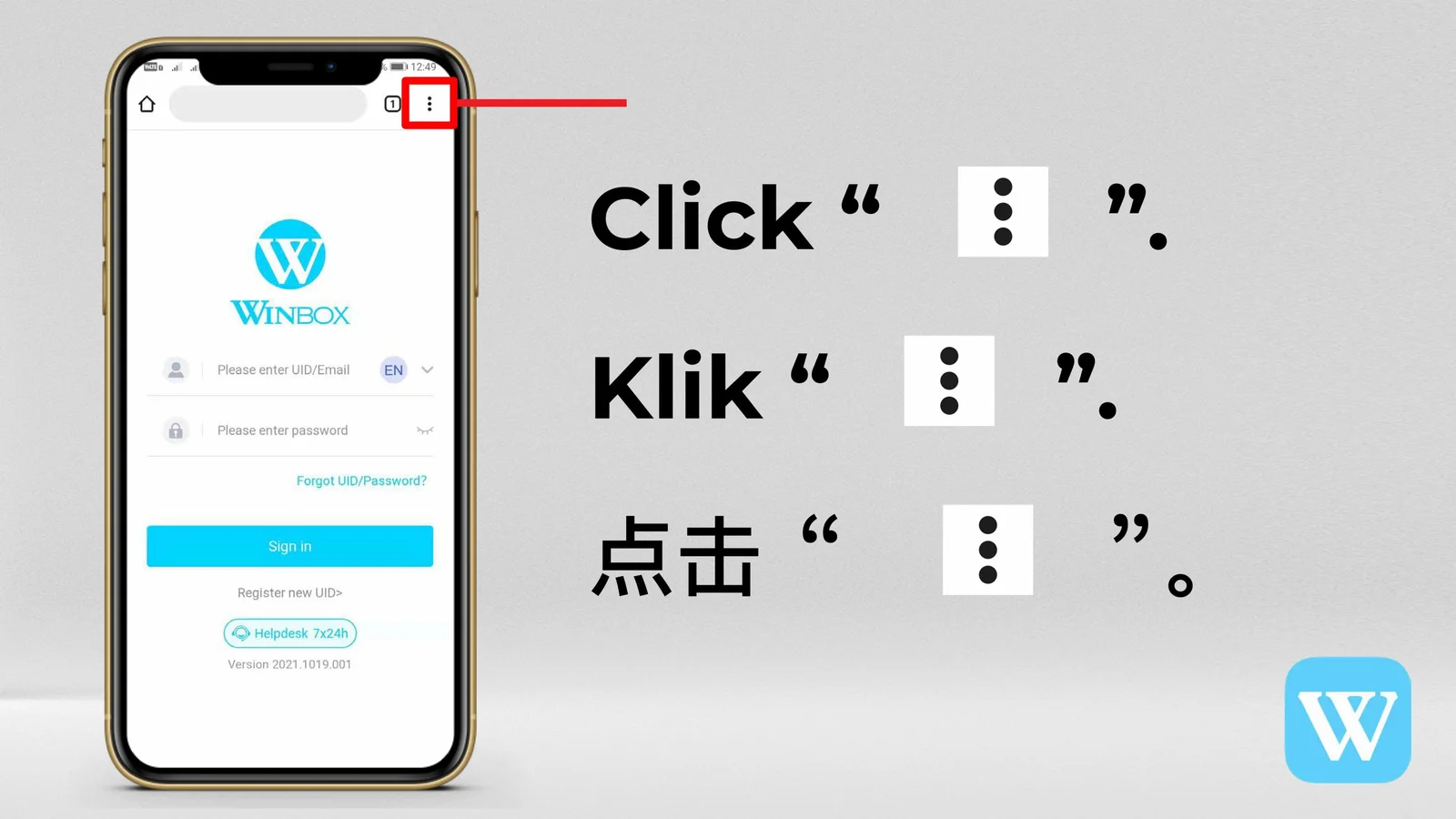
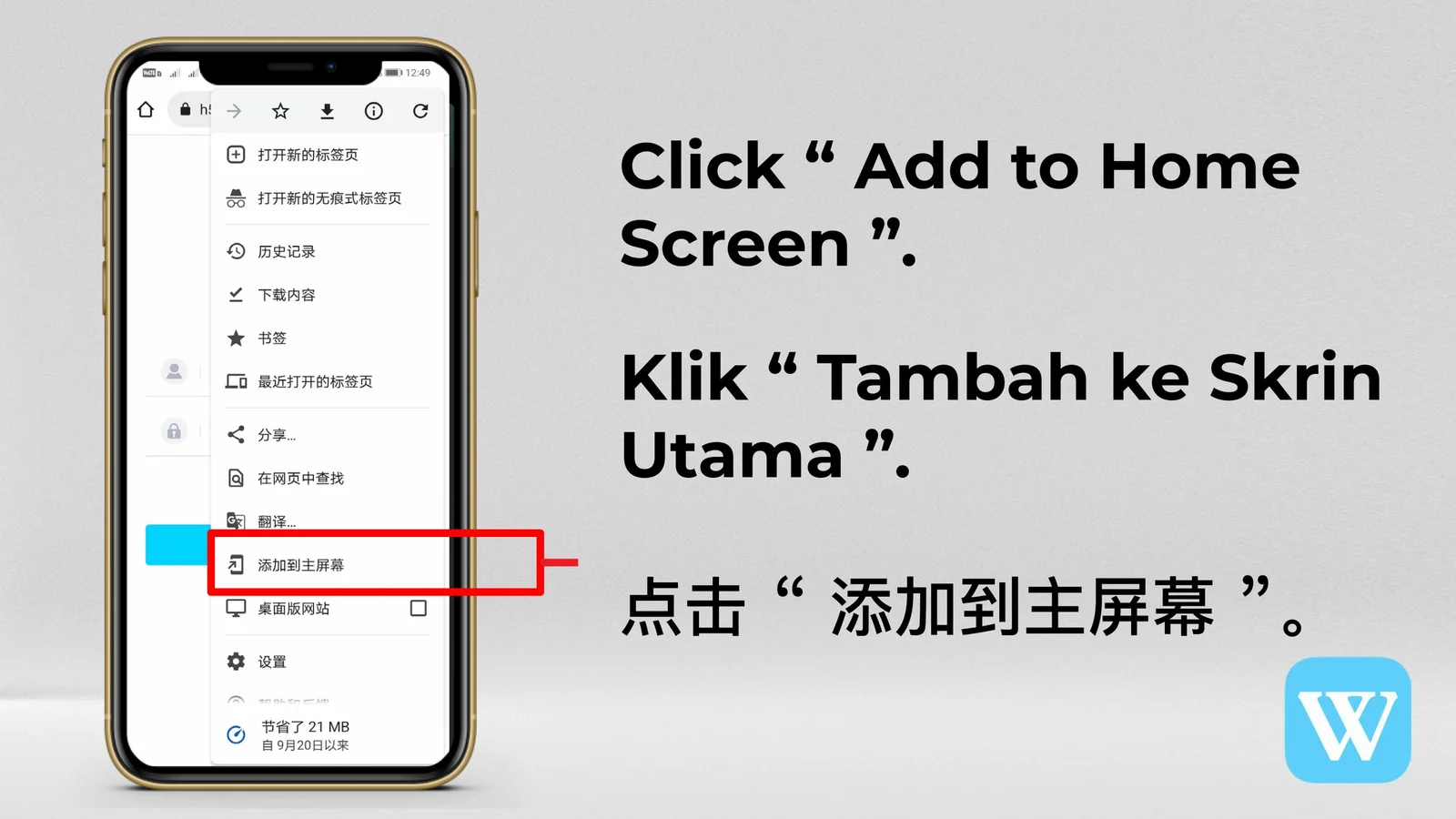
Open WINBOX in Chrome, select the browser menu, choose Add to Home screen or Install app, then confirm. Menu wording can vary by browser and Android version.